USB-C chargers and GaN explained: wattage, PPS, cables and ports
How USB Power Delivery negotiates wattage, when PPS matters for phones, why cables need e-markers above 60 W, and how multi-port GaN chargers share power.
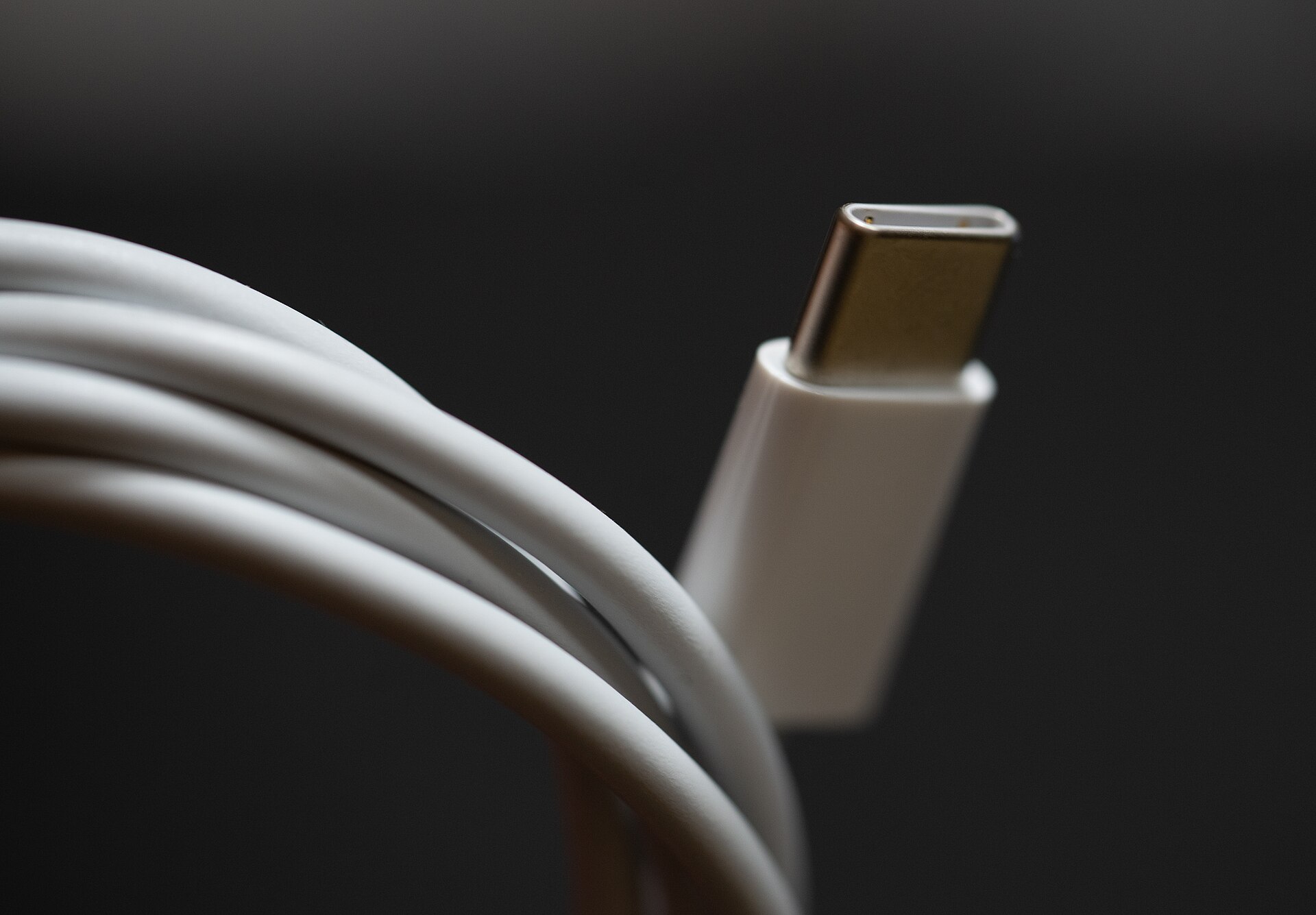
USB-C has made it possible to charge a phone, tablet, earbuds and many laptops from one charger. But a charger that works with everything doesn't always charge everything quickly, and the reason is usually hidden in a detail: the wattage profiles the charger offers, the cable in between, or how a multi-port charger splits its power. This guide explains how USB-C charging works, what GaN changes, and how to pick a charger and cables that do what you expect.
What GaN changes
GaN (gallium nitride) is a semiconductor material used in place of, or alongside, traditional silicon in a charger's power circuitry. GaN transistors can switch faster and more efficiently, which allows smaller transformers and less heat. The practical result is a charger that delivers the same power in a noticeably smaller, lighter body.
GaN does not make a charger charge faster by itself. Charging speed is set by the wattage and protocols the charger supports and what your device accepts. Design and build quality still matter, and any charger should carry the recognised safety certification marks for your country or region.
How USB Power Delivery works
USB Power Delivery (USB PD) is the main fast-charging standard for USB-C. When you plug a device in, the charger and device negotiate: the charger lists the voltages and currents it can supply, and the device picks one.
- Standard PD voltages are 5 V, 9 V, 15 V and 20 V.
- At up to 3 A, that gives up to 60 W (20 V × 3 A).
- With a suitable cable, 5 A at 20 V gives up to 100 W.
- Extended Power Range (EPR), added in USB PD 3.1, adds 28 V, 36 V and 48 V for up to 240 W, for larger laptops and other devices that support it.
Because the device requests the power, a higher-wattage charger is safe to use with a smaller device: a phone connected to a 100 W charger takes only what it asks for. The reverse is the problem: a small charger may charge a laptop slowly, only when it's asleep, or not at all.
Typical wattages
| Device | Common charging power |
|---|---|
| Earbuds and watches | Only a few watts; any charger works |
| Phones | Roughly 20–45 W for fast charging |
| Tablets | Roughly 20–45 W |
| Thin laptops | Roughly 30–65 W |
| Larger and performance laptops | Roughly 90–140 W, some higher |
The best guide for a laptop is the wattage of the charger it came with, or the figure in its specifications. Many gaming laptops use a separate high-power connector and charge only slowly, or not at all under load, over USB-C.
Rule of thumb: match or exceed your laptop's original charger wattage on one port, and check that the charger supports the voltage your laptop needs, usually 20 V.
PPS: why some phones need it
PPS (Programmable Power Supply) is an optional part of USB PD that lets the device request voltage in fine steps, adjusting it continuously during charging. That reduces heat in the phone, because less power has to be converted inside it.
Some Android phones reach their fastest charging speeds only with PPS, and a few of their highest modes also need a 5 A cable. On a standard PD charger without PPS, those phones still charge, just more slowly. If you use such a phone, check that the charger lists PPS and the voltage and current range it supports.
Some phone makers also use their own proprietary fast-charging systems that require their own chargers and cables for full speed; with other USB-C chargers, those phones typically fall back to standard USB PD. Qualcomm Quick Charge is another older family; recent versions are designed to be compatible with USB PD.
Cables and e-markers
Every USB-C to USB-C cable should carry at least 3 A, so up to 60 W at 20 V. To carry more, a cable needs an e-marker chip that tells the charger it is rated for 5 A. Without one, the charger limits itself to 3 A, so a 100 W charger with an ordinary cable delivers at most 60 W.
- 60 W cables: fine for phones, tablets and most thin laptops.
- 100 W cables (5 A, e-marked): needed for laptops that draw more than 60 W.
- 240 W cables (5 A, EPR, e-marked): needed for EPR charging above 100 W.
Charging capability and data speed are separate. Many charging cables support only USB 2.0 data, which is fine for charging but slow for drives and useless for monitors. Cables certified by the USB Implementers Forum carry logos showing both power (for example 60 W or 240 W) and data speed. Our external storage guide explains data speeds.
Multi-port chargers and power sharing
Multi-port GaN chargers can replace several bricks, but the headline wattage is the total, shared between ports.
- A 100 W charger with three ports might supply 100 W from one port alone, but only, for example, 65 W and 30 W when two devices are connected. Each charger has its own power map, usually printed in the manual or on the charger.
- Plugging in a second device often makes the charger renegotiate power on every port, briefly interrupting charging. This is normal, but some devices, including some monitors and hard drives powered from the charger, may restart.
- USB-A ports on a mixed charger are typically slower and often share power with one of the USB-C ports.
- Ports are not always identical. The highest-wattage port is often marked, for example C1.
For charging a laptop and a phone together, look for a charger whose power map gives the laptop its full wattage with the phone connected.
Travel and everyday details
- Voltage: most USB-C chargers accept 100–240 V mains input, so they work in most countries with the right plug adapter. Check the input rating on the charger.
- Folding or swappable prongs make chargers easier to carry.
- Heat: chargers get warm under full load. Don't cover them or leave them under bedding.
- Power banks: many support USB PD output and input; check the output wattage if you want to top up a laptop. Our power banks guide explains capacity ratings. For longer off-grid needs, see our guide to portable power stations and solar panels.
- Monitors: a USB-C monitor can charge a laptop over the same cable that carries the picture; our monitors guide explains what to check.
- Common charger rules: in the European Union, USB-C charging is now required on most new phones and many other portable devices, with laptops included from 2026. Rules elsewhere differ.
The short version
- GaN means smaller and cooler chargers, not faster charging on its own.
- USB PD negotiates power; a bigger charger is safe for small devices.
- Match your laptop's original wattage on a single port.
- Check for PPS if your Android phone's fastest mode needs it.
- Use a 5 A e-marked cable for anything above 60 W.
- On multi-port chargers, read the power-sharing map, not just the total wattage.
- Choosing a new laptop? Our laptop guide covers USB-C charging and ports.
Bloiq is reader-supported. Some links may earn us a commission; it never affects what we write. How we make money.
Cover photo: Tony Webster from Minneapolis, Minnesota, United States, CC BY 2.0, via Wikimedia Commons

.jpg)