Gaming headsets explained: wired vs wireless, latency, mics and surround
How wired, 2.4 GHz and Bluetooth gaming headsets differ in latency, what makes a headset microphone clear, and what virtual surround can and can't do.
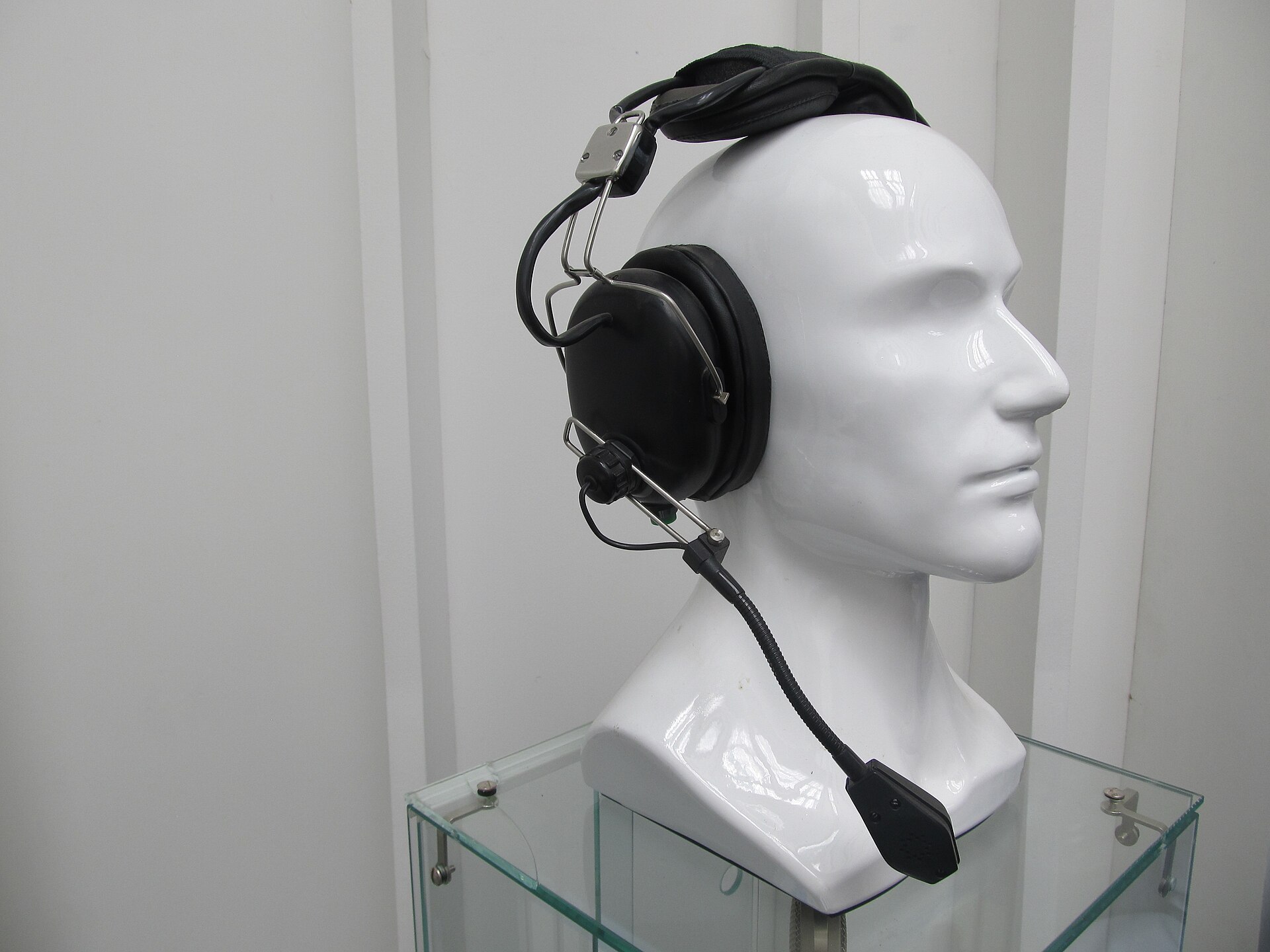
A gaming headset has two jobs: let you hear the game clearly, including where footsteps and gunfire are coming from, and let your teammates hear you. Boxes promise "7.1 surround", "low-latency wireless" and "broadcast-quality microphones", but those claims vary a lot in what they actually deliver. This guide explains how the connection types differ, why latency matters, what makes a microphone sound good, and when virtual surround helps.
Wired, 2.4 GHz wireless or Bluetooth?
How the headset connects decides its latency, compatibility and convenience more than anything else.
| Connection | Latency | Works with | Consider |
|---|---|---|---|
| 3.5 mm wired | None noticeable | Almost everything with a headphone socket, including controllers | No battery; the cable can snag |
| USB wired | None noticeable | PCs, most consoles | Built-in sound card; may need software |
| 2.4 GHz wireless (USB dongle) | Very low, suitable for gaming | The platforms the dongle is designed for | Needs charging; the dongle must match your console |
| Bluetooth | Noticeably higher with standard codecs | Phones, tablets, many PCs | Fine for casual games and video, not ideal for competitive play |
- 3.5 mm analogue is the simplest and most universal. Plugged into a controller, it often carries both game audio and chat.
- USB headsets have their own digital-to-analogue converter and often an equaliser or surround processing in companion software.
- 2.4 GHz wireless uses a small USB dongle and a dedicated radio link designed for low latency. Range is typically enough for a room.
- Bluetooth is convenient but standard codecs add enough delay that sound can lag slightly behind the picture. Some low-latency Bluetooth modes exist, but support varies.
Many wireless headsets offer both 2.4 GHz and Bluetooth, so you can stay connected to a game and take a call from your phone at the same time. If you also wear earbuds on the go, our guide to true wireless earbuds covers Bluetooth codecs in more detail.
Console compatibility
This is the most common buying mistake. Wireless dongles are often designed for specific platforms, and a headset that works wirelessly with one console may connect only by cable, or not at all, to another. Before you buy, check:
- which consoles and PCs the wireless connection supports, not just the wired one;
- whether you need a specific version of the headset or dongle for your console;
- whether chat and game audio both come through on your platform.
A 3.5 mm connection is the fallback that works with nearly every controller and handheld.
Latency: how much delay is too much
Latency is the time between a sound being produced in the game and reaching your ears. Wired connections add effectively none. Good 2.4 GHz wireless adds a delay most people don't notice. Standard Bluetooth adds more, enough that some players notice the delay between seeing and hearing a shot.
For story games and casual play, Bluetooth delay rarely matters. For fast competitive shooters and rhythm games, choose wired or 2.4 GHz.
Rule of thumb: for competitive play, use a cable or a 2.4 GHz dongle; keep Bluetooth for phones, calls and relaxed games.
Microphones: what makes them clear
Most gaming headset microphones are designed for voice chat, not recording. What helps:
- Boom microphones that sit near the corner of your mouth pick up your voice clearly and reject more room noise than mics built into the ear cups. Detachable or flip-to-mute booms are convenient.
- Directional (cardioid) capsules favour sound from one direction, reducing keyboard and fan noise.
- Noise suppression in the headset or in software reduces background sound, sometimes at the cost of a slightly processed voice.
- Sidetone (mic monitoring) plays your own voice into the headset so you don't shout. It's useful with closed-back designs.
- A physical mute button or indicator saves embarrassment.
If you stream, record or present regularly, a separate desktop microphone usually sounds better; see our guide to webcams and USB microphones.
Virtual surround explained
Headphones have two drivers, one for each ear, yet they can still give a convincing sense of direction. Your brain locates sounds using small differences in timing, level and tone between your ears, shaped by your head and outer ears. Virtual surround processing simulates those cues so that sound seems to come from in front, behind or the sides.
What to know:
- "7.1 surround" on a headset almost always means virtual surround, processed from a multichannel signal, not seven drivers.
- Many games already render positional audio for headphones. Adding another surround effect on top can make sound worse, so check the game's audio settings and choose the headphone mode.
- Platform spatial audio systems on consoles and PCs, such as Dolby Atmos for Headphones, Windows Sonic and console 3D audio, provide virtual surround with any headset, wired or wireless.
- Results are personal: because everyone's ears are different, some people hear a strong effect and others hear little difference.
Try surround both on and off. For competitive play, many players prefer stereo with the game's own positional audio.
Comfort, fit and sound
You may wear a headset for hours, so comfort matters as much as features:
- Weight and clamping force: lighter headsets with moderate clamp are more comfortable for long sessions, especially if you wear glasses.
- Ear pads: fabric or velour stays cooler; leatherette seals better and isolates more. Replaceable pads extend a headset's life.
- Closed-back designs block more outside noise and leak less sound. Open-back designs sound more spacious and are cooler, but let sound in and out, so they suit quiet rooms.
- Active noise cancellation appears on some wireless headsets; useful in noisy homes. Our noise-cancelling headphones guide explains how it works.
- Sound tuning: many gaming headsets boost bass. An equaliser in the headset's app lets you adjust it; a little more upper-mid can make footsteps easier to hear.
Battery life and charging
Wireless headsets list battery life with lighting off and at moderate volume. RGB lighting, noise cancellation and high volume all shorten it. Look for USB-C charging, the ability to use the headset while charging, and a battery level indicator in the software or on the headset. Batteries lose capacity over the years; a cable mode extends a headset's life once the battery is tired.
The short version
- For competitive play, choose wired or 2.4 GHz wireless; treat Bluetooth as a convenience extra.
- Check console compatibility for the wireless connection, not just the wired one.
- A boom microphone with noise suppression and a physical mute is the most useful mic feature.
- "7.1" means virtual surround; try it on and off, and prefer the game's own headphone mode.
- Prioritise comfort: weight, clamp, pad material and whether you wear glasses.
- Check battery life with lighting off and whether you can play while charging.
Bloiq is reader-supported. Some links may earn us a commission; it never affects what we write. How we make money.
Cover photo: Niklitov, CC BY-SA 4.0, via Wikimedia Commons