Action cameras explained: sensors, stabilisation, waterproofing, mounts
What sensor size, frame rates, stabilisation, depth ratings, mounts and batteries mean for an action camera, and how to match one to the way you'll use it.
An action camera is built to go where a phone shouldn't: on a helmet, under water, on a handlebar or strapped to a kayak. Most models look alike on paper, with 4K or more, "waterproof" and some kind of stabilisation, but they differ in low-light quality, how well they hold a horizon, how long the battery lasts and how easily they mount. This guide explains the specifications that matter and how to match them to what you'll actually film.
What an action camera is (and isn't) for
An action camera is small, rugged, wide-angle and designed to be mounted and forgotten. It's the right tool when your hands are busy or the conditions would ruin a phone. Related types suit different jobs:
- 360° cameras record in every direction with two lenses, so you choose the framing afterwards. They are excellent for immersive or third-person shots, but need more editing.
- Pocket gimbal cameras use a motorised gimbal for very smooth walking and travel footage. They are usually less rugged and not waterproof.
- Dash cams record continuously with loop recording and parking modes. An action camera isn't a good substitute; see our dash cam buying guide.
Sensors, resolution and frame rates
Most action cameras use small image sensors, traditionally around 1/2.3 inch. Newer models increasingly use larger sensors, around 1/1.3 inch or even 1 inch. A larger sensor gathers more light, which shows at dusk, indoors, in forests and under water.
- Resolution: 4K is the standard. Higher resolutions, such as 5K or more, give you room to crop, straighten and reframe in editing, and to pull sharper stills from video.
- Frame rate: 30 fps looks natural, 60 fps is smoother for fast motion, and 120 or 240 fps allows slow motion, often at a lower resolution.
- Bit rate: a higher figure (in Mbps) preserves detail in hard scenes such as spray, snow and foliage.
- Colour: 10-bit and flat or log profiles give more latitude for colour grading, but they need editing. Standard profiles look good straight out of the camera.
- Aspect ratio: some cameras can record a taller frame, so one clip can be cropped for both horizontal and vertical formats.
Lenses and field of view
Action cameras use ultra-wide lenses, often around 150° or more, which capture a lot of the scene and make speed feel dramatic. They also bend straight lines at the edges. Most cameras offer narrower or linear modes that correct the distortion by cropping. Wide suits point-of-view footage on a bike or skis; linear looks more natural for travel, vlogging and anything with buildings or horizons.
Stabilisation: electronic, horizon levelling and gimbals
Nearly all action cameras use electronic image stabilisation (EIS). A gyroscope records the camera's motion, and the camera crops into the image and shifts the frame to cancel out the shake. Stronger modes crop more.
- Horizon levelling keeps the horizon flat even when the camera rolls. Some cameras level only within a limited tilt, while others can hold it through a full rotation at the cost of a bigger crop.
- Low light is the weak point. In dim conditions the camera uses slower shutter speeds, and EIS can't remove the motion blur within each frame, so footage can look smeared. A larger sensor helps.
- Gyro data saved with the clip lets some editing software stabilise the footage afterwards.
For very smooth footage while walking, a mechanical gimbal still has the edge. For bumpy, fast activity, modern EIS is usually more practical.
Waterproofing: depth ratings, housings and care
Many current action cameras are waterproof to roughly 10–20 m without a case. For diving, a dedicated dive housing extends the rating, often to around 40–60 m, and protects the lens. A housing muffles sound, though.
- Depth ratings assume still water. Jumping in, high-speed impacts and water skiing add pressure, so leave a margin.
- Check the seals before every swim. A single hair or grain of sand on a door seal can let water in. Close every latch fully.
- Rinse in fresh water after salt water or chlorinated pools, and let the camera dry before opening its doors.
- Fogging happens when a warm camera meets cold water. Anti-fog inserts in a housing help.
- Colours fade with depth, red first. Red or magenta filters help below a few metres, and touchscreens usually don't respond under water, so learn the buttons.
- Use a floating grip or a tether on boats and boards. Many cameras sink. For paddling ideas, see our guide to kayaks and paddle boards.
Mounts: where the camera goes
Most action cameras use the two- or three-prong "fingers" mount with a thumbscrew that has become an industry standard, and many also have a standard 1/4-inch tripod thread or a magnetic quick-release.
- Helmet (top, side or chin): a top mount gives a high view; a chin mount on a full-face helmet shows the rider's perspective.
- Chest harness: shows your hands and handlebars and is steadier than a head mount; popular for mountain biking and skiing.
- Head strap: follows where you look, which can be tiring to watch.
- Handlebar, seatpost and roll-bar clamps: for bikes, motorbikes and vehicles.
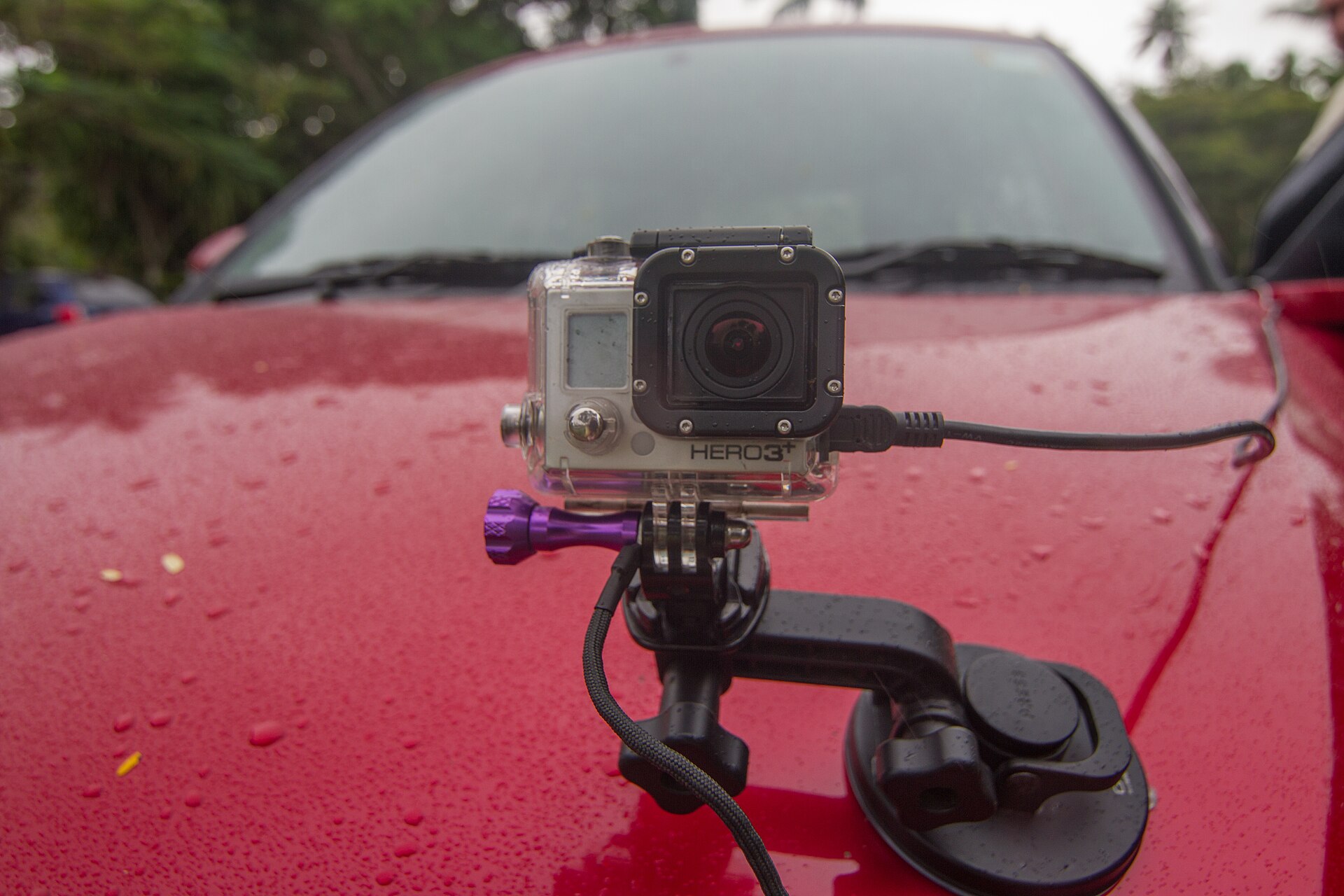
- Suction cups: for car bodies and boats. Clean the surface and add a safety tether.
- Adhesive bases: apply to a clean surface at room temperature and let them cure, often for about a day, before use.
- Grips, poles and mini tripods: for vlogging and travel.
Helmet makers' advice on attaching cameras varies, and some advise against sticking anything to the shell, so check the helmet's manual. On a vehicle, never mount a camera where it blocks your view, and check local rules.
Batteries, heat and cold
Action cameras use small, removable lithium-ion batteries, and battery life is their most common frustration. Depending on the settings, a charge can last from around an hour at high resolutions and frame rates to a few hours at lower settings. Screens, Wi-Fi and strong stabilisation all shorten it, and makers' figures are measured in ideal conditions.
- Carry spares and a dual charger, and top up from a USB-C power bank.
- Cold drains batteries quickly. Keep spares in an inside pocket when skiing or winter hiking. Some makers offer batteries designed for cold weather.
- Heat can stop recording. At high settings, a camera sitting still in the sun or indoors without airflow may overheat and shut down. Moving air helps.
- External power: many cameras can record while plugged in, but usually not with a waterproof door open.
- Flying: spare lithium batteries normally have to travel in cabin baggage. Check your airline's current rules.
Audio, storage and other features
- Audio: built-in microphones pick up wind. Wind-reduction settings and foam covers help, and some cameras support external or wireless microphones.
- Memory cards: high-bit-rate 4K needs a fast microSD card, typically rated V30 or better. Check the maker's list of tested cards.
- Big files: an afternoon of footage can fill a card quickly; our guide to external SSDs and hard drives helps with backing it up.
- Front screen: makes framing yourself much easier for vlogging.
- Voice control, GPS and time-lapse: useful extras, but check what's actually included, as features vary between generations.
- Webcam and live-streaming modes: handy if you want to use the camera beyond sport.
Cameras also raise privacy questions. Swimming pools, changing areas, some events and venues restrict filming, and it's courteous to tell people when you're recording them.
The short version
- Decide what you'll film most: bike and ski POV, water, travel or vlogging.
- Prefer a larger sensor if you film at dusk, in forests or under water.
- Choose 4K at 60 fps as a baseline, and higher resolution if you like to crop and reframe.
- Look for strong EIS with horizon levelling for fast, bumpy activity.
- Check the depth rating without a housing, and budget for a dive housing if you go deeper.
- Make sure the mounts you need exist for your activity and helmet.
- Budget for spare batteries, a charger and a fast V30 microSD card.
Bloiq is reader-supported. Some links may earn us a commission; it never affects what we write. How we make money.
Cover photo: Maksym Kozlenko, CC BY-SA 4.0, via Wikimedia Commons