Dash cam buying guide: resolution, parking mode and what to check
Resolution, sensors, front and rear cameras, parking mode, supercapacitors and memory cards explained, with general notes on using a dash cam legally.
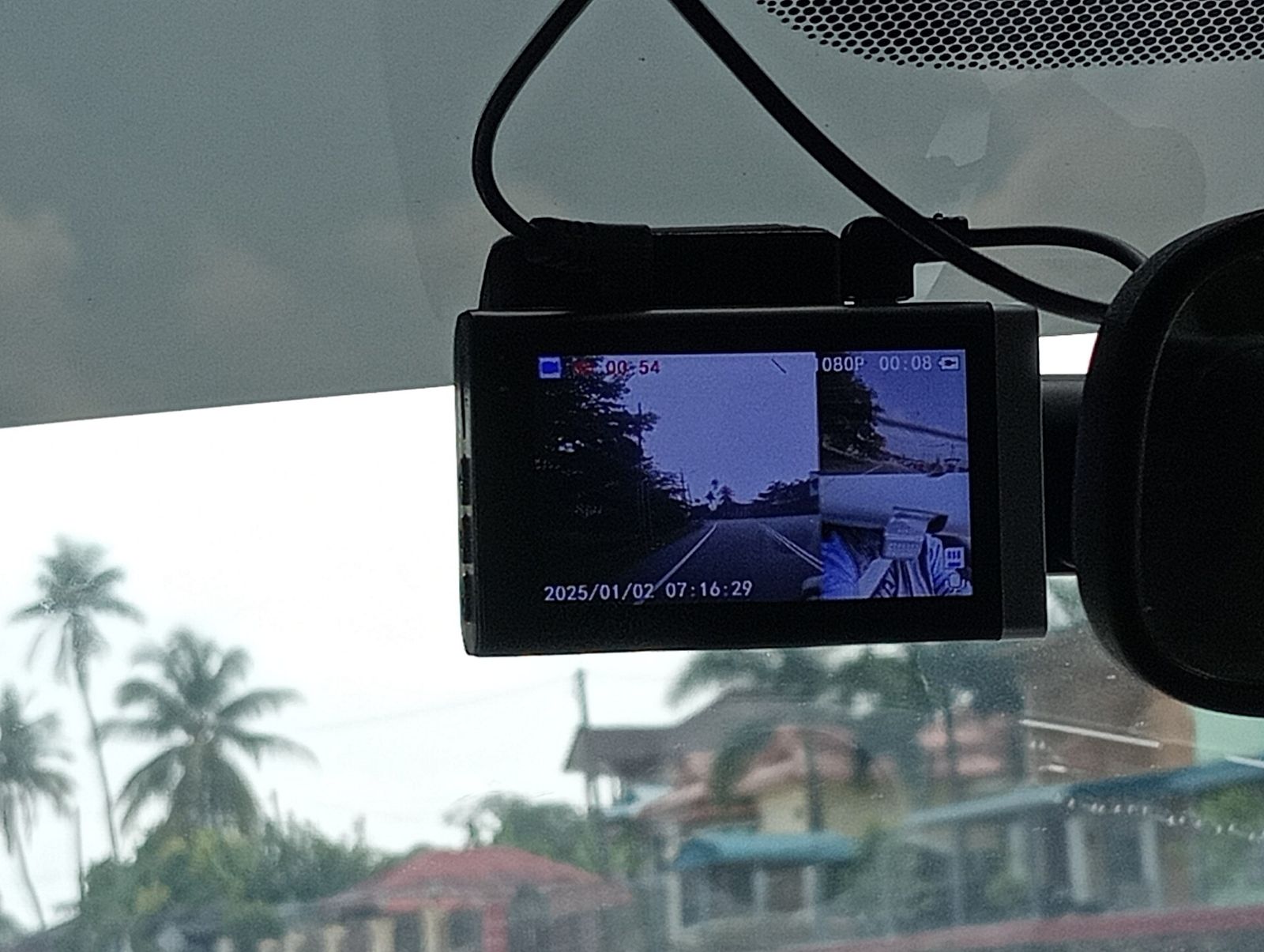
A dash cam records the road while you drive, and footage of a collision, a near miss or a scrape in a car park can make a real difference when you need to show what happened. The category is crowded, though, and spec sheets lead with resolution figures that tell only part of the story. This guide explains what separates a useful dash cam from one that records blurry video at the wrong moment, and what to check before you mount one.
Resolution: 1080p, 1440p and 4K
Most dash cams record at one of three resolutions:
- 1080p (Full HD): the minimum worth considering today. Adequate for recording events, less so for reading details at a distance.
- 1440p (often sold as 2K or QHD): a good middle ground with noticeably more detail.
- 4K (2160p): the most detail in good light, useful for reading number plates further away, but with larger files and more heat.
Resolution is only one factor. A dash cam's job is often to capture a number plate on a moving car, and that depends on sharpness, motion blur and night performance as much as pixel count. A well-tuned 1440p camera can produce more usable footage than a poorly tuned 4K one.
Sensors, lenses and night recording
Many incidents happen at dusk, at night or in rain, so low-light performance matters.
- Image sensor: larger, back-illuminated sensors designed for low light, such as Sony's STARVIS family, are a common sign that a manufacturer has taken night recording seriously.
- Aperture: a lower f-number (for example f/1.6 rather than f/2.0) lets in more light.
- HDR or WDR: high or wide dynamic range processing helps when bright headlights and dark surroundings share the frame.
- Frame rate: 30 frames per second is standard; 60 fps reduces motion blur, but at night the camera may use longer exposures that blur fast-moving plates regardless.
- Field of view: usually around 130–160°. Wider views capture more of the road, but make distant objects smaller and add fisheye distortion.
Sample footage recorded at night, from sources independent of the manufacturer, is the most useful evidence of real performance.
Front, rear and cabin cameras
- Front only (1-channel): simplest to fit and cheapest.
- Front and rear (2-channel): a second, smaller camera on the rear window records rear-end collisions, which are among the most common incidents. The rear camera is usually connected by a cable routed along the headliner. Heavily tinted rear glass reduces image quality.
- Front, rear and cabin (3-channel): adds an interior camera, typically with infrared LEDs for night-time recording. It is mainly of interest to taxi, rideshare and delivery drivers.
Bear in mind that each extra channel adds more data, which means you need a larger memory card for the same recording time.
Parking mode and hardwiring
Parking mode keeps the camera watching while the car is parked, to catch hit-and-runs and vandalism. There are several styles:
- Impact detection: the camera wakes and records when its G-sensor detects a bump.
- Motion detection: it records when something moves in view.
- Time-lapse: continuous low-frame-rate recording that uses less storage.
- Buffered recording: the camera keeps a rolling buffer, so saved clips include the seconds before the event. This is the most useful form.
Parking mode needs power when the ignition is off. The usual options:
- Hardwiring kit: connects the camera to the car's fuse box. A good kit includes a low-voltage cut-off that stops recording before the car battery drains too far to start the engine. Installation involves the car's electrics; if you are not comfortable doing it, have it professionally fitted, and check any implications for your vehicle's warranty.
- OBD power cable: plugs into the car's diagnostic port, which is simpler to fit, but check compatibility with your vehicle.
- Dedicated dash cam battery pack: charges while you drive and powers the camera when parked, leaving the car's battery alone.
A standard lighter-socket cable usually cannot power parking mode, because most cars switch that socket off with the ignition.
Supercapacitor vs battery
A dash cam needs a small reserve of power to finish saving the final file when the car switches off.
- Supercapacitors tolerate high and low temperatures much better and last longer, which matters in a car parked in summer sun or a winter freeze. They hold just enough charge to close the file safely.
- Lithium batteries allow the camera to run briefly off the car, but heat shortens their life and, in extreme cases, can cause swelling.
Rule of thumb: for a camera that lives on the windscreen year-round, choose a supercapacitor model and check its rated operating temperature range.
Storage: memory cards and loop recording
Dash cams record continuously in short clips and overwrite the oldest files when the card fills, called loop recording. When the G-sensor detects an impact, it locks the current clip so it won't be overwritten.
- Use a high-endurance microSD card. Constant rewriting wears out ordinary cards, and a failed card is the most common reason footage is missing when it's needed. Cards marketed as "high endurance" are designed for this kind of workload.
- Check the maximum capacity your camera supports, and the recommended speed class, often U3 or V30.
- Size the card to your setup. 4K and multi-channel recording fill cards much faster; the manual usually gives approximate recording times per card size.
- Format the card periodically in the camera, as the manufacturer recommends, and replace it at the first sign of errors.
Connectivity and other features
- GPS logs speed and location alongside the video, which can support your account of events. It also records where you have been, so consider who might see the footage.
- Wi-Fi and a phone app make it easy to view and save clips without removing the card.
- Cloud or LTE connectivity can send alerts and upload clips while parked, usually with a subscription.
- Screen or screenless: screenless cameras are more discreet and rely on the app; a screen helps with aiming and quick checks.
- Mount: adhesive mounts hold more securely than suction cups, which can drop in heat.
General legal and practical notes
Rules on dash cams differ between countries, provinces and states, so check local laws before installing one. In general:
- Windscreen placement: mount the camera where it does not block your view, usually behind the rear-view mirror. Some places restrict where devices may be attached to the windscreen.
- Audio recording: recording conversations can be subject to consent laws. Many cameras let you switch the microphone off, and it is courteous to tell passengers.
- Sharing footage: publishing videos that show people or number plates may raise privacy issues, particularly under data-protection rules in some regions. Sharing footage with police or your insurer is a different matter from posting it publicly.
- Don't handle it while driving. Set the camera up before you set off.
The short version
Choose at least 1440p with a good low-light sensor for the front, and add a rear camera if you can. Pick a supercapacitor model for durability in hot and cold weather, use a high-endurance microSD card, and consider hardwiring with a low-voltage cut-off if you want parking mode. Mount it where it doesn't obstruct your view, and check the local rules on recording and sharing footage.
Bloiq is reader-supported. Some links may earn us a commission; it never affects what we write. How we make money.
Cover photo: Danielrayyan09, CC BY 4.0, via Wikimedia Commons