Home security cameras and video doorbells: what to check before buying
Resolution, night vision, local versus cloud storage, subscriptions, wired versus battery power and privacy rules for home cameras and video doorbells, explained.
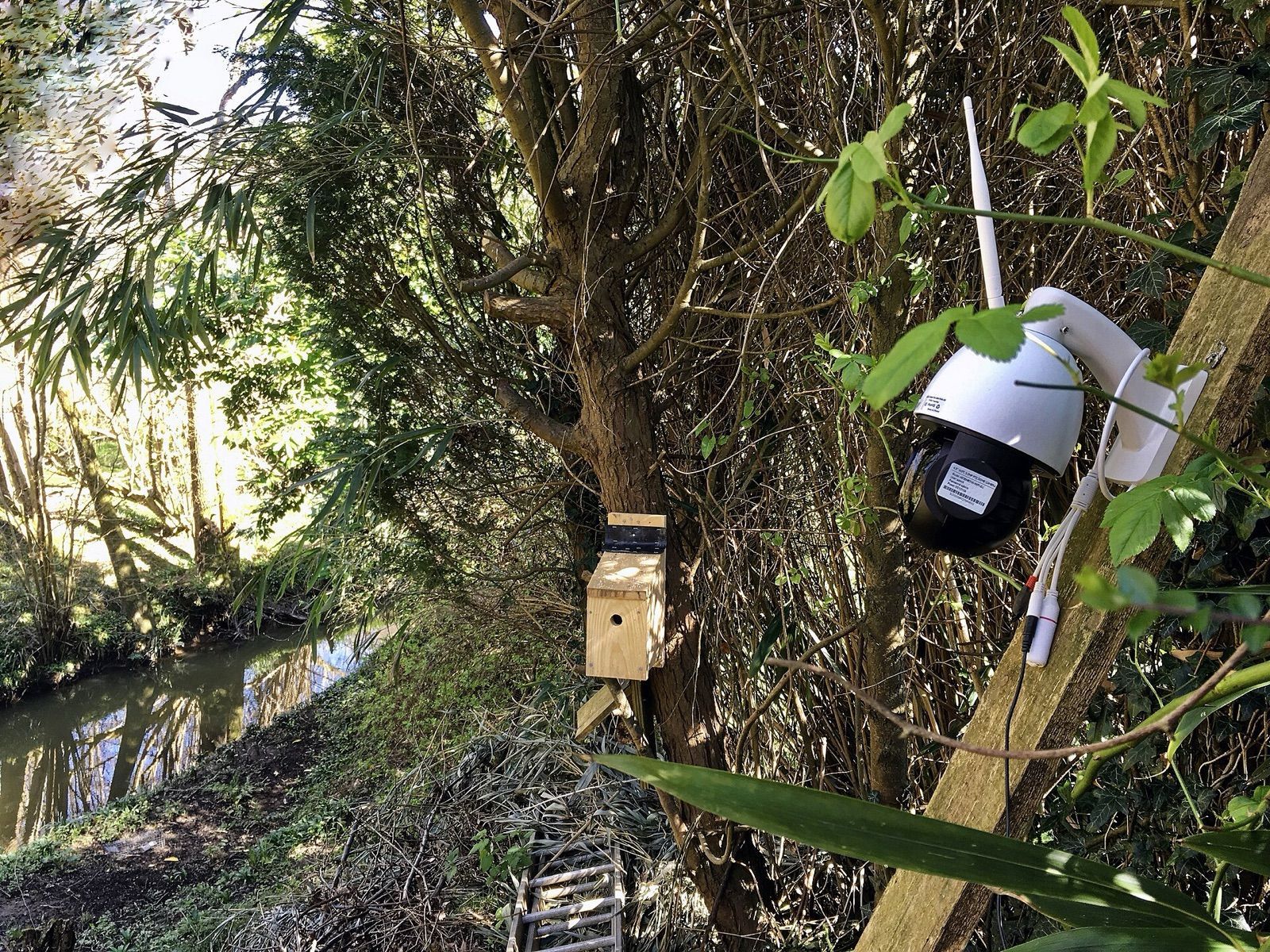
A home security camera or video doorbell can show you who's at the door, confirm a parcel arrived, or record something you need to report. The spec sheets focus on resolution, but the choices that shape everyday use are elsewhere: how the camera is powered, where footage is stored, whether key features need a subscription, and how well it respects your privacy and your neighbours'. This guide walks through each so you can pick a system that suits your home.
Resolution, field of view and image quality
Most home cameras record at 1080p, 2K (a loose label, often around 2560 × 1440) or 4K. More pixels help you read details such as a face or a number plate at a distance, or zoom into a recording. They also mean larger files, more upload bandwidth and, on battery cameras, shorter battery life.
Resolution isn't the whole story:
- Field of view. Wide lenses (130 degrees or more) cover more ground but make distant subjects smaller and bend straight lines. A narrower view gives more detail where it matters.
- Aspect ratio for doorbells. Many doorbells use a tall "head-to-toe" view, so you see both a visitor's face and a parcel on the step.
- HDR or WDR. Porches are often backlit by a bright sky. High or wide dynamic range processing keeps faces from turning into silhouettes.
- Bitrate and compression. Heavily compressed video can look blurry in motion even at high resolution.
Night vision
Most cameras use infrared LEDs at night, producing black-and-white video that works in total darkness without visible light. Colour night vision needs either a built-in spotlight or a sensitive sensor that makes use of streetlights and porch lights. A spotlight also deters visitors, but check it won't shine into neighbours' windows.
Glass in front of a camera reflects infrared back into the lens, so an indoor camera pointed through a window usually can't see outside at night.
Wired, battery or solar power
| Power | Advantages | Drawbacks |
|---|---|---|
| Wired (mains or low-voltage) | Continuous recording possible, no charging, fastest response | Needs a socket or wiring nearby |
| Power over Ethernet (PoE) | One cable for power and data, very reliable connection | Needs Ethernet cable and a PoE switch or recorder |
| Battery | Mount almost anywhere, easy to install | Recharging, may miss the start of events, usually no continuous recording |
| Battery plus solar panel | Less frequent charging | Needs enough direct sun; less effective in winter |
Battery cameras sleep until a motion sensor wakes them, so there can be a short delay before recording starts. Busy spots, cold weather and frequent live viewing drain batteries faster than the headline estimate.
Wired video doorbells usually connect to existing low-voltage doorbell wiring. Check that your doorbell transformer supplies the voltage the doorbell needs, and whether it works with your existing chime. If you're unsure about wiring, use a qualified electrician.
Connectivity
Wi-Fi cameras need a solid signal where they're mounted, and many connect only on the 2.4 GHz band. Video streams depend on your upload speed, which is often much lower than your download speed. Several high-resolution cameras can strain a modest connection. Test the signal at the mounting spot with your phone before drilling holes, and see our mesh Wi-Fi guide if coverage outdoors is weak.
Local storage vs cloud storage
Where footage is kept affects cost, privacy and what happens if a camera is stolen.
- microSD card in the camera. No ongoing fee, but a thief can take the card along with the camera.
- Home base station or hub. Stores clips indoors, often with more capacity, and can let battery cameras save footage locally.
- Network video recorder (NVR) or network storage. Common with wired and PoE systems; can record continuously from several cameras.
- Cloud storage. Clips are uploaded to the maker's servers, so they survive even if the camera is destroyed. Usually needs a subscription, and your video leaves your home.
Many buyers use a combination: local recording for continuous footage, and cloud backup for important events.
Subscriptions: read the fine print
For many brands, the camera is only part of the cost. A subscription may be required for:
- Saving and replaying recordings at all.
- How many days of history are kept.
- Smart alerts that distinguish people, vehicles, animals and parcels.
- Activity zones, continuous recording or professional monitoring.
Before buying, check exactly what works without a subscription, and what the ongoing fee would be for the number of cameras you plan to use. Check the current plans on the maker's website, as they change.
Motion detection and smart alerts
Cameras detect motion in two main ways. Passive infrared (PIR) sensors respond to body heat and are common on battery cameras. Pixel-based detection looks for changes in the image and can be fooled by moving shadows, rain and headlights. Features that reduce false alerts:
- Activity zones to ignore the road or a neighbour's path.
- Person, vehicle and package detection, done either on the device or in the cloud.
- Adjustable sensitivity and schedules.
On-device detection works without a subscription on some systems and keeps more of your video at home.
Privacy and the law
Cameras capture more than your own property, so set them up with care:
- Point cameras at your own property. Avoid neighbours' windows, gardens and shared spaces where you can. Many cameras offer privacy masks that black out part of the frame.
- Know the rules where you live. In the UK and EU, a camera that records beyond your property boundary, such as a public pavement or a neighbour's garden, can bring data-protection responsibilities. In many places, recording audio is more tightly restricted than video. Check the current guidance from your data-protection regulator or local authority.
- Tell people. A sign or visible camera is a courtesy to visitors and, in some places, part of your obligations.
- Indoor cameras deserve thought too: household members, guests and any people working in your home should know they're there. Use privacy modes or physical shutters when you're home.
Account and device security
- Use a strong, unique password and two-factor authentication on the camera account.
- Install firmware updates promptly and choose brands with a record of providing them.
- Look for end-to-end encryption options, which mean only your devices can view the footage.
- Review which family members or services have access, and check any options for sharing footage with third parties.
The short version
- 1080p to 2K suits most homes; choose 4K for wide views where you need to zoom in.
- Choose wired or PoE for reliability and continuous recording, battery where running a cable isn't practical.
- Decide on local, cloud or both for storage, and check exactly what works without a subscription.
- Test Wi-Fi signal and upload speed at the mounting spot.
- Use activity zones and privacy masks, respect neighbours, and check local rules on recording, especially audio.
- Secure the account with two-factor authentication and keep firmware updated.
Cameras and doorbells often link with smart locks, chimes and lights. If you plan to add those, check which smart-home platforms each device supports; our guides to smart-home standards and smart locks explain the options. For recording on the road rather than at home, see our dash cam buying guide.
Bloiq is reader-supported. Some links may earn us a commission; it never affects what we write. How we make money.
Cover photo: Acabashi, CC BY-SA 4.0, via Wikimedia Commons