Home projector buying guide: lumens, throw ratio, 4K and screens
How to read ANSI lumens, work out throw distance, compare short-throw and standard projectors, understand 4K pixel shifting, and choose a screen.
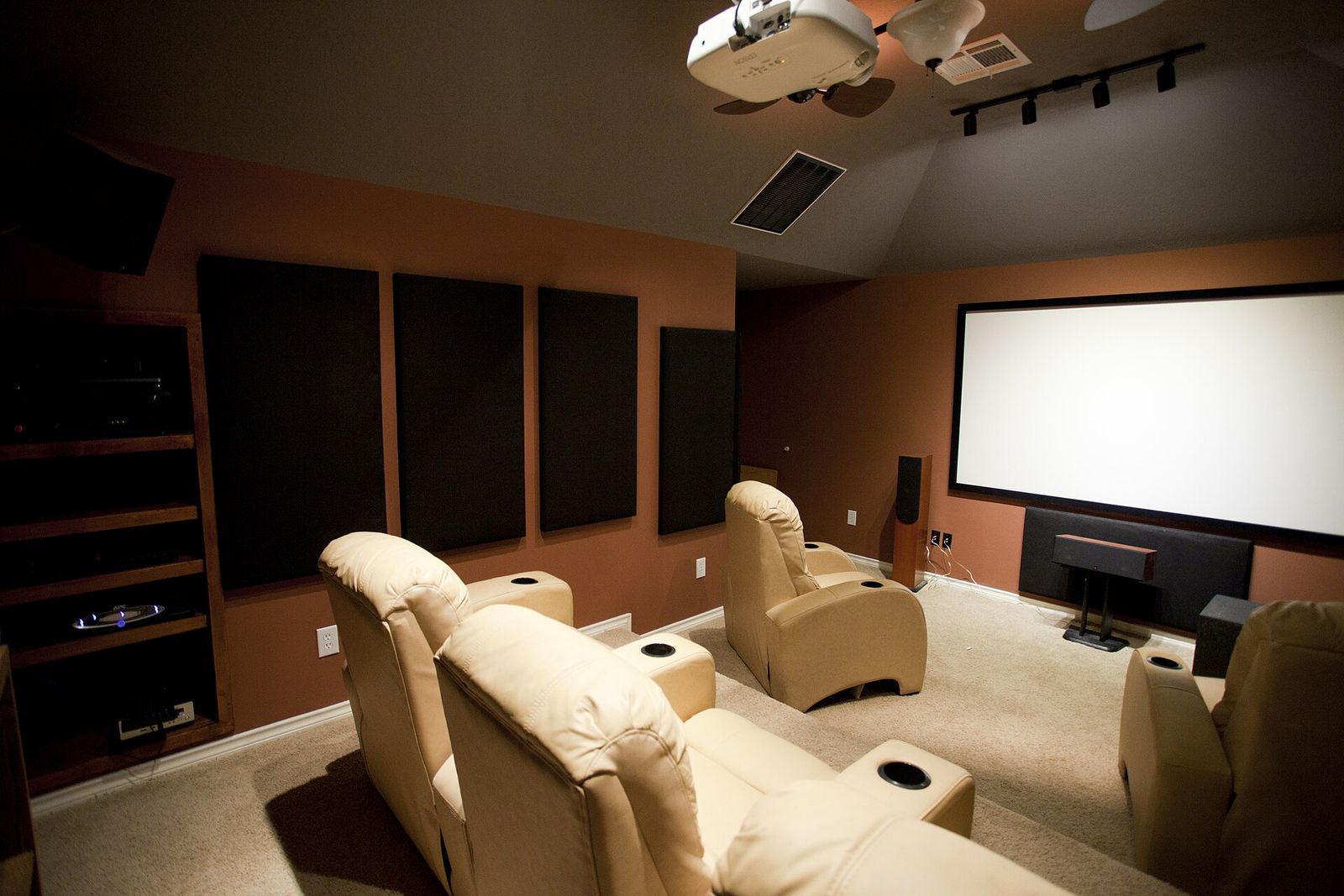
A projector can give you a 100-inch picture or more for a fraction of the space a TV that size would need. But projector specifications are some of the most confusing in consumer electronics: brightness figures that cannot be compared, "4K" that is not always native, and a throw distance that decides whether the projector fits your room at all. This guide explains the numbers that matter and how to match a projector and screen to your space.
Brightness: why ANSI lumens are the only figure to compare
Projector brightness is quoted in lumens, but not all lumens are equal.
- ANSI lumens follow a standard method: brightness is measured at several points across a full white image and averaged. ISO 21118 uses a similar approach. These figures can be compared across brands.
- "Lumens", "LED lumens" or "light source lumens" with no standard named are often measured differently, sometimes at the lamp rather than on the screen. They can be several times higher than the ANSI figure and should not be compared with it.
How much brightness you need depends on screen size and room light. As a rough guide:
| Room | Brightness to look for (ANSI lumens) |
|---|---|
| Dedicated dark room, 100–120 inch screen | Around 1,500–2,000 |
| Living room with lights dimmed and curtains drawn | Around 2,000–3,000 |
| Room with daylight or lights on | 3,000 or more, plus an ambient light rejecting screen |
Larger screens need more light, because the same output is spread over a bigger area. HDR content also benefits from extra brightness, though no home projector reaches the highlight brightness of a good TV.
Contrast and black level
Contrast is where projectors differ most in dark rooms. Native contrast describes what the imaging chip can do on its own; dynamic contrast figures include an iris or light-source dimming that adjusts between scenes, and can look impressive on paper without improving dark scenes much. In a lit room, reflected light washes out blacks anyway, so contrast matters most in a dedicated, dark space.
Imaging technologies
- DLP uses a chip covered in tiny mirrors. It is sharp and common in compact and ultra-short-throw models. Single-chip DLP projectors that use a colour wheel can show brief rainbow-coloured flashes to people who are sensitive to them.
- 3LCD uses three separate LCD panels for red, green and blue. It cannot produce rainbow artefacts and tends to keep colour brightness close to white brightness.
- LCoS is a reflective LCD design used mainly in higher-end home cinema projectors, known for strong native contrast.
Light source: lamp, LED or laser
Traditional lamp projectors are bright for the money, but the lamp dims over time and needs replacing, typically after a few thousand hours. LED and laser light sources are usually rated for around 20,000 hours or more, start instantly and hold their brightness better. Laser models are generally brighter than LED ones.
Throw ratio: will it fit your room?
The throw ratio tells you how far the projector must be from the screen for a given image width.
Throw distance = throw ratio × image width. A 100-inch 16:9 image is about 2.21 m wide, so a projector with a 1.5:1 ratio needs to sit about 3.3 m from the screen.
Projectors fall into three broad groups:
- Standard (long) throw, roughly 1.2:1 to 2:1 or more. Usually mounted on the ceiling or a shelf at the back of the room. A zoom lens gives a range of distances, making placement easier.
- Short throw, roughly 0.4:1 to 1:1. Produces a big image from a metre or two away, so people are less likely to walk through the beam.
- Ultra-short throw (UST), often around 0.25:1. Sits on a low unit just centimetres from the wall and projects steeply upwards. It is the most TV-like option, but it is very sensitive to uneven walls and needs precise placement.
Two more placement features are worth knowing:
- Lens shift moves the image up, down or sideways optically, with no loss of quality. It is found mainly on home cinema models.
- Keystone correction fixes a trapezoid-shaped image digitally. It is convenient, but it reduces effective resolution and can soften the picture. Use it as little as possible.
4K, native and pixel shifting
Many projectors sold as 4K do not have a chip with 3,840 × 2,160 pixels. Instead they use pixel shifting: a lower-resolution chip, for example 1,920 × 1,080, and an optical element that shifts each pixel slightly, many times a second, so the image is built from 4K's 8.3 million pixel positions.
- Pixel-shifting projectors look clearly sharper than 1080p models in most viewing and are the norm at mainstream prices.
- Native 4K projectors, with a full-resolution chip, are sharper still but are mostly higher-end home cinema models.
- Some models use more limited shifting and are marketed with phrases such as "4K enhancement" or "4K compatible" rather than 4K UHD. "4K compatible" may only mean the projector accepts a 4K signal. Read the description carefully.
At normal seating distances, contrast, brightness and a good screen often make a bigger difference than the gap between pixel-shifted and native 4K.
Choosing a screen
A plain, smooth, white or light-grey wall can work, but a proper screen gives a more uniform, sharper and often brighter picture.
- Matte white screens with a gain around 1.0 reflect light evenly in all directions and suit dark rooms and wide seating.
- Grey screens improve black levels slightly in rooms with some light, at the cost of some brightness.
- Ambient light rejecting (ALR) screens are designed to reflect light from the projector towards the audience while rejecting light from other angles, which helps a lot in living rooms.
- UST screens are a special type of ALR screen designed for the steep upward angle of ultra-short-throw projectors. A standard ALR screen used with a UST projector can look worse than a plain white one, and vice versa, so match the screen to the projector type.
Screens come fixed on a frame, which keeps the surface perfectly flat, or retractable, either manually or motorised. Tensioned retractable screens stay flatter than untensioned ones.
Sound, noise and everyday use
- Sound. Built-in speakers are usually modest. A soundbar or separate speakers make a big difference; our soundbar channels guide explains the options.
- Fan noise. Projectors need cooling. Check the quoted noise in decibels, especially if the projector will sit near your seat.
- Smart features. Some projectors include streaming apps; others need an external streaming device.
- Gaming. Input lag varies widely. Many projectors have a low-latency game mode, but check independent measurements if you play fast games. Our guide to TVs for gaming explains the features to look for.
- Room. Light-coloured walls and ceilings reflect light back onto the screen and lower contrast. Darker surfaces near the screen help.
Projector or TV?
A projector wins on image size per unit of space and money, and it disappears when not in use. A TV wins on brightness, contrast in a lit room, HDR highlights and simplicity. If most of your viewing happens during the day with lights on, compare against a large TV; our TV panel types guide explains what to look for.
The short version
- Compare ANSI lumens only; ignore other lumen figures.
- Measure your room and use the throw ratio to confirm placement before you buy.
- Choose UST for a TV-like setup, short throw for small rooms, and standard throw with a zoom lens for dedicated rooms.
- Expect most 4K projectors to use pixel shifting; that is normal.
- Match the screen to the projector type and your room's light.
- Budget for sound, and consider a laser or LED light source to avoid lamp replacements.
Bloiq is reader-supported. Some links may earn us a commission; it never affects what we write. How we make money.
Cover photo: Geoff Sloan, CC BY 2.0, via Wikimedia Commons