3D printers for beginners: FDM vs resin, filaments and safety
How filament (FDM) and resin 3D printers differ, what build volume and features matter, which filaments to start with, and how to handle fumes and resin safely.
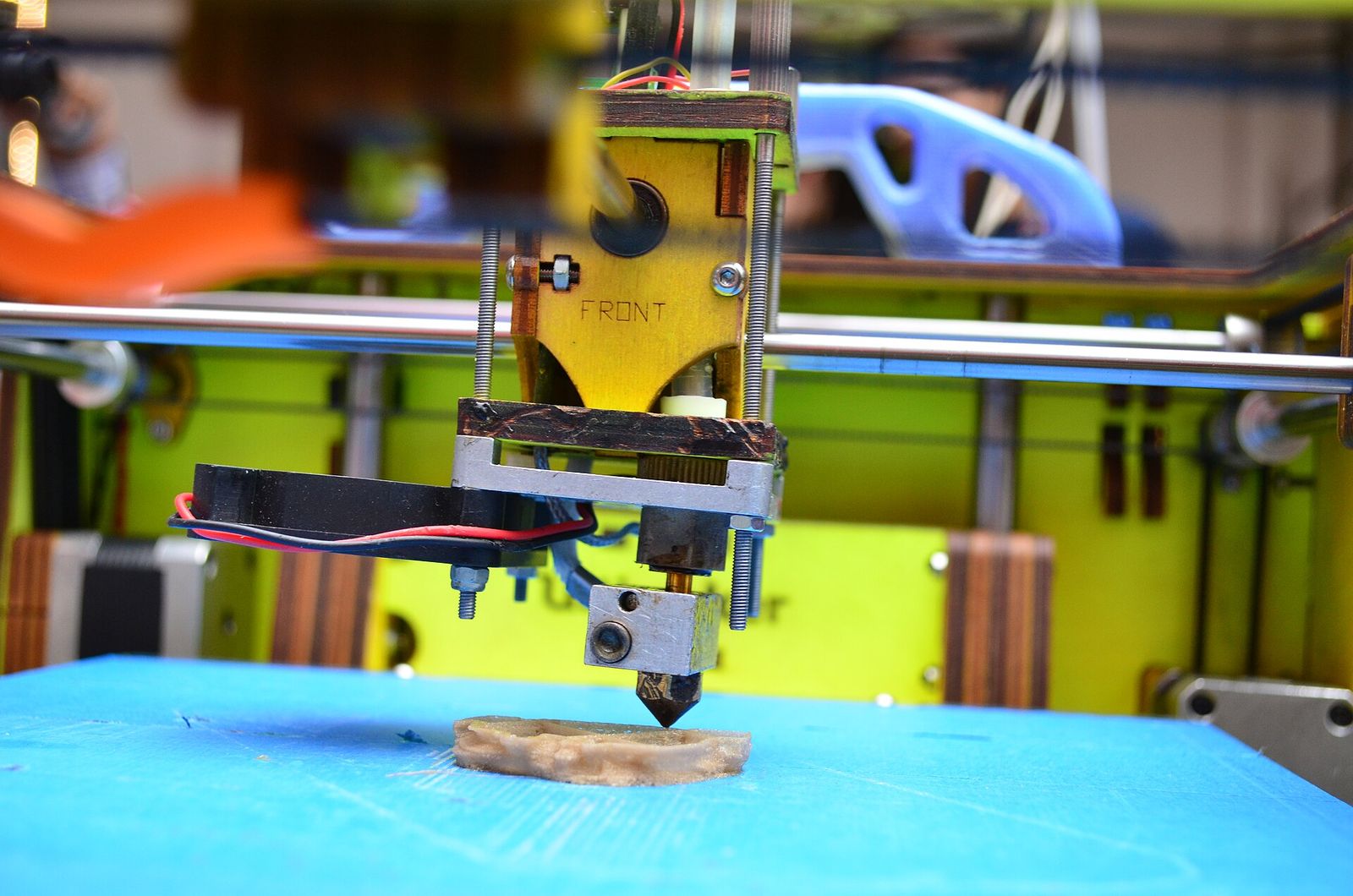
Home 3D printers have become far easier to use than they were a few years ago, and they're genuinely handy for replacement parts, organisers, prototypes, models and gifts. The first decision is the technology: melted plastic filament or liquid resin. After that come build volume, enclosure, materials and, often overlooked, where the printer will live and how to handle fumes and chemicals. This guide walks through each.
FDM or resin?
| FDM (filament) | Resin (MSLA/SLA) | |
|---|---|---|
| How it works | Melts plastic filament and lays it down layer by layer | Cures liquid resin layer by layer with UV light |
| Detail | Good; layer lines usually visible | Very fine; smooth surfaces |
| Typical uses | Functional parts, brackets, enclosures, larger objects | Miniatures, figurines, jewellery patterns, small detailed parts |
| Build volume | Often larger | Usually smaller |
| Post-processing | Remove supports; little else | Washing, UV curing, support removal |
| Mess and chemicals | Low | Liquid resin, cleaning solvent, gloves needed |
| Best first printer for most people | Yes | If fine detail is the priority |
For most beginners, FDM (fused deposition modelling), also called FFF, is the more forgiving place to start. Resin printers excel at small, highly detailed parts but involve chemicals that demand more care.
How FDM printers differ
- Build volume is the largest object the printer can make, given in millimetres (width × depth × height). Many entry-level machines offer something around 220 × 220 × 250 mm; larger machines exist, but bigger isn't always better, since large prints take many hours.
- Frame design: "bed-slinger" printers move the bed back and forth and are often cheaper; CoreXY and similar designs move the print head and usually print faster, often inside an enclosure.
- Automatic bed levelling probes the bed and compensates for small unevenness. It removes one of the biggest frustrations for beginners.
- Extruder type: direct-drive extruders sit on the print head and handle flexible filaments better; Bowden set-ups feed filament through a tube and keep the moving head lighter.
- Heated bed and build surface: a heated bed is essential for most materials; flexible spring-steel sheets, often PEI-coated, make removing prints easy.
- Nozzle: 0.4 mm is the standard size. Abrasive filaments need a hardened nozzle.
- Filament diameter: 1.75 mm is by far the most common; check before buying spools.
- Extras such as filament run-out sensors, cameras, Wi-Fi and multi-colour systems add convenience and cost.
Filament types for beginners
| Filament | Ease | Good for | Notes |
|---|---|---|---|
| PLA | Easiest | Models, prototypes, organisers | Low warping; softens in heat, so not for hot cars or sunlit dashboards |
| PETG | Moderate | Functional parts, some outdoor use | Tougher and more heat-resistant than PLA; can string |
| ABS / ASA | Harder | Heat-resistant parts; ASA for outdoor UV exposure | Warps without an enclosure; stronger smell and emissions |
| TPU | Moderate to hard | Flexible parts, grips, bumpers | Prints best with direct drive, slowly |
| Nylon and composites | Harder | Strong, wear-resistant parts | Absorbs moisture; filled types need a hardened nozzle |
Start with PLA, then add PETG for tougher parts. Keep filament dry, ideally sealed with desiccant, because many types absorb moisture from the air and print poorly when damp.
Resin printers explained
Most home resin printers are MSLA types: an LCD screen masks UV light to cure a whole layer at once, with the print hanging upside down from a build plate. Screen resolution and pixel size determine detail.
Resin printing adds steps:
- Print in a well-ventilated area.
- Wash the print in isopropyl alcohol or, for water-washable resin, water.
- Remove supports and cure the part under UV light.
Resins behave best within the room temperature range the manufacturer specifies; cold rooms often cause failed prints.
Enclosures and where to put the printer
An enclosure keeps the air around the print warm and draught-free, which helps ABS and ASA avoid warping and cracking. It also keeps curious fingers and pets away from hot parts. Some enclosures include filtration (often a particulate filter plus activated carbon), and some can be ducted to vent outside.
Choose a location that is:
- Well ventilated, and ideally not a bedroom or a small shared living space.
- Stable and level, on a solid surface.
- Away from flammable materials, with a working smoke alarm nearby.
Many people avoid leaving long prints running unattended until they're confident in their machine. Check that thermal runaway protection, a firmware safety feature that shuts the heaters off if temperatures behave abnormally, is enabled.
Fumes and particles
Heating plastic filament releases ultrafine particles and volatile organic compounds (VOCs). Emissions vary by material: PLA is generally considered among the lower-emitting filaments, while ABS and ASA emit more and have a noticeable smell.
Rule of thumb: ventilate for every print, and add an enclosure with filtration or outdoor venting for ABS, ASA and nylon.
The same thinking applies to other hobby tools that make fumes; see our guide to diode laser engravers.
Resin safety
Uncured photopolymer resin needs careful handling:
- Avoid skin contact. Resin is a skin sensitiser: repeated contact can cause allergic reactions that become permanent. Wear nitrile gloves and wash any skin contact promptly with soap and water.
- Wear eye protection when pouring or handling resin.
- Ventilate the room, as resins release VOCs; consider a respirator suitable for organic vapours.
- Isopropyl alcohol is flammable. Keep it away from ignition sources and store it closed.
- Don't pour resin or used washing liquid down the drain. Cure liquid waste and contaminated paper towels under UV light before disposing of them, following local rules.
- Fully cure prints before handling them without gloves.
- Store resin out of reach of children and pets, away from sunlight.
Practical tips before you buy
- You'll also need slicing software, which turns a 3D model (usually STL or 3MF) into printer instructions. Many printer makers supply one, and free open-source slicers are widely used.
- Free model libraries are a good way to start before learning to design.
- 3D-printed parts are generally not food-safe: layer lines trap bacteria and many materials aren't certified for food contact.
- Budget for spare nozzles, a build sheet and a few spools, or resin, gloves, alcohol and a curing set-up.
A sturdy table matters for print quality; see our guide to workbenches if you're setting up a workspace.
The short version
- FDM for most beginners; resin for miniatures and fine detail.
- Look for automatic bed levelling and a removable spring-steel sheet.
- Choose a build volume that fits what you'll actually print.
- Start with PLA, then PETG; keep filament dry.
- Use an enclosure for ABS and ASA, and ventilate every print.
- For resin: gloves, eye protection, ventilation, and cure waste before disposal.
- Put the printer somewhere stable, ventilated and away from flammables.
Bloiq is reader-supported. Some links may earn us a commission; it never affects what we write. How we make money.
Cover photo: Subhashish Panigrahi, CC BY-SA 3.0, via Wikimedia Commons