Phone mounts and wireless car chargers: types, Qi2 and safe placement
Vent, dash, windscreen and cup-holder mounts compared, how Qi, Qi2 and MagSafe-style charging work in a car, why heat matters, and where it's safe to put a phone.
For many drivers, the phone is the sat nav, the music player and the hands-free phone. A good mount keeps it visible without being distracting, and a charging mount stops the battery dying on a long drive. But mounts vary widely in stability, in how well they suit different cars, and in whether they're even allowed where you drive. This guide explains the main types, how wireless charging works in a car and where to place your phone safely.
Mount types compared
| Type | How it attaches | Strengths | Watch for |
|---|---|---|---|
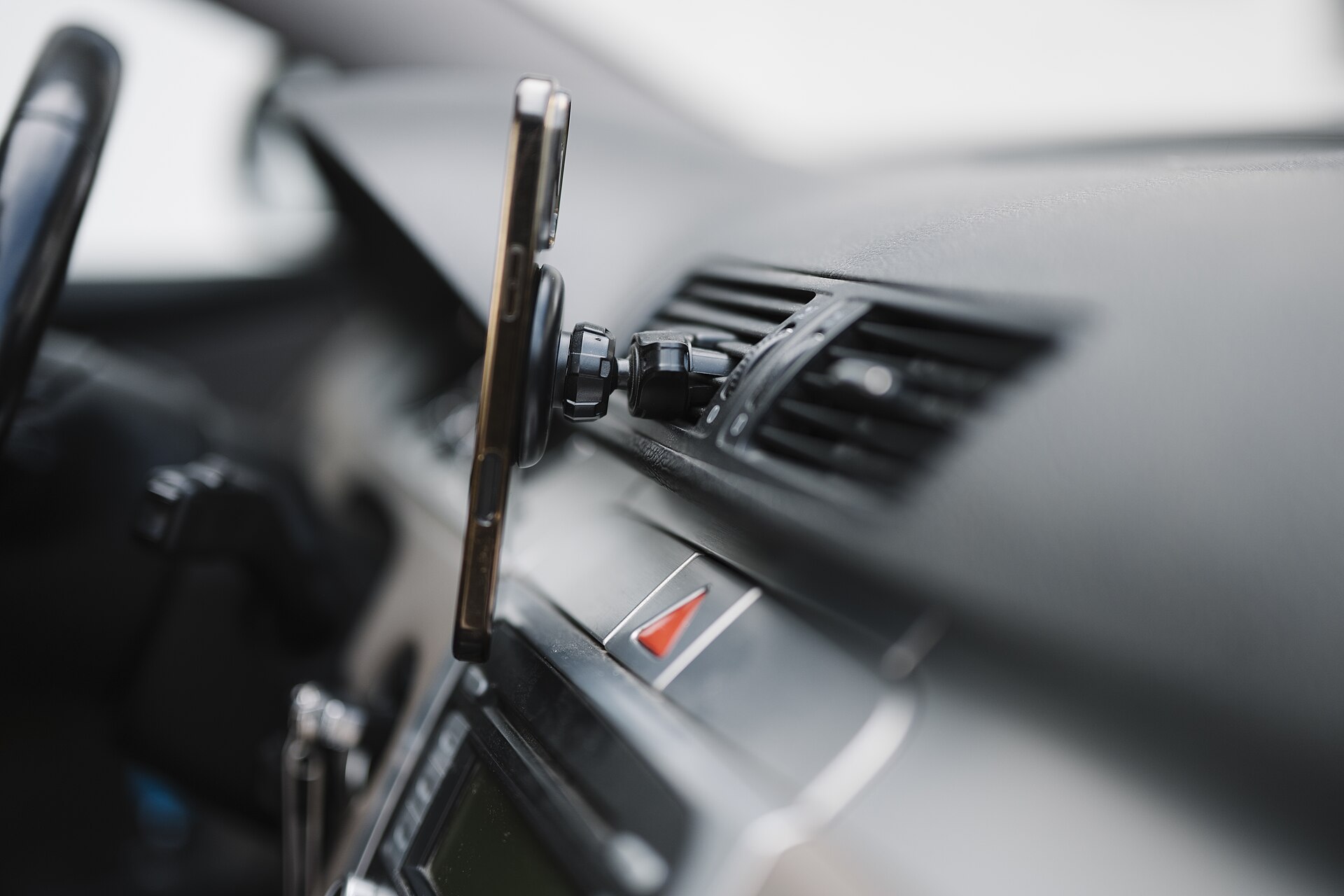
| Air vent | Clips or hooks onto a vent slat | Easy to fit, at a convenient height | Hot air from the heater warms the phone; heavy phones can sag or break slats; round vents need special clips |
| Dashboard | Adhesive pad or suction cup | Flexible positioning | Adhesive can mark soft-touch plastics; curved or textured dashboards may not hold |
| Windscreen | Suction cup, often on an arm | Grips well on glass | May block your view; placement is regulated in many places; suction can fail in heat and cold |
| Cup holder | Expanding base with a gooseneck | No adhesives | Low position means looking down; uses a cup holder |
| Vehicle-specific | Brackets screwed or clipped to trim | Very stable, neat | Tied to one model; may need tools |
Within each type, phones are held in different ways:
- Spring or ratchet clamps grip the sides of the phone. Check the width range, and that side buttons aren't pressed.
- Motorised clamps, often on charging mounts, open and close automatically.
- Magnetic mounts use a metal plate stuck to the phone or its case, or the magnets built into compatible phones.
Whatever you choose, it should hold the phone still over bumps. A phone that wobbles or falls into the footwell is a distraction and a hazard.
Where it's safe to put a phone
Placement matters for safety and, in many places, for the law.
- Keep it out of your line of sight to the road. A phone in the middle of the windscreen blocks part of your view of pedestrians and cyclists.
- Never place anything in an airbag deployment zone. Look for "SRS" or "Airbag" markings on the dashboard, steering wheel and pillars. An airbag can launch a mount or phone at high speed.
- Keep it within easy reach, so you don't have to lean.
- Make sure it doesn't cover controls, warning lights or the instrument display.
Laws on phones in cars vary considerably. Many places ban holding a phone while driving; some allow limited use of a mounted phone, such as a single tap; others restrict any interaction while driving; and many also restrict objects mounted on the windscreen. Rules vary by province, state and country; check local law. Whatever the rules, set your route and music before you drive, and use voice control where possible.
Wireless charging: Qi, MagSafe and Qi2
Most wireless phone chargers use the Qi standard from the Wireless Power Consortium. A coil in the charger creates a magnetic field that induces a current in a coil in the phone. The coils must line up closely, which is harder in a moving car.
- Standard Qi chargers vary in power; many phones charge at modest speeds, while some phones and chargers support faster rates.
- MagSafe, Apple's system for recent iPhones, uses a ring of magnets to align the phone precisely with the charging coil and hold it in place.
- Qi2 brings a similar magnetic alignment to the open Qi standard, so certified chargers can work with a range of phones. Qi2 chargers commonly charge at up to 15 W, and newer versions of the standard allow more.
Many Android phones don't have built-in magnets, although some newer models do. Otherwise, a magnetic ring or a compatible case adds the magnets. Check that your phone supports Qi2 or MagSafe before buying a magnetic charging mount, and that any magnetic case is designed to pass charging power through.
Clamp-style wireless chargers don't need magnets, but the phone must sit in the right position for the coils to align; some let you adjust the bottom support to suit phone size.
Heat is the main limitation
Wireless charging is less efficient than a cable, and the lost energy becomes heat. In a car, that heat adds to sunlight through the windscreen, a navigation app running the screen and processor hard, and warm air if the mount sits on a vent.
Phones protect themselves by slowing or pausing charging when hot, and sometimes dimming the screen. On a sunny summer drive, a phone on a wireless mount may barely gain charge. To help:
- Choose a mount position out of direct sun where possible.
- On vent mounts, avoid blowing hot air at the phone in winter; cool air in summer helps.
- Some charging mounts include a cooling fan.
- Remove thick cases, which trap heat and can block charging.
- For the fastest, coolest charge, use a cable with a suitable USB-C charger.
Don't leave a phone on a mount in a parked car in hot sun or extreme cold.
Powering a charging mount
A wireless mount is only as good as its power supply. Most plug into the car's 12 V accessory socket via a USB adapter, or into a USB port on the car. Check that:
- the adapter provides enough power for the mount, often USB-C with fast-charge support;
- the cable is long enough to route neatly, without dangling near pedals or the gear lever;
- the socket switches off with the ignition, or unplug the mount when parked for long periods, to avoid draining the battery.
Practical tips for fitting
- Clean the surface with alcohol before using an adhesive mount, and let the adhesive cure for the time stated before loading it.
- Suction cups hold best on clean, smooth glass; check them regularly, especially when temperatures swing.
- Test the grip on a rough road at low speed before relying on it.
- Keep the phone in landscape or portrait as suits your navigation app, and make sure it doesn't block any vents you rely on for demisting.
If you're also fitting a dash cam, plan where each device goes so they don't crowd your view, and read our guide to radar and laser detectors if you're considering one of those too.
The short version
- Choose a mount type that suits your dashboard, vents and phone weight.
- Keep the phone out of your view of the road and away from airbags.
- Check local law on phone use and windscreen mounting.
- For magnetic charging, check your phone supports MagSafe or Qi2, or add a ring or case.
- Expect heat to slow wireless charging; use a cable when you need speed.
- Use a suitable power adapter and route cables safely.
Bloiq is reader-supported. Some links may earn us a commission; it never affects what we write. How we make money.
Cover photo: Shixart1985, CC BY 2.0, via Wikimedia Commons