E-reader buying guide: E Ink screens, colour, front lights and formats
How E Ink and colour e-paper screens work, what front lights and warm light do, how ebook formats and stores tie you in, and what waterproof ratings mean.
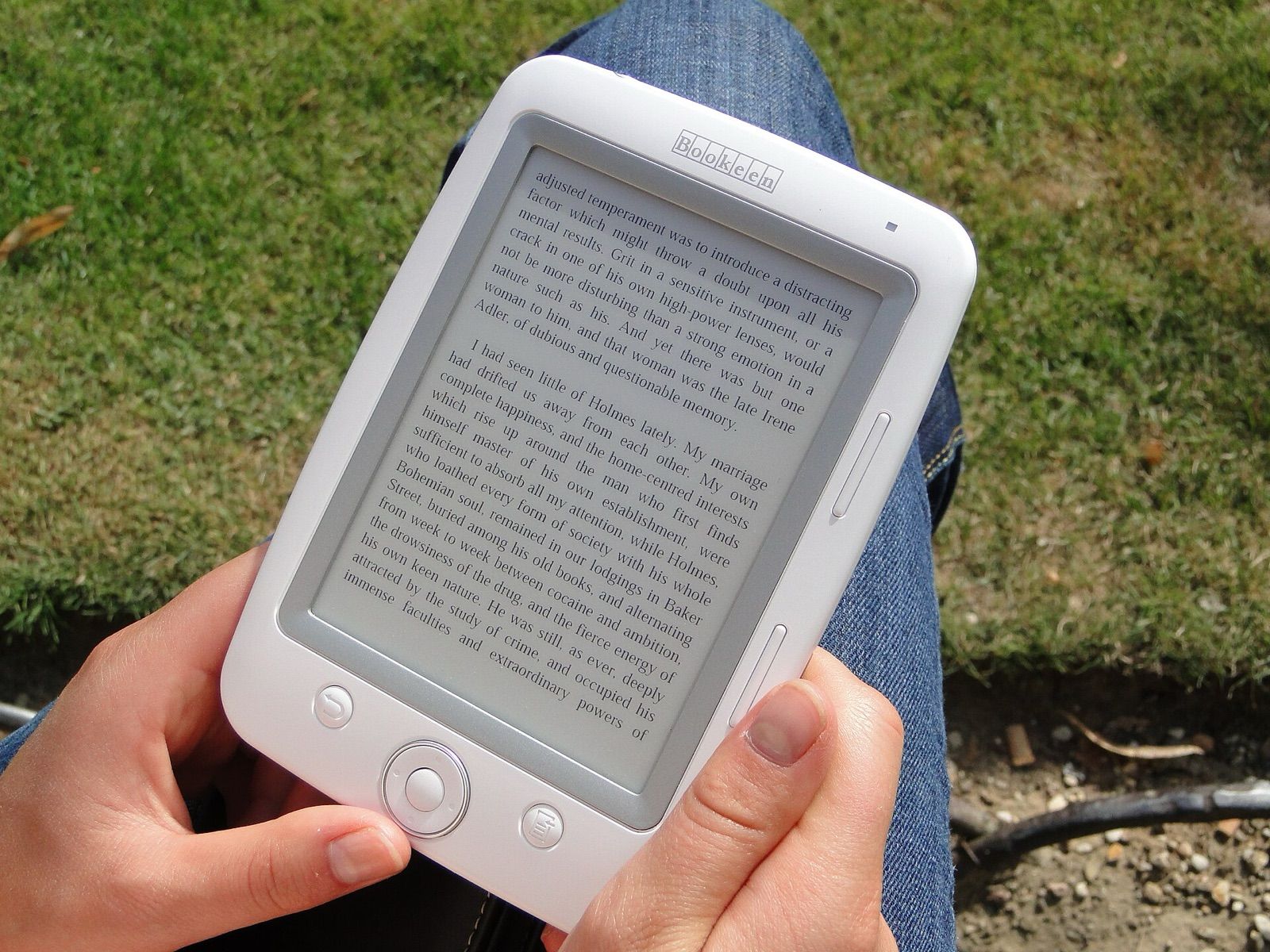
An e-reader does one job, displaying text, and does it in a way phones and tablets can't: a screen that reads like paper in bright sun, a battery that lasts weeks, and no notifications pulling you away. Choosing one is less about processing power and more about the screen, the light, and which ebook store and formats you'll be tied to. This guide explains each so you can pick a reader you'll enjoy for years.
How E Ink screens work
Most e-readers use electrophoretic displays, widely known by the name of the company that makes most of them, E Ink. Tiny capsules contain black and white pigment particles that move to the surface when a charge is applied. The result has a few defining traits:
- Reflective, like paper. The screen reflects ambient light instead of shining light at you, so it stays readable in direct sunlight, where phone and tablet screens wash out.
- Power only when the page changes. A static page uses almost no energy, which is why battery life is measured in weeks rather than hours.
- Slow refresh. Page turns take a fraction of a second, and scrolling, video and animations are poor. Screens occasionally flash black to clear faint "ghost" images from previous pages.
For novels and non-fiction, none of this matters much. For fast scrolling through web pages or heavy PDFs, it can be frustrating.
Sharpness: pixels per inch
Text sharpness depends on pixel density, measured in pixels per inch (ppi).
- Around 300 ppi is standard on mid-range and premium black-and-white readers and looks crisp at normal reading distance.
- Around 160–220 ppi is found on some entry-level and older models; text is readable but slightly softer, especially at small font sizes.
Screen size matters too. 6 to 7 inches is pocketable and light enough to hold in one hand; 8 inches gives more words per page and suits larger fonts; 10 inches and above suits PDFs, textbooks and note-taking.
Colour e-paper: what to expect
Colour e-readers are now common, but colour e-paper is not like a tablet screen.
- Colour filter screens place a colour filter over a black-and-white panel. Black-and-white text stays sharp, but colour is shown at a lower resolution, often around half the ppi, and colours look muted and pastel.
- Colour pigment screens use coloured particles for richer colour, at the cost of slower page turns and more visible refresh flashes. They're more common in larger note-taking devices.
Colour is useful for book covers, comics, children's books, charts and colour-coded highlights. For plain novels, a black-and-white screen is typically a little sharper and has better contrast.
Front lights and warm light
E Ink doesn't glow by itself, so nearly all current e-readers have a front light: LEDs around the edge of the screen shine across its surface. Unlike a backlit screen, the light is directed onto the page rather than straight at your eyes.
Things to look for:
- Even lighting. Cheaper models can show brighter patches near the LEDs or shadows at the edges.
- Adjustable colour temperature. Many readers add amber LEDs so you can shift from a cool white to a warm orange tone for evening reading. Some can change automatically on a schedule.
- Automatic brightness using a light sensor.
- Dark mode, showing white text on black, which some readers find more comfortable at night.
Ebook formats and ecosystems
This is the choice that is hardest to undo. Each e-reader is designed around a particular store, and your purchases generally stay within that ecosystem.
- EPUB is the open, widely used ebook format. Many readers support it natively, and most stores other than the very largest sell in it.
- Proprietary formats are used by some stores for their own devices. Books bought there usually can't be read on another brand's e-reader.
- DRM (digital rights management) is copy protection on most commercial ebooks. Even when two devices both support EPUB, DRM may prevent a book bought in one store opening on another device.
- PDF support is universal but awkward on small screens, because PDF pages have a fixed layout that doesn't reflow to fit. Larger screens handle PDFs far better.
- Comic formats such as CBZ and CBR are supported by some readers.
Questions worth asking before you buy:
- Where are your existing ebooks? Staying with the same ecosystem keeps your library in one place.
- Do you borrow from a public library? Library lending systems work with some e-readers directly, with others through an app or a computer, and with some not at all, depending on the region. Check your library's supported devices.
- Do you want to add your own files? Look for easy transfer by cable, email or cloud storage, and support for the formats you use.
- Open or closed platform? Some e-readers run a version of Android and can install third-party reading apps from several stores, at the cost of a less streamlined experience.
Waterproofing and durability
Many e-readers carry an IP rating for water resistance:
- IPX7 typically means tested for immersion in up to 1 metre of fresh water for 30 minutes.
- IPX8 means tested beyond IPX7; the maker states the depth and time, often around 2 metres for up to 60 minutes.
These ratings cover fresh water. If a reader gets splashed with salt water or pool water, rinse it with fresh water and dry it, following the maker's advice. A waterproof reader is ideal for the bath, the beach or the pool, but water on the screen can trigger false touches, so some models add a touch lock or physical page-turn buttons.
The screen itself is thin glass or plastic over a delicate panel, so a cover is worth considering for bags.
Other features that matter
- Physical page-turn buttons, easier than tapping when reading one-handed or with wet hands.
- Storage: 8 GB holds thousands of text ebooks; comics, PDFs and audiobooks need much more.
- Audiobooks via Bluetooth on some models, useful for switching between reading and listening.
- Stylus and note-taking on larger models, for annotating documents or handwriting notes.
- Charging over USB-C, now standard on most newer models.
- Adverts on the lock screen, which some stores use on cheaper versions of their readers; check whether removing them costs extra.
If you also want video, apps and web browsing, a tablet is the better tool; see our guide to big-screen Android tablets. Many people end up owning both.
The short version
- Choose black and white at about 300 ppi for novels; choose colour for comics, covers, children's books and highlights, accepting softer colour.
- Pick 6–7 inches for portability, 8 inches for comfort, 10 inches or more for PDFs and notes.
- Look for an even front light with adjustable warmth.
- Decide on the ecosystem first: where your books are, whether you want EPUB and library loans, and whether DRM will tie you to one store.
- Choose IPX7 or IPX8 for the bath or beach, and physical buttons if you read one-handed.
Bloiq is reader-supported. Some links may earn us a commission; it never affects what we write. How we make money.
Cover photo: Paulpaul, Public domain, via Wikimedia Commons