Big-screen Android tablets: the specs that matter and the ones to ignore
Screen resolution, refresh rate, chipsets, real versus virtual RAM, Widevine L1 and LTE explained, so you can judge a large Android tablet on the facts.
Large Android tablets cover a huge price range, and their spec sheets are among the most confusing in consumer tech. Two tablets with the same screen size can differ enormously in sharpness, speed and how well they stream video, and some headline numbers are close to meaningless. This guide explains what each specification actually tells you, so you can match a tablet to how you'll really use it.
Screen size, resolution and sharpness
"Big-screen" usually means 10 to 13 inches, with a few models going larger. Size alone says little; what you notice is resolution relative to size, often expressed as pixels per inch (ppi).
| Resolution | Common name | Sharpness on a 10–11 inch screen |
|---|---|---|
| 1280 × 800 | HD | Visibly soft; text looks fuzzy up close |
| 1920 × 1200 | Full HD+ | Good for video, reading and browsing |
| 2000 × 1200 to 2560 × 1600 | 2K | Crisp, even for small text |
| 2800 × 1752 and up | 2.8K+ | Very sharp; mostly on premium models |
As a rough guide, around 200 ppi or more looks sharp at normal tablet distances. A 10-inch screen at 1280 × 800 is only about 150 ppi, which is why the cheapest tablets look grainy even when the panel is otherwise decent.
Other screen points worth checking:
- Panel type. IPS LCD is the norm; OLED gives deeper blacks and better contrast, usually at a higher price.
- Brightness, in nits. Around 400–500 nits is comfortable indoors; more helps near windows or outside.
- Aspect ratio. 16:10 suits video; taller ratios such as 3:2 feel better for reading and documents.
Refresh rate: 60, 90, 120 Hz and beyond
Refresh rate is how many times per second the screen redraws. A 90 Hz or 120 Hz display makes scrolling, swiping and stylus strokes noticeably smoother than 60 Hz. It doesn't make video look better, since most films and shows are 24–60 frames per second, and it uses a little more battery unless the tablet adjusts the rate automatically.
A high refresh rate is only worthwhile if the chipset can keep up. A slow processor paired with a 120 Hz screen still stutters.
Chipsets in plain terms
The chipset (also called the SoC, for "system on a chip") contains the processor, graphics and much more. It sets how fast the tablet feels, how well it handles games and how long it will stay usable.
- Ignore "octa-core" on its own. Almost every tablet has eight cores. What matters is what kind: budget chips use mostly small, efficient cores, while better ones include several high-performance cores.
- Know the families. The main suppliers are Qualcomm (Snapdragon), MediaTek (Helio and the faster Dimensity range), Samsung (Exynos), Google (Tensor) and Unisoc, which mostly makes entry-level chips. Each family spans a wide range, so the specific model number matters more than the brand.
- Check independent benchmarks. Search the exact chip name for published benchmark results and compare it with tablets you know. This is more reliable than any adjective on the box.
For video, reading and web browsing, a modest chip is fine. For gaming, heavy multitasking or long-term use, a stronger chip is the best place to spend extra money.
RAM and the "virtual RAM" trick
RAM is the tablet's working memory. Rough guidance for Android today:
- 4 GB: basic use, one app at a time; expect apps to reload when you switch.
- 6–8 GB: comfortable for most people, including split-screen use.
- 12 GB or more: heavy multitasking, large games, desktop-style use with a keyboard.
Be wary of listings that advertise figures like "16 GB RAM" in large type and "8 GB + 8 GB" in the small print. The second number is virtual RAM (also called RAM expansion or extended RAM): part of the storage set aside to hold apps that don't fit in real memory. Storage is far slower than RAM, so this can stop apps from closing but does not make the tablet faster. Judge a tablet by its physical RAM only.
Storage: capacity and speed
Android and preinstalled apps take a significant chunk of the stated capacity, so a 64 GB tablet leaves noticeably less free. 128 GB is a sensible minimum if you download films, games or offline maps.
Storage type matters too. Faster UFS storage makes apps open and install more quickly than older eMMC, which is common in budget models. A microSD slot is useful for media, though apps generally run best from internal storage.
Widevine L1: why some tablets stream in low resolution
Widevine is the copy-protection system that most major streaming services use on Android. It comes in levels:
- L1: content is decrypted in secure hardware. Services can stream in HD or higher, subject to their own rules and your subscription.
- L3: software-only protection. Many services then limit video to standard definition, often around 480p, however sharp the screen is.
This catches out many buyers of low-cost tablets: a Full HD screen showing standard-definition streams. If streaming is a priority, confirm Widevine L1 in the specification before buying. Some services also keep their own lists of supported devices, so it's worth checking those as well. Once you own a tablet, free DRM-information apps can confirm the level.
4G/LTE, Wi-Fi and location
A cellular tablet takes a SIM or eSIM and works away from Wi-Fi, which is handy for travel or as a navigation screen. Before buying one:
- Check that it supports the LTE bands your network uses; imported models sometimes lack key bands.
- Don't assume it can make ordinary phone calls; some can, many can't.
- On some models, satellite positioning (GPS) is only included in the cellular version, so check this if you want offline navigation.
Wi-Fi-only buyers should look for at least Wi-Fi 5, and preferably Wi-Fi 6, for faster and more reliable home connections.
Keyboards and styluses
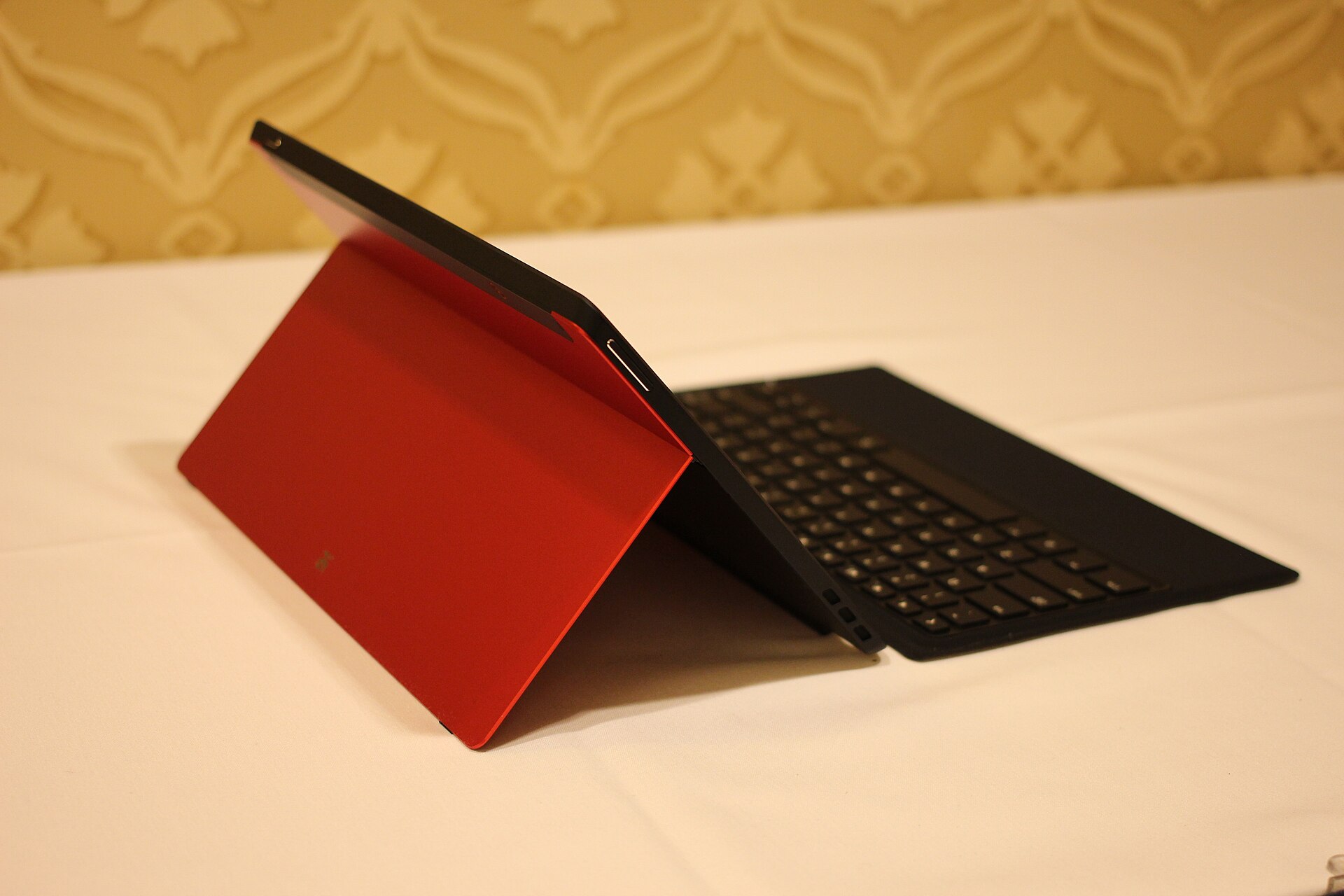
A keyboard can turn a big tablet into a basic laptop replacement for writing and email.
- Connector keyboards attach via contacts on the tablet's edge, need no charging and pair instantly. They're usually specific to one model.
- Bluetooth keyboards work with anything but need charging and pairing.
- Some tablets offer a desktop mode with resizable windows, which makes a keyboard far more useful. Check whether the tablet you're considering has one.
Styluses vary even more:
- Tablet-specific active pens offer pressure sensitivity, palm rejection and low lag. Some use electromagnetic technology and need no battery; others charge from the tablet or a cable.
- USI (Universal Stylus Initiative) pens follow a shared standard and work on tablets that support it.
- Generic "universal" styluses are often just a conductive tip. They can tap and scroll, but offer no pressure sensitivity or palm rejection.
If you plan to draw or take handwritten notes, choose a tablet with a pen designed for it, and check whether the pen is included or sold separately.
Software support and the rest
- Updates. Look for a stated number of years of Android version and security updates. Long support keeps a tablet safe and usable for longer.
- Google certification. A tablet should have Google Play services and be Play Protect certified; some budget imports aren't.
- Battery and charging. Big tablets typically have 7,000–10,000 mAh batteries. Charging speed varies widely, and some tablets ship with a slow charger.
- Speakers and ports. Four speakers help for films. A headphone jack is increasingly rare, so check if you need one.
The short version
- Aim for 1920 × 1200 or better on a 10–11 inch screen, and higher on larger screens.
- Treat 90–120 Hz as a pleasant extra, not a priority over the chipset.
- Compare the exact chipset using independent benchmarks.
- Count physical RAM only; 6–8 GB suits most people.
- Choose 128 GB or more, and prefer UFS storage.
- Confirm Widevine L1 if you stream.
- For LTE, check bands; for drawing, check the pen.
- Look for a clear update policy.
Bloiq is reader-supported. Some links may earn us a commission; it never affects what we write. How we make money.
Cover photo: Maurizio Pesce from Milan, Italia, CC BY 2.0, via Wikimedia Commons
.jpg)