Smart thermostats: boilers, heat pumps, C-wires, zoning and schedules
How to check that a smart thermostat suits your boiler, furnace or heat pump, what a C-wire is, how zoning works, and how to set schedules that actually save energy.
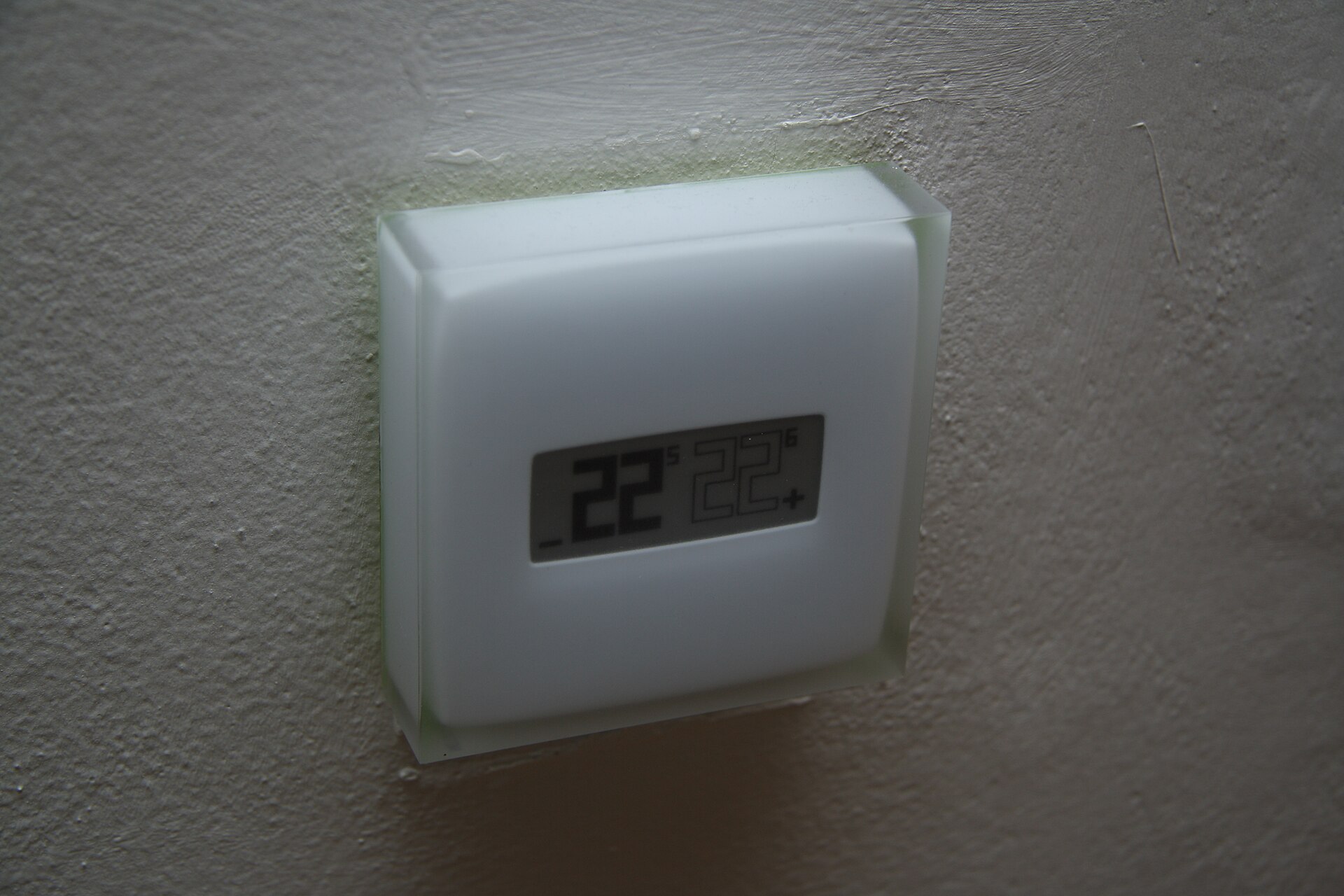
A smart thermostat can learn your routine, turn the heating down when the house is empty and let you adjust the temperature from your phone. But it only works if it suits the heating system behind the wall, and that's where most buying mistakes happen. This guide explains how to check compatibility with furnaces, boilers and heat pumps, what the C-wire fuss is about, how zoning works, and which features genuinely save energy.
Start with your heating system, not the thermostat
Thermostats don't heat anything: they send a signal to the equipment that does. Before you look at features, find out what kind of system you have.
- Forced-air furnace with central air (common in North America). A low-voltage (24 V) thermostat switches the furnace, the air conditioner and the blower fan. Most smart thermostats are built for this.
- Heat pump. Also usually 24 V, but with extra wiring for the reversing valve and backup heat. Most smart thermostats support heat pumps, but check the exact configuration.
- Boiler with radiators or underfloor heating (common in the UK and Europe). The thermostat usually switches the boiler on and off through a relay, often at mains voltage, or talks to it digitally. Smart thermostats for these systems often come with a separate receiver wired at the boiler.
- Electric baseboard heaters. These use line-voltage thermostats (120 V or 240 V) that switch the heater current directly. A standard 24 V smart thermostat will not work and must never be connected to these wires; you need a model made for line voltage.
- Millivolt systems such as some gas fireplaces and wall heaters run on tiny currents generated by a pilot flame. Most smart thermostats aren't compatible.
Rule of thumb: if your current thermostat has thick wires connected with wire nuts, it's probably line voltage. If it has thin wires in small screw terminals, it's probably low voltage. Check the label on the old thermostat and the heating equipment to be sure.
Reading the wires on a 24 V system
On North American systems the terminals have letter codes. Take a photo of the existing wiring before you disconnect anything, and note which letter each wire goes to, not its colour, because colours aren't always used consistently.
| Terminal | What it controls |
|---|---|
| R, Rh, Rc | 24 V power (Rh for heating, Rc for cooling if separate) |
| C | Common: completes the circuit for continuous power |
| W, W1, W2 | Heating stages |
| Y, Y1, Y2 | Cooling stages, or the compressor on a heat pump |
| G | Blower fan |
| O/B | Heat pump reversing valve |
| AUX, E | Auxiliary or emergency heat on a heat pump |
Most manufacturers offer an online compatibility checker: you enter the letters on your current wiring and it tells you whether a model will work. Do this before buying.
What a C-wire is and why it matters
A smart thermostat has a screen and a Wi-Fi radio, so it needs continuous power. The C (common) wire supplies it. Older systems were often wired without one, because a simple mechanical thermostat didn't need power.
If you don't have a C-wire, you have a few options:
- An unused wire. There's often a spare conductor tucked behind the old thermostat. It can be connected as a C-wire at both ends if the equipment has a C terminal.
- A power adapter kit. Many thermostats include or offer a small module that installs at the furnace and provides power over the existing wires.
- A thermostat that works without one. Some models draw small amounts of power through the heating or cooling wires ("power stealing") or run on batteries. This works in many homes but can cause odd behaviour, such as short cycling, with some equipment.
- A new cable from the equipment, the most reliable fix where practical.
Heat pumps: extra settings that matter
Heat pumps are efficient but behave differently from furnaces, so check that the thermostat handles them well.
- O/B configuration. The reversing valve is energised either in cooling (O) or heating (B), depending on the manufacturer. The thermostat must be set to match.
- Auxiliary heat. Many heat pumps have electric resistance heat as backup. It's far less efficient, so a good thermostat lets you control when it's used, for example by outdoor temperature or by how far the room is from the target.
- Recovery after setbacks. A large overnight setback can make the thermostat call for auxiliary heat in the morning, wiping out the savings. Look for gradual or adaptive recovery and use modest setbacks.
- Dual-fuel systems pair a heat pump with a gas furnace. The thermostat needs to support switching between them, usually based on outdoor temperature.
Boilers, OpenTherm and radiator valves
In the UK and Europe, many boilers can be controlled more cleverly than simply on and off. Some boilers and thermostats support OpenTherm or a maker's own protocol, which lets the thermostat ask for a lower or higher water temperature rather than just switching the boiler. This can help condensing boilers run more efficiently. Check that both the boiler and the thermostat support the same protocol.
Other points for boiler systems:
- Hot water. If you have a hot water cylinder, choose a system that can schedule hot water as well as heating.
- Combi boilers heat water on demand, so only the heating needs a schedule.
- Underfloor heating responds slowly. Schedules need to start earlier, and some thermostats can learn this.
- Wiring at the boiler. Connecting a receiver to a gas boiler often involves mains-voltage wiring. In many places some of this work must be done by a qualified electrician or heating engineer; check the current rules where you live.
Zoning: true zones and room sensors
A single thermostat controls the whole system based on the temperature in one spot, usually the hallway. Rooms that run hot or cold are the classic complaint. There are several ways to address it.
- True zoning divides the house into zones, each with its own thermostat. With radiators, motorised zone valves control the water flow; with ducted air, motorised dampers in the ducts open and close. This is installed as part of the heating system, and each zone needs a thermostat or a compatible controller.
- Smart radiator valves replace the heads of thermostatic radiator valves and let you schedule each room separately, without new pipework. They work best as part of the same maker's system, so the boiler knows when any room wants heat.
- Remote room sensors let a single thermostat average several rooms or prioritise an occupied one. They improve comfort but don't send more heat to one room than another; only zoning does that.
Schedules, geofencing and learning
Savings come from heating the house less when nobody needs it. The features that help are:
- Schedules. Set a lower temperature at night and when the home is empty. Moderate setbacks of a few degrees are a sensible start; check how your system responds before making them larger.
- Geofencing. The thermostat uses your phone's location to know when everyone has left and to start warming up as someone heads home. It depends on location permissions and works best when every household member's phone takes part.
- Learning and adaptive features. Some models learn your routine or how long the house takes to warm up, and start heating early so the room reaches temperature on time.
How much you save depends on the climate, the house, the system and how you used the old thermostat. Energy reports in the app help you see the effect of changes.
Smart-home compatibility and privacy
Check which apps and voice assistants the thermostat works with, whether it supports Matter, and whether basic control keeps working if your internet connection drops. Our guide to smart-home standards: Matter, Thread and Zigbee explains those labels. A thermostat that keeps its schedule and local controls without the maker's cloud is a safer long-term choice. Review the privacy settings for occupancy and location data.
Installing it safely
- Turn off power to the heating system and the thermostat at the breaker or fused switch before touching any wires.
- Photograph and label every wire before disconnecting it.
- Never connect a low-voltage thermostat to line-voltage wiring.
- If in doubt, call a professional, especially for boilers, heat pumps and anything involving mains wiring at the equipment.
The short version
- Identify your system: furnace, heat pump, boiler or electric baseboard.
- Use the maker's compatibility checker with your current wiring.
- Sort out power: a C-wire, an adapter kit or a model designed to work without one.
- Heat pump? Check O/B setup, auxiliary heat control and gentle recovery.
- Boiler? Look for OpenTherm support, hot-water scheduling and smart radiator valves if you want room control.
- Uneven rooms need true zoning; room sensors improve comfort but don't redistribute heat.
- Savings come from schedules and setbacks, so set them up and check the results.
Bloiq is reader-supported. Some links may earn us a commission; it never affects what we write. How we make money.
Cover photo: Jiří Sedláček, CC BY-SA 4.0, via Wikimedia Commons