Home / Tech · Product overviews / Computers & Accessories / Network Cards · More from ASUS
ASUS PCE-BE92BT WiFi 7 PCIe Adapter: features, specs and who it suits
A WiFi 7 PCIe card with Bluetooth 5.4, 6 GHz support, 320 MHz channels and two external antennas, for Intel desktop PCs. What the specs mean.
This page contains an affiliate link, marked as such. If you buy through it, Bloiq may earn a commission at no extra cost to you.
The ASUS PCE-BE92BT is an internal PCIe card that gives a desktop PC WiFi 7 and Bluetooth 5.4. It suits a desktop that has no wireless, or one whose older WiFi can't use a newer router's 6 GHz band. Here is what its specs mean and what to confirm before fitting it.
What WiFi 7 adds
WiFi 7 is the newest generation of the standard, and it is designed to work with a WiFi 7 router. ASUS says the card lets a PC use the features of such a router through the dedicated 6 GHz band, and it quotes speeds 2.4 times faster than the previous generation. Real-world throughput depends on the router, the network and the room, and ASUS notes that traffic volume, building materials and network overhead all lower actual speed and coverage.
Why the 6 GHz band and 320 MHz channels matter
Older WiFi shares the crowded 2.4 GHz and 5 GHz bands with neighbours' networks, microwaves and many other devices. The 6 GHz band is a separate stretch of spectrum, so a device that uses it typically sees less congestion and interference.
Channel width works like lanes on a road: wider channels carry more data at once. ASUS says the 6 GHz band provides up to three extra 320 MHz channels, giving more bandwidth, more flexibility and less congestion. Higher-frequency signals generally travel less far through walls than 2.4 GHz, so distance and layout still count.
External antennas and placement
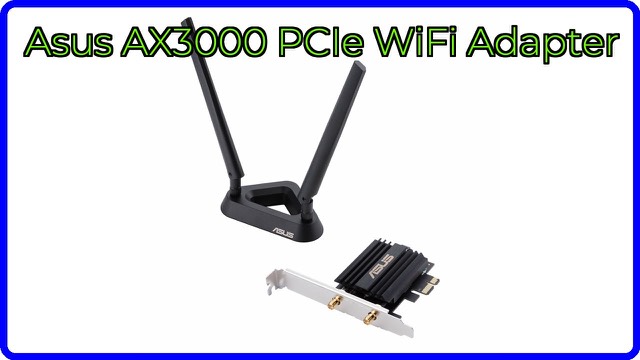
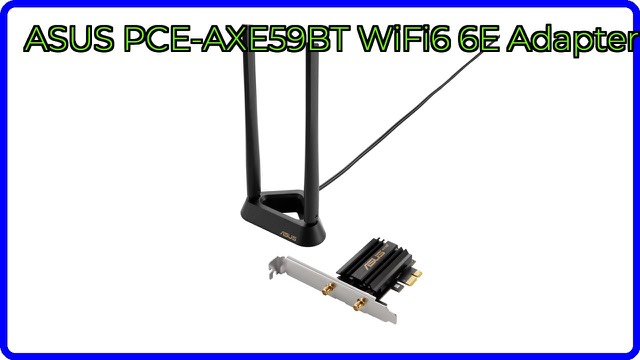
A card inside a metal case is a poor spot for a radio. The PCE-BE92BT comes with two external antennas on a freestanding transceiver with a connecting cable. ASUS says this lets you position the antennas for the best reception, and it helps reduce dead zones. Putting them on the desk or somewhere in clear line of sight to the router usually works better than leaving them behind the case.
Bluetooth 5.4 and security
The card also adds Bluetooth 5.4, so one slot covers wireless networking and Bluetooth devices such as headsets, keyboards and controllers. ASUS says the version supports large networks and is tuned for energy efficiency. The card lists WPA3 network security, along with OFDMA and MU-MIMO, which are techniques that let a router serve several devices more efficiently at once.
Who it suits
It suits desktop owners with a WiFi 7 router who can't run a cable to the PC, and builders who want wireless added to a board that lacks it. It also suits anyone moving to the 6 GHz band for less congestion.
What to check before you buy
- Platform: ASUS says the card is compatible with Intel motherboards only. Confirm that against your board and the operating system you use.
- Slot: it is a PCIe card, so you need a free slot and space around it in the case.
- Router: to use WiFi 7 and the 6 GHz band, you need a router that supports them. Otherwise the card falls back to older standards.
- Antenna position: check that the cable reaches a spot with a clear path to the router.
- Drivers: look at the manufacturer's site for current drivers for your operating system.
The short version
- A WiFi 7 PCIe adapter with Bluetooth 5.4 for desktop PCs.
- Supports the 6 GHz band and 320 MHz channels, with WPA3, OFDMA and MU-MIMO.
- Two external antennas on a freestanding transceiver for easier positioning.
- ASUS lists it as compatible with Intel motherboards only.
- Real speeds depend on your router, building and network conditions.
Bloiq is reader-supported. Some links may earn us a commission; it never affects what we write. How we make money.