Home / Tech · Product overviews / Computers & Accessories / Network Cards · More from ASUS
ASUS PCE-AX58BT AX3000 Wi-Fi 6 PCIe Adapter: features, specs and who it suits
The ASUS PCE-AX58BT is a PCIe card that adds Wi-Fi 6 (AX3000) and Bluetooth 5.0 to a desktop PC. What OFDMA, MU-MIMO and WPA3 mean, and what to check.
This page contains an affiliate link, marked as such. If you buy through it, Bloiq may earn a commission at no extra cost to you.
The ASUS PCE-AX58BT is an internal PCIe card that gives a desktop computer dual-band Wi-Fi 6 and Bluetooth 5.0. It suits a PC that has no wireless of its own, or one with an older adapter, where running a network cable isn't practical.
What AX3000 and Wi-Fi 6 mean
Wi-Fi 6 is the name for the 802.11ax standard. "AX3000" is a label that adds up the speeds of the two bands, so it is not the speed of a single connection. ASUS says the card reaches up to 2.4 Gbps and up to 2.7x the speed of the previous Wi-Fi generation. Those are maximums: the brand's own disclaimer says real throughput and coverage depend on network traffic, building materials and construction, and overhead.
It is dual band, meaning it can use the 2.4 GHz band, which travels further, and the 5 GHz band, which is typically faster at shorter range.
OFDMA and MU-MIMO
Two technologies in Wi-Fi 6 help when many devices share a network. OFDMA splits a channel into smaller slices so that several devices can be served in the same transmission. MU-MIMO lets a router talk to several devices at once instead of one at a time. ASUS lists OFDMA and 2x2 MU-MIMO and says that, together, they keep speeds up on a congested network. To benefit from them, you also need a Wi-Fi 6 router or access point.
Bluetooth 5.0
The card also adds Bluetooth 5.0 for headphones, keyboards, controllers and other accessories. ASUS says it offers up to 2x the transmission speed and up to 4x the range of earlier versions. Real range depends on the device and the room.
WPA3 security
WPA3 is the current Wi-Fi security standard. ASUS says it protects the computer and its data from external attacks. In practice, WPA3 only applies when your router and network are set to use it; otherwise the card falls back to an older mode.
External antenna base
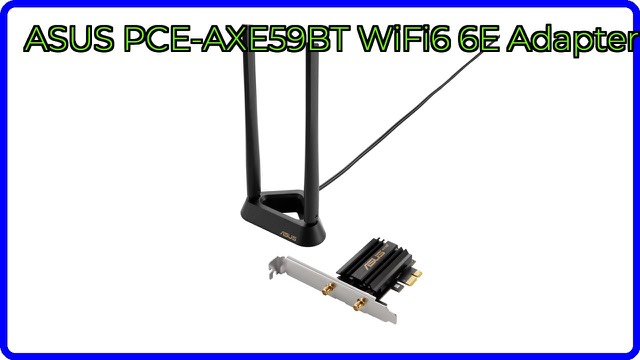
The card comes with an external antenna base. Because a PC case is often metal and tucked under a desk, an antenna that connects by cable can be placed on top of the desk or another open spot, where reception is typically better.
Size and installation
The card is listed at 4.7 x 3.5 x 0.9 inches (about 12 x 9 x 2.3 cm) and weighs 0.9 lb. It fits a PCIe slot on the motherboard, with the antenna base connected by cable. Bluetooth normally needs an extra connection to the motherboard, so follow the manual for the connector and operating system drivers.
Who it suits
It suits desktop owners who want to move to Wi-Fi 6 and Bluetooth 5.0 without replacing the motherboard, and people whose PC sits far from the router.
What to check before you buy
- Free slot: confirm your motherboard has an open PCIe slot of a suitable size, and that it is not blocked by a large graphics card.
- Operating system: check driver support for your version of Windows or other systems.
- Router: you need a Wi-Fi 6 router to get Wi-Fi 6 features.
- Bluetooth connection: check that the motherboard has the header the manual calls for.
- Antenna placement: plan where the antenna base will sit and make sure its cable reaches.
- Real-world speed: your internet plan, router and distance limit the result, whatever the card's maximum.
The short version
- A PCIe card with dual-band Wi-Fi 6 (AX3000) and Bluetooth 5.0 for desktop PCs.
- Up to 2.4 Gbps, with OFDMA and 2x2 MU-MIMO.
- WPA3 security support.
- Includes an external antenna base for better placement.
- Needs a free PCIe slot and a Wi-Fi 6 router to get the full benefit.
Bloiq is reader-supported. Some links may earn us a commission; it never affects what we write. How we make money.