Robot vacuum and mop combos: suction, navigation and docks explained
Pascals, LiDAR, spinning mops and self-washing docks decoded, so you can match a robot vacuum and mop to your floors, layout and patience for upkeep.
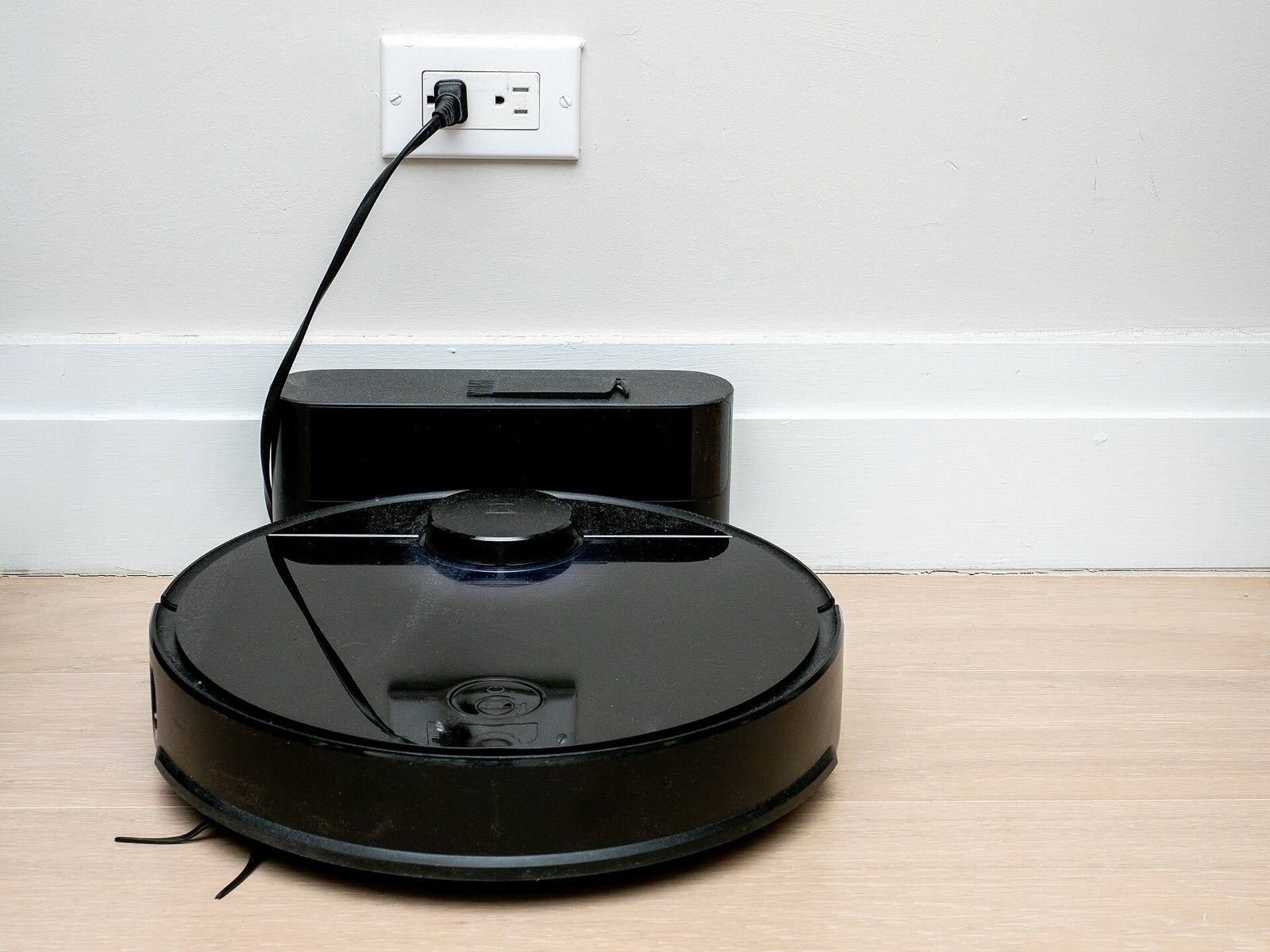
Robot vacuums that also mop have gone from novelty to mainstream, and the spec sheets have grown with them: suction in pascals, three kinds of navigation, several mop designs and docks that empty, wash and dry the robot on their own. The price range is huge, and the most expensive features are not always the ones that matter in your home. This guide explains what each specification means and how to decide what you actually need.
Suction: what the pascal figure tells you
Suction is quoted in pascals (Pa), a unit of pressure. Broadly, current models fall into rough bands:
- Entry level: around 2,000–4,000 Pa.
- Mid-range: around 4,000–8,000 Pa.
- Flagship: 10,000 Pa and above, with headline figures that climb every year.
Treat these numbers with care. There is no single industry test that every brand uses for pascal ratings, so figures from different manufacturers are not strictly comparable. On hard floors, almost any modern robot picks up everyday dust and crumbs. Extra suction pays off mainly on carpets and rugs, where it helps pull grit from deep in the pile, and in homes with pets.
The brush roll matters as much as the motor. Rubber or combined rubber-and-bristle rollers, and designs marketed as tangle-resistant, handle long hair far better than plain bristle brushes. If you have pets or long-haired people at home, look at the brush design before the pascal figure.
Navigation: LiDAR, camera or gyroscope
How a robot finds its way decides whether it cleans in tidy rows, whether you can send it to one room, and how often it gets stuck.
| Navigation | How it works | Strengths | Limitations |
|---|---|---|---|
| LiDAR | A spinning laser measures distances to walls and furniture | Accurate maps, works in the dark, reliable room-by-room cleaning | The turret adds height; can miss very low or small objects |
| Camera (vSLAM) | A camera tracks features on the ceiling or ahead | Good mapping; front cameras can recognise objects | Needs some light; privacy considerations |
| Gyroscope | Wheel sensors and a gyro estimate position | Cheap, low profile | Basic or no map, limited zone control, less systematic in large homes |
Many current models combine LiDAR mapping with a separate front-facing obstacle-avoidance system, using structured light, a 3D time-of-flight sensor or a camera with object recognition. This is what helps a robot steer around cables, socks and pet mess. If your floors are often cluttered, obstacle avoidance matters more than the navigation label.
Some newer designs retract the LiDAR turret or move the sensor to the front to lower the robot's height. Measure the clearance under your sofa and bed and compare it with the robot's height, including any turret.
Mop types
Mopping ability varies more between models than suction does.
- Static drag pad: a damp cloth pulled behind the robot. Fine for light dust and footprints, not for dried-on spills.
- Vibrating pad: the pad scrubs back and forth rapidly as it moves. Better on light stains, still gentle.
- Dual spinning mops: two round pads rotate while pressing down on the floor. They scrub harder, and on some models one pad can swing outward to reach closer to walls and skirting boards.
- Roller mop: a rotating cylindrical mop that is rinsed continuously on board, so the robot doesn't spread dirty water. Usually found on premium models.
Look for mop lifting as well. When the robot detects carpet it raises the pads, typically by a few millimetres to a centimetre or two, so a rug stays dry. Some robots can detach their pads entirely at the dock and vacuum carpet-heavy rooms without them. If you have high-pile rugs, check the lift height or choose a model that removes the mops.
On hardwood and laminate, use the lowest effective water setting and check your flooring manufacturer's guidance on damp mopping.
Docks: charge-only, self-empty and self-wash
The dock often makes more difference to daily life than the robot itself.
- Charge-only dock: you empty the robot's small bin after every run or two and refill and clean the mop by hand.
- Self-empty dock: after each clean, the dock sucks the robot's bin into a larger bag or container. Bags typically last several weeks, depending on your home and pets. The emptying cycle is loud for a few seconds.
- Self-wash dock: the dock has a clean-water tank and a dirty-water tank. It rinses and scrubs the mop pads, refills the robot's water tank and, on most models, dries the pads with warm air to limit odours. Higher-end docks may wash pads with hot water, dispense detergent automatically or connect to a water supply and drain.
A full "all-in-one" dock is large; many are about as tall as a kitchen stool. Measure the space, and remember that it needs room in front for the robot to enter and a nearby socket.
Maintenance you can't avoid
Even the most automated system needs regular attention:
- Empty the dirty-water tank and refill the clean one, often every few runs. Dirty water left standing will smell.
- Replace dust bags, filters, side brushes and mop pads periodically; check the price and availability of these consumables before you buy.
- Cut hair off the brush roll and wipe the sensors now and then.
- Clean the wash tray in the dock, where grime collects.
Rule of thumb: the more a dock does for you, the less often you touch the robot, but the more parts there are to keep clean and replace.
Features worth paying for
- Room-by-room maps and no-go zones in the app, so you can keep the robot away from pet bowls or set rugs as no-mop areas.
- Carpet detection that boosts suction and lifts or avoids mopping on rugs.
- Obstacle avoidance if your floors are rarely clear.
- Edge and corner reach, such as a swing-out side brush or mop.
- Threshold climbing. Most robots manage door sills of around 2 cm; check if you have higher transitions.
- Battery life enough to finish your largest floor in one run, although most robots can recharge and resume.
Privacy and connectivity
Robots with cameras and detailed maps collect information about your home. Check what the app uploads, whether images are processed on the robot, and how the maker handles data and updates. Many robots only connect to 2.4 GHz Wi-Fi, which matters if your router combines bands under one network name.
The short version
For a small flat with mostly hard floors, a LiDAR robot with a simple mop and a self-empty dock covers most needs. For larger homes, pets or lots of rugs, look for tangle-resistant brushes, reliable obstacle avoidance, mop lifting or removal, and a self-wash dock with hot-air drying. Judge suction as a rough guide rather than a precise score, measure the height under your furniture and the space for the dock, and budget for bags, pads and filters over the robot's life.
Bloiq is reader-supported. Some links may earn us a commission; it never affects what we write. How we make money.
Cover photo: ajay_suresh, CC BY 2.0, via Wikimedia Commons
.jpg)