Home / Tech · Product overviews / Computers & Accessories / Whole Home & Mesh Wi-Fi Systems · More from ASUS
ASUS ZenWiFi AX6600 XT8 Mesh System: features, specs and who it suits
A single-unit tri-band Wi-Fi 6 mesh router rated at 6600Mbps total, with AiMesh support and app setup. What the specs mean for whole-home coverage.
This page contains an affiliate link, marked as such. If you buy through it, Bloiq may earn a commission at no extra cost to you.
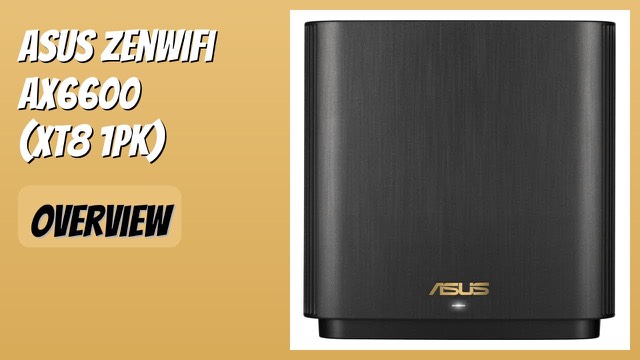
The ASUS ZenWiFi AX6600 (XT8) is a tri-band Wi-Fi 6 router, supplied here as a single unit. It is built to cover a whole home, and it can be expanded into a mesh system with a second unit or with other compatible ASUS routers. It aims to remove the dead spots that a single router in one corner of a house often leaves behind.
What tri-band and AX6600 mean
AX6600 is a combined figure: ASUS lists a total wireless speed of 6600Mbps across all of the radio bands. Tri-band means one 2.4GHz band and two 5GHz bands. In mesh systems, the extra 5GHz band is typically used to carry traffic between the mesh units, so the bands your devices connect to are less crowded. No single device will reach the combined figure; it is a total across the radios.
ASUS says the antenna placement, with six internal antennas, helps push a strong signal to every corner. The unit is rated for up to 2,750 sq ft (about 255 square metres) and four or more rooms. Real coverage depends on walls, floors and building materials.
Wi-Fi 6 in a busy home
Wi-Fi 6 uses OFDMA and MU-MIMO. In general, these let a router talk to several devices more efficiently at once, instead of handling them one at a time. The benefit is mostly noticeable in homes with many phones, laptops, TVs and smart devices connected together.
AiMesh and expansion
The XT8 supports AiMesh, ASUS's feature for combining compatible routers into one network. You can add a second ZenWiFi unit, or mix it with other AiMesh-compatible ASUS routers. That means a home can start with a single unit and grow later. Check the maker's AiMesh compatibility list before pairing different models.
Setup and management
ASUS describes a three-step setup using the ASUS Router App, along with simple management afterwards. The listing also mentions three SSIDs, parental controls and an Alexa skill. Network security is listed as included for the life of the product, as ASUS describes it; check the current terms on the maker's site.
Size and power
The unit measures about 6.3 x 3.0 x 6.4 inches (16 x 7.6 x 16 cm) and weighs 1.6 lb (about 0.7 kg). It accepts 100-240V, so it works with power outlets in many countries with a suitable plug adapter.
Who it suits
It suits medium to large homes with several rooms or floors, and households with many connected devices. It also works for people who want to start with one unit and add more later.
What to check before you buy
- Your internet connection: the router connects to a modem; confirm which port speeds your service needs.
- Home layout: thick walls and several floors may need more than one unit.
- Wired devices: check how many Ethernet ports the model offers against what you plan to connect.
- Expansion plans: confirm any other router you want to add is AiMesh-compatible.
- Included items: check that the box includes the power adapter and cable you need.
The short version
- A single-unit tri-band Wi-Fi 6 mesh router with 6600Mbps total speed, per ASUS.
- Six internal antennas; rated for up to 2,750 sq ft.
- AiMesh support for expanding with compatible routers.
- Setup and control through the ASUS Router App, with parental controls and three SSIDs.
- Accepts 100-240V.
Bloiq is reader-supported. Some links may earn us a commission; it never affects what we write. How we make money.