Home / Tech · Product overviews / Computers & Accessories / 2 in 1 Laptops · More from ASUS
ASUS VivoBook Flip 14 TP470EA 2-in-1 Laptop: features, specs and who it suits
A 14-inch touchscreen 2-in-1 laptop with an 11th Gen Intel Core i3, 4GB RAM, 128GB SSD and a 360° hinge. What the specs mean and who it suits.
This page contains an affiliate link, marked as such. If you buy through it, Bloiq may earn a commission at no extra cost to you.
The ASUS VivoBook Flip 14 (model TP470EA-AS34T) is a 14-inch convertible laptop. Its hinge folds a full 360°, so the same machine works as a laptop, a tablet or a stand for watching video. It targets students and home users who want a light touchscreen laptop for everyday tasks.
Four ways to use it
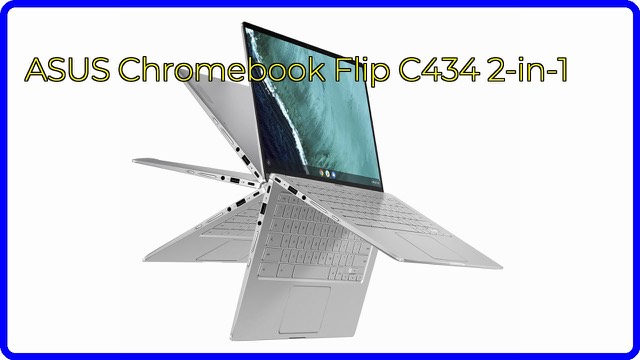
ASUS describes four modes: laptop, tent, stand and tablet. Laptop mode is for typing. Tent mode props the screen like a small A-frame, which suits video calls or recipes on a counter. Stand mode puts the screen over the keyboard, handy for watching films, and tablet mode folds it flat for touch use. ASUS says a sturdy hinge holds the display firmly at any angle.
The 14-inch touch display
The screen is a 14-inch Full HD (1920 x 1080) Wideview display with capacitive touch and a viewing angle of up to 178°. Wide viewing angles generally mean the picture stays consistent when seen from the side, which is useful in tent or stand modes. The 82% screen-to-body ratio refers to how much of the front is taken up by the screen, and a higher figure means thinner borders.
Intel Core i3-1115G4, 4GB RAM and 128GB SSD
The processor is an 11th Gen Intel Core i3-1115G4 with two cores, 6MB of cache and a boost of up to 4.1 GHz. ASUS pairs it with Intel Iris Xe graphics, 4GB of LPDDR4X memory and a 128GB PCIe SSD. This is an everyday configuration, typically enough for browsing, office documents, streaming and video calls. People who keep many programs open or work with large files may find 4GB of memory tight, and 128GB of storage fills quickly if you save files locally. An SSD does make start-up and loading faster than a mechanical hard drive.
Windows 10 Home in S mode
The laptop ships with Windows 10 Home in S mode, which only runs apps approved by Microsoft. ASUS says an upgrade to Windows 11 is available for eligible devices. Switching out of S mode is generally possible and lets you install other apps, but check Microsoft's current instructions before relying on a specific program.
Ports, build and weight
The listing mentions Thunderbolt 4 and a fingerprint sensor. Thunderbolt 4 is a high-speed USB-C connection used for fast storage, displays and docks. The chassis is brushed aluminium and about 12.9 inches wide and 0.7 inches thick, with a weight of about 3.3 lb (roughly 1.5 kg). ASUS describes the Indie Black finish as having a colour-blocked Enter key with yellow edges and text.
Who it suits
It suits students, travellers and households who like the flexibility of a touchscreen that folds into a tablet, and who mostly use web apps, documents and media. It's less suited to heavy video editing or demanding games.
What to check before you buy
- S mode: confirm your software is allowed in S mode, or plan to switch modes.
- Storage and memory: 4GB and 128GB suit light use; check whether that's enough for you.
- Pen or stylus: check whether you need one, and what the manual says about compatibility.
- Ports: check you have the connections for your accessories, or plan an adapter.
- Battery life: the listing doesn't state a figure, so check ASUS's current specification.
- Tablet use: at around 3.3 lb it is heavier than a dedicated tablet.
The short version
- A 14-inch Full HD touchscreen 2-in-1 with a 360° hinge.
- Intel Core i3-1115G4 (up to 4.1 GHz), 4GB LPDDR4X RAM, 128GB SSD.
- Thunderbolt 4, a fingerprint sensor and a brushed aluminium chassis.
- About 3.3 lb; ships with Windows 10 Home in S mode.
Bloiq is reader-supported. Some links may earn us a commission; it never affects what we write. How we make money.