Home / Tech · Product overviews / PC / Gaming Mice · More from ASUS
ASUS ROG Gladius III Wireless AimPoint Mouse: features, specs and who it suits
A 79g right-handed wireless gaming mouse with a 36,000 dpi sensor, tri-mode connectivity and hot-swappable switches. What the specs mean in use.
This page contains an affiliate link, marked as such. If you buy through it, Bloiq may earn a commission at no extra cost to you.
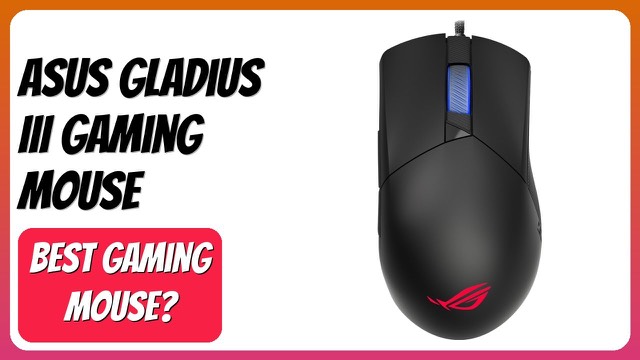
The ASUS ROG Gladius III Wireless AimPoint is a right-handed gaming mouse that weighs 79 grams and can connect in three ways: a 2.4 GHz wireless dongle, Bluetooth or a USB cable. It is the wireless version of the long-running Gladius line, aimed at players who want a light mouse with a sensor that can track very fast movement.
The AimPoint sensor and what dpi means
DPI (dots per inch) describes how far the cursor moves for each inch the mouse moves. A higher setting means the cursor travels further for a small hand movement. ASUS lists a range from 100 to 36,000 dpi for the AimPoint optical sensor, with a deviation under 1%, tracking up to 650 inches per second and 50 g of acceleration.
Most players use a fraction of that range. Typical settings sit in the hundreds to low thousands of dpi, so the headline figure matters less than how consistent the sensor is at the settings you actually use.
Tri-mode connectivity
The three modes suit different situations:
- 2.4 GHz wireless: the low-latency option usually chosen for games. ASUS rates battery life at up to 119 hours in this mode.
- Bluetooth: pairs with up to three devices, handy for switching between a laptop and a tablet. ASUS quotes up to 143 hours.
- Wired USB: lets you charge while you play.
Battery figures like these are the brand's own estimates and depend on settings such as lighting and polling rate.
Weight and shape
At 79 grams the mouse sits in the lighter group of gaming mice, which many players prefer for fast flicks and long sessions. The shape is asymmetrical and designed for right-handed use. ASUS says it works with a variety of grip styles. Grip preference is personal, so hand size and whether you use a palm, claw or fingertip grip are worth considering.
Hot-swappable switches
The product name highlights hot-swappable switches. In general, this means the main-button switches sit in sockets, so they can be replaced without soldering. It allows you to replace a worn switch or try a different feel. Check ASUS's documentation for which switch types are supported and how to remove them.
Size and compatibility
The listing gives dimensions of about 4.8 x 2.7 inches, with a weight of 0.3 lb. It supports PC and Mac. Customisation of buttons and lighting typically needs the manufacturer's software, so check what your operating system supports.
Who it suits
It suits right-handed players of fast shooters and competitive games who want a light wireless mouse with adjustable sensitivity. It also works as an everyday mouse for people who like the shape.
What to check before you buy
- Hand size and grip: the shape is fixed and right-handed only.
- Weight preference: make sure 79 grams feels right for you.
- Wireless setup: confirm a free USB port for the dongle.
- Software: check that the customisation software works on your system.
- Switch replacement: read the instructions before opening the mouse.
- Charging: plan where the cable will be when the battery runs low.
The short version
- A right-handed wireless gaming mouse weighing 79 grams.
- AimPoint optical sensor from 100 to 36,000 dpi.
- 2.4 GHz, Bluetooth and wired USB modes, with up to 119 hours on 2.4 GHz.
- Hot-swappable switches and PC/Mac support.
Bloiq is reader-supported. Some links may earn us a commission; it never affects what we write. How we make money.