Home / Tech · Product overviews / PC / Gaming Mice · More from ASUS
ASUS ROG Gladius III wired gaming mouse: features, specs and who it suits
A wired, asymmetrical 19,000 dpi gaming mouse with swappable switch sockets, 70-million-click switches, RGB lighting and five onboard profiles. What the specs mean.
This page contains an affiliate link, marked as such. If you buy through it, Bloiq may earn a commission at no extra cost to you.
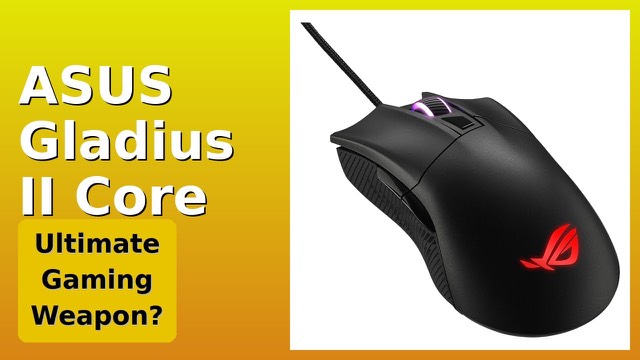
The ASUS ROG Gladius III is a wired gaming mouse with an asymmetrical shape, a 19,000 dpi optical sensor and six programmable buttons. Its most distinctive feature is a socket design that lets you swap the main switches, so the mouse can be adjusted over time instead of replaced when a switch wears.
Sensor: dpi, ips and polling rate
The optical sensor is rated at 19,000 dpi with a 1% deviation. The listing says it is specially tuned to 26,000 dpi, and gives a speed of 400 ips (inches per second) and a 1000 Hz polling rate. Dpi measures how far the cursor moves for each inch you move the mouse, and most players use settings far below the maximum. Ips is the fastest hand motion the sensor can track, and 1000 Hz means the mouse reports its position to the PC 1,000 times a second, or once per millisecond.
ASUS also promotes "zero-click latency", describing real-time response to clicks. DPI On-The-Scroll lets you change sensitivity from the scroll wheel while playing.
Swappable switches
The Push-Fit Switch Socket II design is the main feature. According to ASUS, it supports hot swapping with mechanical switches and Omron optical micro switches, which lets you vary the click force and extend the mouse's life. The stock ROG Micro Switches are rated for 70 million clicks and are said to give a consistent click force. A pivoted button mechanism is intended to give rapid actuation and a tactile feel.
Hot-swap sockets mean you can change switches without soldering, but the compatible switch types are those ASUS lists, so check before buying replacements.
Glide, cable and lighting
The mouse has rounded-edge feet made of 100% PTFE, a low-friction material, and a ROG Paracord cable. Paracord-style cables are typically softer and more flexible than standard rubber-coated ones, so they drag less on a desk. The laser-engraved ROG markings on the side are RGB lit and work with Aura Sync, ASUS's lighting system for syncing colours across compatible devices.
Profiles and shape
Five onboard memory profiles keep your settings in the mouse, so they travel with it to another PC. The mouse measures 4.8 x 2.7 x 1.7 inches (about 12.2 x 6.9 x 4.3 cm) and weighs 0.2 lb (about 90 g). An asymmetrical design usually favours right-handed users, so left-handed players should check the shape.
Who it suits
It suits players who want a lightweight wired mouse, enjoy customizing parts, or plan to swap switches later. It also suits anyone who prefers a wired connection to avoid batteries and charging.
What to check before you buy
- Hand size and grip: confirm the shape and length suit your hand and your claw, palm or fingertip grip.
- Handedness: the shape is asymmetrical.
- Switch compatibility: check which replacement switch types ASUS lists.
- Software: check what the ASUS software offers on your operating system.
- Cable: make sure the wire length reaches your PC port.
The short version
- Wired asymmetrical gaming mouse with a 19,000 dpi optical sensor and 1000 Hz polling.
- Push-Fit Switch Socket II for hot-swappable switches.
- ROG Micro Switches rated for 70 million clicks.
- Six programmable buttons, five onboard profiles and Aura Sync RGB.
- PTFE feet and a paracord cable; about 0.2 lb.
Bloiq is reader-supported. Some links may earn us a commission; it never affects what we write. How we make money.