Home / Tech · Product overviews / Computers & Accessories / Graphics Cards · More from ASUS
ASUS Phoenix GeForce RTX 3050 V2 8GB Graphics Card: specs and what to check
The ASUS Phoenix RTX 3050 V2 is a compact 8GB GDDR6 graphics card with a dual ball bearing fan, PCIe 4.0, HDMI 2.1 and DisplayPort 1.4a. What the specs mean.
This page contains an affiliate link, marked as such. If you buy through it, Bloiq may earn a commission at no extra cost to you.
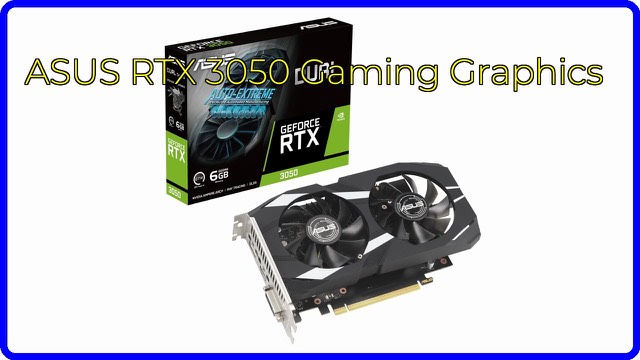
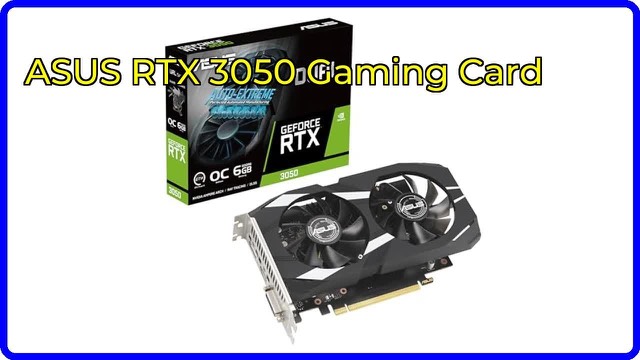
The ASUS Phoenix GeForce RTX 3050 V2 (PH-RTX3050-8G-V2) is a compact graphics card built on NVIDIA's RTX 3050 chip with 8GB of GDDR6 memory. ASUS designed it for small PC builds, with a single-fan cooler that keeps the card short. It adds a dedicated graphics processor to a PC, for gaming and for graphics-related tasks.
The Ampere architecture
The card uses NVIDIA's Ampere generation. ASUS highlights three parts:
- Ampere streaming multiprocessors, which ASUS says bring twice the FP32 throughput of the previous generation and better power efficiency.
- 2nd-generation RT cores, which handle ray tracing, a lighting technique that simulates how light behaves in a scene. ASUS lists twice the throughput of first-generation cores, with ray tracing and shading running at the same time.
- 3rd-generation Tensor cores, which accelerate AI tasks such as DLSS. DLSS in general renders a game at a lower resolution and uses AI to upscale it, which can raise frame rates in supported games.
As a card in the RTX 3050 class, it is generally considered an entry point to ray tracing and DLSS, and is better suited to 1080p gaming than to high-resolution, maximum-detail play. Real results vary with the game and settings.
Memory and connections
The card carries 8GB of GDDR6 video memory, which holds textures and frame data. It connects over PCIe 4.0, and in general PCIe cards work in older slots at the slower speed of that slot, so a PCIe 3.0 motherboard can usually still run it. For monitors there is HDMI 2.1 and DisplayPort 1.4a; check the listing's photos or ASUS's page for the exact count of each.
Cooling
The Axial-tech fan has a smaller hub that allows longer blades, plus a barrier ring that ASUS says increases downward air pressure. The fan uses dual ball bearings, which ASUS says can last up to twice as long as sleeve bearings. Auto-Extreme Technology is the name for ASUS's automated manufacturing process, which the company says enhances reliability.
GPU Tweak III
ASUS's GPU Tweak III software provides performance tweaking, thermal controls and system monitoring. Casual users can leave the card on its defaults, and the software is there for those who want to adjust the fan curve or watch temperatures.
Size and fit
ASUS describes the design as small-form-factor, intended for compact builds. The listing gives 7.0 x 5.0 inches and 0.8 lb (about 0.36 kg), but the thickness is shown as 0.0, so the real slot width isn't confirmed. Check ASUS's specifications for card length, height and slot thickness against the room in your case.
Who it suits
It suits people upgrading an older PC or a PC that relies on integrated graphics, and those building a small system for 1080p gaming, light creative work and AI features such as DLSS. It is not meant for 4K gaming at the highest settings.
What to check before you buy
- Case space: compare the card's length, height and thickness with your case.
- Power: check ASUS's recommended power supply wattage and which power connector the card needs.
- Slot: confirm a free PCIe x16 slot on your motherboard.
- Monitor ports: match HDMI 2.1 and DisplayPort 1.4a to your monitor's inputs and cables.
- Processor: a very old processor may limit the card's performance.
- Drivers: NVIDIA drivers are needed for your operating system.
The short version
- ASUS Phoenix GeForce RTX 3050 V2 (PH-RTX3050-8G-V2) with 8GB GDDR6.
- NVIDIA Ampere design with 2nd-gen RT cores and 3rd-gen Tensor cores for DLSS.
- PCIe 4.0 interface, HDMI 2.1 and DisplayPort 1.4a outputs.
- Axial-tech fan with dual ball bearings, in a compact design.
- GPU Tweak III software for tuning and monitoring.
Bloiq is reader-supported. Some links may earn us a commission; it never affects what we write. How we make money.