Home / Tech · Product overviews / Computers & Accessories / Blu-ray Drives · More from ASUS
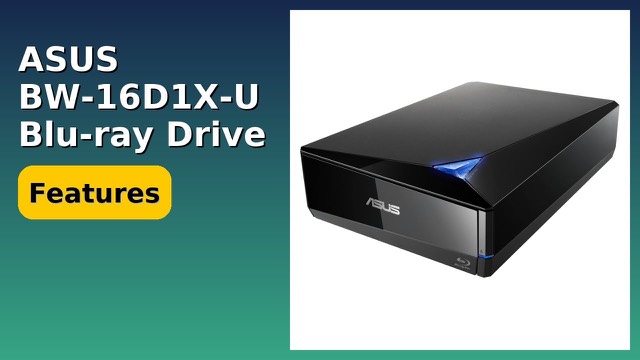
ASUS BW-16D1X-U External Blu-ray Writer: 16x speed, BDXL and M-DISC
An external USB 3.0 Blu-ray burner for Windows and Mac with 16x BD-R writing, BDXL discs up to 128GB and M-DISC support. What the specs mean.
This page contains an affiliate link, marked as such. If you buy through it, Bloiq may earn a commission at no extra cost to you.
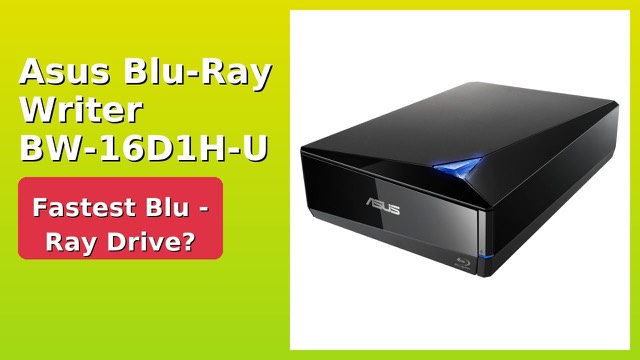
The ASUS BW-16D1X-U is an external Blu-ray writer that connects over USB 3.0. It reads and writes Blu-ray discs, supports high-capacity BDXL discs and M-DISC, and works with both Windows and Mac computers. It is useful for anyone who wants to burn or back up data on disc, or play Blu-rays on a laptop with no built-in drive.
What 16x writing speed means
Blu-ray write speeds are quoted as multiples of a base rate. ASUS lists 16x BD-R writing, which it describes as the fastest burning speed in the range. In general, the actual speed depends on the disc you use, and drives usually write slower at the start of a disc. A 16x rate suits large backups better than slower drives would.
USB 3.0 for both Mac and PC
The drive connects through USB 3.0 (also called USB 3.1 Gen 1), which has enough bandwidth for fast burning. ASUS lists support for Windows 10, 8, 7, Vista and XP, and for macOS 10.6 or later. Its listed operating temperature is 5°C to 40°C. Check current compatibility with your operating system, as the list reflects the listing's wording.
BDXL and capacity
BDXL discs hold more than standard Blu-ray discs. ASUS says the drive supports BDXL for up to 128GB on a single disc. That is handy for large video projects, photo archives or backups that would otherwise be spread across many discs.
M-DISC support
M-DISC is a type of recordable disc designed for long-term archiving. ASUS says its support provides archival-quality storage for photos, videos and data, and quotes up to 1,000 years. That is the manufacturer's claim about the disc format; the lifespan of any stored data also depends on how the discs are kept.
Software and Android backup
The drive comes with CyberLink Power2Go 8 for burning discs, with optional encryption for extra protection of private files. ASUS also mentions a cloud backup solution for Android devices.
Design and size
The shell has a diamond-shaped design. It measures about 9.5 x 6.5 x 2.5 inches (24 x 16.5 x 6.4 cm) and weighs 2.6 lb (about 1.2 kg), so it is easy to move between desks.
Who it suits
It suits people with photo and video archives, small businesses that need disc copies of records, and film collectors using computers without optical drives.
What to check before you buy
- Computer ports: confirm you have a USB 3.0 port, and check what cable type is needed.
- Operating system: check the software works with your version of Windows or macOS.
- Disc type: make sure the blank discs you buy (BD-R, BDXL, M-DISC) match what you want to write.
- Movie playback: playing commercial Blu-ray films may need separate playback software.
- Power: check whether the drive needs only USB power or an extra connection.
The short version
- External USB 3.0 Blu-ray writer for Windows and Mac.
- 16x BD-R writing speed and BDXL support up to 128GB per disc.
- M-DISC support for archival storage, as ASUS describes.
- CyberLink Power2Go 8 burning software with optional encryption.
- About 9.5 x 6.5 x 2.5 inches and 2.6 lb.
Bloiq is reader-supported. Some links may earn us a commission; it never affects what we write. How we make money.