Home / Tech · Product overviews / Computers & Accessories / Blu-ray Drives · More from ASUS
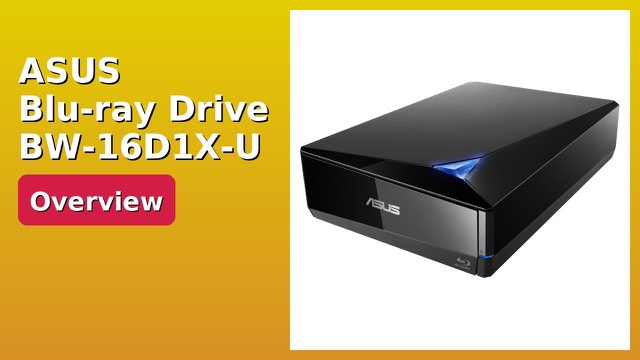
ASUS BW-16D1X-U External Blu-ray BDXL Writer: features, specs and fit
The ASUS BW-16D1X-U is a USB 3.0 external Blu-ray writer with BDXL support, 16x BD-R burning and BD Suite software. What the speeds and formats mean.
This page contains an affiliate link, marked as such. If you buy through it, Bloiq may earn a commission at no extra cost to you.
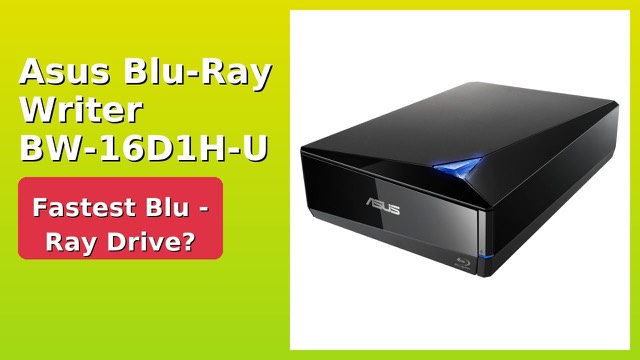
The ASUS BW-16D1X-U is an external Blu-ray writer that connects by USB 3.0. It reads and writes Blu-ray, DVD and CD discs, supports high-capacity BDXL media, and comes with BD Suite software for burning. It is aimed at anyone who needs to back up data to disc or play and burn discs on a computer without an internal optical drive.
What it can write and read
ASUS lists maximum burn speeds of 16x for BD-R, 16x for DVD-R/+R and 40x for CD-R. Dual-layer discs burn more slowly: 12x for BD-DL and 8x for DVD-DL. Maximum read speeds are 12x for BD-R, 16x for DVD-R/+R and 40x for CD-R, with 8x for BD-DL and 12x for DVD-DL. These are maximums, and real speeds vary with the disc and the position on it.
The list of supported disc types is long: audio CD, CD-ROM, CD-R/RW, DVD±R and DVD±RW (single and dual layer), DVD-RAM, DVD-ROM and DVD Video, plus BD-R, BD-RE and BD-ROM in single, dual, triple and quad layer forms.
What BDXL means
BDXL is an extension of the Blu-ray format for discs with three or four layers. The listing says it allows up to 128GB on one disc. That compares with 25GB for a standard single-layer Blu-ray and 50GB for dual-layer. BDXL media typically costs more and is less common, and not every drive or player reads it, so check that anything you plan to play the discs on supports it.
USB 3.0 connection
USB 3.0 gives much more bandwidth than the older USB 2.0, which ASUS says helps the drive reach its fastest burning speeds. The drive comes with a USB 3.0 cable, a power adapter and cord, so it has its own power supply and doesn't depend on the computer's port for power.
BD Suite software
The bundled BD Suite software is described as simplifying the disc-burning process. It also offers optional encryption for private files. Keep a note of any password you set, because encrypted discs can't normally be opened without it.
System requirements
The listing gives Mac OS X 10.6 or higher and several Windows versions, from XP through Windows 10. It recommends an Intel Pentium D 945 (3.4 GHz) or faster processor and 1GB of RAM or more. Because the information is dated, check the manufacturer's site for current operating-system support and drivers.
Who it suits
It suits people archiving large files or home footage, photographers and videographers who deliver on disc, and anyone with a laptop that has no disc drive. The drive is about 9.5 x 2.5 x 6.5 inches, so it fits on a desk or in a bag, though it needs a power outlet.
What to check before you buy
- Operating system: confirm the drive and BD Suite work with your current version of Windows or macOS.
- Port: you need a USB port. USB 3.0 gives the best speeds, and the drive also works with slower ports.
- Disc types: make sure the discs you plan to use, especially BDXL, work with the players you own.
- Playback software: playing Blu-ray movies on a computer often needs separate player software.
- Power: it uses an external adapter, so you need a free outlet.
The short version
- External USB 3.0 Blu-ray writer with BDXL support (up to 128GB per disc, per the listing).
- Burns 16x BD-R, 16x DVD±R and 40x CD-R at maximum.
- Reads Blu-ray, DVD and CD formats.
- Includes BD Suite software with optional encryption, a USB 3.0 cable and a power adapter.
Bloiq is reader-supported. Some links may earn us a commission; it never affects what we write. How we make money.