Home / Tech · Product overviews / Computers & Accessories / Blu-ray Drives · More from ASUS
ASUS BW-16D1H-U PRO External Blu-ray Writer: USB 3.0 specs and who it suits
An external USB 3.0 Blu-ray and DVD writer in black that writes BD-R at 16x and works vertically or horizontally. What the speeds and specs mean.
This page contains an affiliate link, marked as such. If you buy through it, Bloiq may earn a commission at no extra cost to you.
The ASUS BW-16D1H-U PRO is an external optical drive that reads and writes Blu-ray discs, DVDs and CDs over a USB 3.0 connection. It suits desktops and notebooks that no longer have a disc drive. Here is what its specifications mean and what to check.
What it does
The drive is described as a Blu-ray DVD combo, so it handles Blu-ray, DVD and CD media. People typically use external drives like this to play or rip discs, to back up files onto discs for archiving, and to read older software or photos stored on disc. Because it is external, you can connect it to a computer only when needed.
Write and read speeds
The listing gives these figures:
- BD-R write: 16x.
- BD-RE rewrite: 2x.
- DVD+R write: 16x.
- DVD+R and DVD-R read: 16x.
- DVD+R double layer read: 12x.
A speed multiple is relative to the base speed of that format, so 16x for Blu-ray is much faster in megabytes per second than 16x for DVD. Actual speeds depend on the disc, the computer and the connection. Rewritable BD-RE discs are slower, at 2x.
Access times
The listed average random access times are 170 ms for DVD, 150 ms for CD-ROM and 180 ms for BD-ROM. This is how long the drive takes to find data on the disc, and it matters mostly when opening many small files from disc.
USB 3.0 connection
USB 3.0 gives enough bandwidth for the drive's speeds and is typically backwards compatible with USB 2.0 ports, though a slower port may limit speed. A dedicated cable or power arrangement may be needed. Check the manual for power requirements on your computer.
Design and size
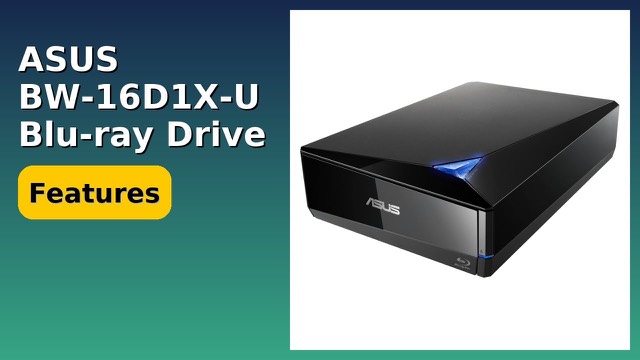
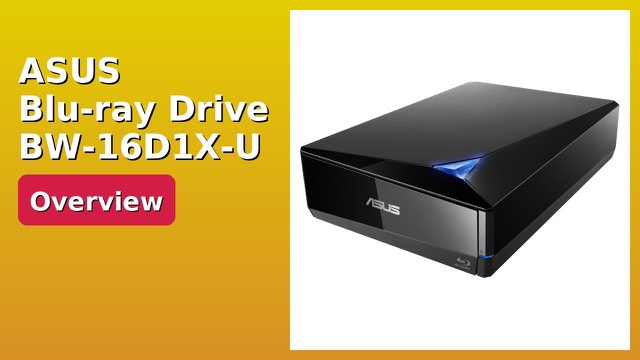
The drive is black with a tray-loading mechanism, and it can be used vertically or horizontally. It measures about 6.5 x 9.6 x 2.5 inches (16.5 x 24.4 x 6.4 cm) and weighs 2.8 lb (1.3 kg). The part number in the listing is 90DD01L0-M69000. It is designed for desktop or notebook use.
Who it suits
It suits people who want to watch or copy Blu-ray discs on a computer without an internal drive, photographers and videographers who archive onto disc, and anyone with a disc collection to digitize.
What to check before you buy
- Ports: confirm your computer has a USB 3.0 or compatible port, and check which adapter you need for USB-C only machines.
- Software: Blu-ray movie playback typically needs compatible player software; check what is included.
- Disc types: confirm the formats you need, such as BD-R, BD-RE and DVD, are on the supported list.
- Space: allow for the drive and cable on your desk.
- Copy rules: follow the copyright laws that apply where you live.
- Operating system: check driver and software support for your system.
The short version
- External Blu-ray/DVD writer with USB 3.0, tray loading, black.
- BD-R write at 16x, BD-RE rewrite at 2x, DVD+R write at 16x.
- Vertical or horizontal use; about 2.8 lb.
- Aimed at desktops and notebooks without an internal disc drive.
Bloiq is reader-supported. Some links may earn us a commission; it never affects what we write. How we make money.