Home / Tools & DIY · Product overviews / Additive Manufacturing Products / 3D Printers · More from Creality
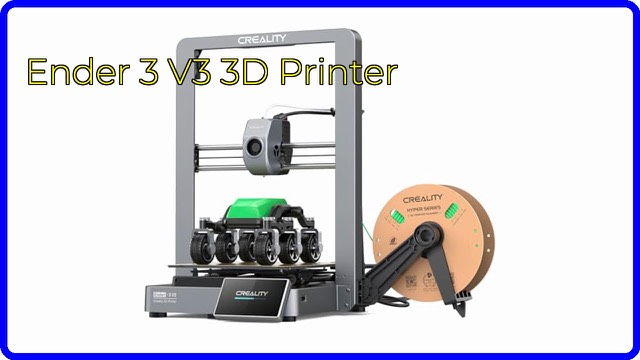
Creality Ender 3 V3 SE 3D Printer: features, specs and who it suits
A look at the Creality Ender 3 V3 SE FDM 3D printer: 220 x 220 x 250 mm build volume, CR Touch auto leveling, Sprite direct extruder and 250 mm/s top speed.
This page contains an affiliate link, marked as such. If you buy through it, Bloiq may earn a commission at no extra cost to you.
The Creality Ender 3 V3 SE is a desktop FDM 3D printer that melts plastic filament and builds objects layer by layer. It is aimed at people who want to print prototypes, replacement parts, models and household gadgets without spending an evening tuning the machine first. Creality builds in automatic bed leveling and a direct-drive extruder to take care of the steps that trip up many newcomers.
What the build volume means in practice
The printer's build volume is 220 x 220 x 250 mm (about 8.7 x 8.7 x 9.8 inches). That is enough for most phone stands, tool holders, small enclosures and cosplay parts. Larger objects can usually be split into pieces and glued together. Creality lists a typical printing speed of 180 mm/s, a maximum of 250 mm/s and acceleration of 2,500 mm/s², with accuracy of ±0.1 mm and layer heights from 0.1 to 0.35 mm.
Top speeds are a ceiling rather than a promise. In general, faster printing means a trade-off in surface detail, so fine models are usually printed more slowly than simple functional parts.
Auto leveling and the strain sensor
A level bed is the foundation of a good first layer. The V3 SE uses a CR Touch probe to measure the bed at several points and compensate for any tilt. Creality also fits a strain sensor that sets the Z offset, the small gap between nozzle and bed, automatically. Both are meant to replace the paper-and-knob routine of older printers.
The Sprite direct extruder
A direct extruder sits right on top of the hot end, so the filament has only a short path to travel. Creality says its "Sprite" extruder works with PLA, PETG and flexible TPU (95A), and that more than 500,000 units have shipped. Direct drive is generally the easier route for flexible filament, which can buckle in a long tube. The nozzle is 0.4 mm and reaches up to 260°C, and the heated bed reaches up to 100°C.
Loading is handled from the screen: tap "Extrude" to push filament out and "Retract" to pull it back.
Frame, motion and electronics
The printer uses a dual Z-axis to reduce wobble, and the Y-axis runs on a pair of 8 mm steel linear shafts. A 32-bit silent mainboard drives it, and the 3.2-inch colour knob screen handles menus. Power loss recovery lets a print resume after an interruption, and the build surface is PC spring steel, which typically flexes to release finished parts.
Software and files
Files go to the printer on an SD card. Creality lists Creality Print, Cura 5.0 or newer and Simplify3D as slicing software, with STL, OBJ, 3MF and AMF input on Windows, macOS and Linux. The interface comes in ten languages, including English, French, German, Spanish, Italian and Japanese.
Who it suits
It suits beginners, students and hobbyists who want a compact printer for everyday projects, and people who already own a printer and want faster, more automated operation. It is not designed for engineering plastics that need very high temperatures or an enclosed chamber.
What to check before you buy
- Space: the product measures roughly 349 x 364 x 490 mm and weighs 7.12 kg; allow room for the moving bed.
- Materials: it lists PLA, PETG and TPU only.
- Power: rated at 350W, with a 100-120V or 200-240V input.
- Workflow: files transfer by SD card, so check your computer can read one.
- Upkeep: nozzles, build surface and belts are wear items; follow the manual for maintenance.
- Ventilation: follow the manual on where to run it and how to handle hot parts.
The short version
- FDM printer with a 220 x 220 x 250 mm build volume.
- Up to 250 mm/s, CR Touch auto leveling and a strain sensor for Z offset.
- "Sprite" direct extruder for PLA, PETG and TPU.
- Dual Z-axis, steel Y-axis shafts and power loss recovery.
- SD card transfer; works with Creality Print and Cura.
Bloiq is reader-supported. Some links may earn us a commission; it never affects what we write. How we make money.