Home / Tools & DIY · Product overviews / Additive Manufacturing Products / 3D Printers · More from Creality
Creality Ender 3 V3 3D Printer: features, specs and who it suits
A look at the Creality Ender 3 V3 FDM 3D printer: CoreXZ motion, 600mm/s top speed, die-cast metal frame, auto levelling and a 220 mm print volume.
This page contains an affiliate link, marked as such. If you buy through it, Bloiq may earn a commission at no extra cost to you.
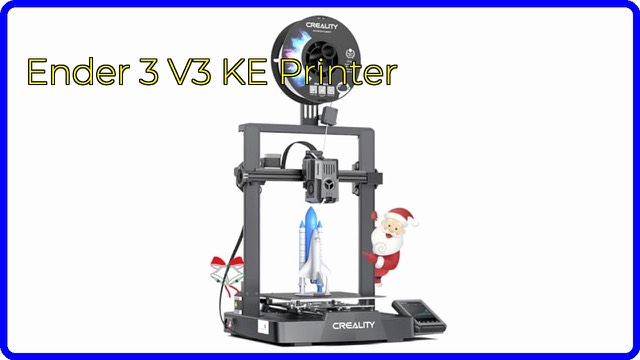
The Creality Ender 3 V3 is a desktop FDM 3D printer, which builds objects by melting plastic filament and laying it down layer by layer. It is aimed at hobbyists and makers who want fast printing with little manual setup. This page explains what its main features mean in practice.
What CoreXZ motion changes
Most hobby printers move the print head along one axis and the bed along another. The Ender 3 V3 uses a CoreXZ layout, where two motors mounted at the base work together to drive the X and Z movement. Creality says this improves Z-axis accuracy and allows a top printing speed of 600mm/s.
Speed figures like this are maximums. In practice, real print speed depends on the model, the filament, the layer height and how much acceleration the frame can handle without ringing or wobble.
A die-cast metal frame
Creality says the gantry and the base are each a single die-cast metal piece. A stiffer, heavier frame generally reduces vibration, which matters more as speeds rise. The listing also mentions input shaping with a G-sensor. Input shaping measures the printer's own resonances and adjusts movement to cancel them, which typically gives cleaner surfaces at higher speeds.
Extruder, hotend and nozzle
The printer uses a direct-drive extruder, meaning the motor sits right above the hotend and pushes filament a short distance. Direct drive generally handles flexible filaments better than a long-tube setup. Creality rates the extruder for over 1,000 hours of clog-free use and fits a 60W ceramic heater so filament can melt quickly at speed.
The nozzle is a steel-tipped copper part joined to a titanium alloy heatbreak, which Creality says limits heat creep (heat travelling upward and softening filament too early). It is described as quick to swap. Two fans on the print head, one at the front and one at the back, cool the freshly printed layer evenly.
Auto calibration and the build plate
Bed levelling is automatic, so there is no paper to slide under the nozzle and no screws to turn. The build surface is a bendable PEI spring-steel plate; flexing the plate typically releases finished prints without prying. A 4.3-inch colour touch screen handles control, and the printer is described as quick to assemble.
Software and size
The printer runs Creality OS, which the brand describes as open source. You can control and monitor it from the Creality Print slicer and the Creality Cloud app. The print volume is 8.66 x 8.66 x 9.44 inches (about 220 x 220 x 240 mm). The unit measures 14.1 x 19.6 x 14.7 inches and weighs 17.3 lb (about 7.8 kg).
Who it suits
It suits beginners who want to skip manual levelling, and hobbyists who want faster printing for functional parts, models and prototypes. It is a plastic-filament printer, so it is not a substitute for resin printing where very fine surface detail is the goal.
What to check before you buy
- Space: allow room for the full footprint plus clearance around the moving parts.
- Filament: check which materials the hotend and bed temperatures support, and what you plan to print.
- Ventilation: melting plastic can produce fumes, so place it in a ventilated room and follow the manual.
- Software: confirm you are comfortable with a slicer and, if you want it, the cloud app.
- Upkeep: nozzles and build plates wear, so check how replacements are supplied.
- What's in the box: the listing states one printer; check what else is included, such as filament or tools.
The short version
- A desktop FDM printer with CoreXZ motion and a stated top speed of 600mm/s.
- Die-cast metal gantry and base, plus input shaping with a G-sensor.
- Direct-drive extruder, 60W ceramic heater and a quick-swap tri-metal nozzle.
- Automatic levelling, PEI spring-steel plate and a 4.3-inch touch screen.
- Print volume of 8.66 x 8.66 x 9.44 inches.
Bloiq is reader-supported. Some links may earn us a commission; it never affects what we write. How we make money.