Home / Tools & DIY · Product overviews / Additive Manufacturing Products / 3D Printers · More from Creality
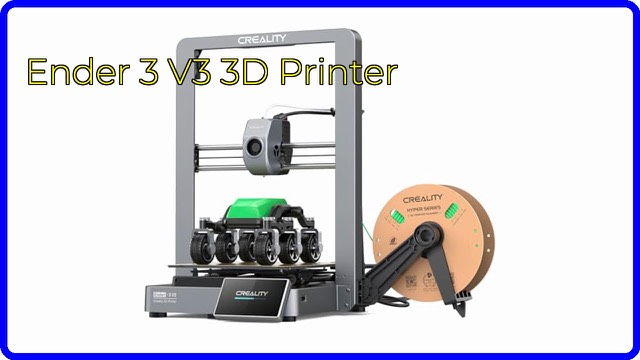
Creality Ender-3 V3 KE 500mm/s 3D Printer: specs and who it suits
A desktop FDM 3D printer with 500mm/s top speed, 8000mm/s² acceleration, X-axis linear rail, 60W ceramic hotend and a 4.3-inch touch screen. What it offers.
This page contains an affiliate link, marked as such. If you buy through it, Bloiq may earn a commission at no extra cost to you.
The Creality Ender-3 V3 KE is a desktop FDM 3D printer, a machine that melts filament and builds a model one layer at a time. This version of the listing details a 500mm/s maximum speed, a linear rail on the X-axis and a one-tap self-test. Here is what the numbers mean and how to judge whether it fits your needs.
Speed and acceleration
Creality lists a typical printing speed of 300mm/s, a maximum of 500mm/s (tested with Hyper PLA) and 8000mm/s² acceleration. Acceleration matters as much as top speed, because most prints involve constant direction changes. These are best-case figures, and fine detail or difficult filaments typically print more slowly.
Motion system
The X-axis has a linear rail with a ball-bearing carriage, together with two linear shafts on the Y-axis and two lead screws on the Z-axis. Creality quotes a friction coefficient of 0.04 for the rail. A stiff, low-friction system is what allows fast moves while keeping lines straight.
Hotend and cooling
The hotend uses a 60W ceramic heater, a bi-metal heat break (to limit thermal creep, where heat travels up and softens filament too early) and a copper nozzle. Nozzle temperature goes up to 300°C, and the listing names Hyper PLA, PETG, ABS, TPU (95A) and ASA. A direct-drive "Sprite" extruder feeds the filament. A 4010 cooling fan sits on each side of the print head to cool new layers evenly.
Touch screen and self-test
A 4.3-inch colour touch screen shows a real-time model preview and animated print parameters. One tap starts a self-test covering Z offset and auto leveling, and the printer levels hands-free. Power loss recovery and a filament runout sensor are listed. A vibration compensation sensor and an AI camera are optional.
Key specifications
- Build volume: 220 x 220 x 240mm; accuracy ±0.1mm.
- Layer height: 0.1 to 0.35mm; 0.4mm nozzle by default; 1.75mm filament.
- Heated bed up to 100°C with a flexible PEI build plate.
- File transfer by USB drive, LAN and the Creality Cloud app.
- Slicers: Creality Print and Cura, among others; G-code files.
- Net weight 7.8kg; product size 433 x 366 x 490mm.
Who it suits
It suits hobbyists and beginners who want a quick, mostly hands-free setup, as well as owners of earlier Ender printers wanting something faster. Very large parts will need a larger build volume.
What to check before you buy
- Voltage: the listing says to check the input voltage setting (115V or 230V) before applying power.
- Build volume: confirm your usual prints fit in 220 x 220 x 240mm.
- Materials: ABS and ASA usually need ventilation and often an enclosure.
- Space: you need a stable surface and room around the printer.
- Upkeep: nozzles and build plates are wear items.
The short version
- Desktop FDM printer: 300mm/s typical, 500mm/s maximum speed.
- 8000mm/s² acceleration; X-axis linear rail.
- 60W ceramic hotend with nozzle temperatures up to 300°C.
- 4.3-inch touch screen, one-tap self-test and hands-free leveling.
- 220 x 220 x 240mm build volume.
Bloiq is reader-supported. Some links may earn us a commission; it never affects what we write. How we make money.