Home / Tools & DIY · Product overviews / Additive Manufacturing Products / 3D Printers · More from Creality
Creality Ender-3 V3 SE 3D Printer: features, specs and who it suits
A 250mm/s desktop FDM 3D printer with CR Touch auto-leveling, a Sprite direct extruder, dual Z-axis and auto filament loading. What the specs mean.
This page contains an affiliate link, marked as such. If you buy through it, Bloiq may earn a commission at no extra cost to you.
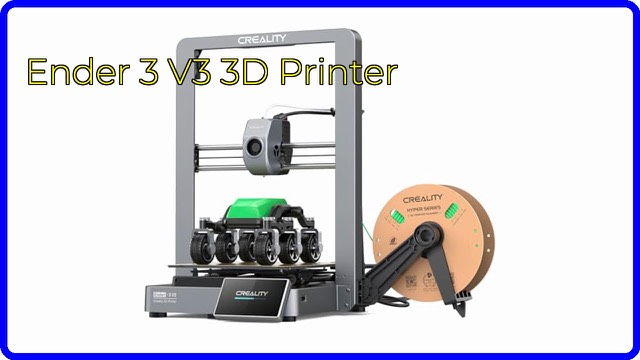
The Creality Ender-3 V3 SE is a desktop FDM 3D printer, which means it melts plastic filament and builds a model layer by layer. It is a newer member of the Ender-3 family, and Creality positions it for people starting out with 3D printing as well as hobbyists who want a quicker machine. Here is what its specs mean.
Speed and acceleration
Creality says the printer reaches up to 250mm/s with 2500mm/s² acceleration, and describes that as faster than earlier Ender-3 models such as the V2, Pro, Neo and S1. Maximum speeds are best-case figures. Fine detail and tall, thin parts typically print more slowly to keep quality. The listing also says the optimized interface uses motion graphics to show the leveling process and other parameters.
Setup and leveling
Creality says assembly takes three steps and about 20 minutes. A CR Touch sensor handles auto-leveling, and a strain sensor sets the Z offset automatically, which are the two adjustments that most often trouble first-time users. The aim is a good first layer, which is the base for a successful print.
Extruder and filament
The "Sprite" direct extruder sits on the print head and feeds filament over a short path. Creality lists PLA, PETG and TPU, and says more than 500,000 of these extruders have shipped. The printer can load and unload filament with a tap: "Extrude" pushes filament out of the nozzle and "Retract" pulls it back, which makes swapping colours or materials simpler.
Frame, mainboard and build plate
Dual Z-axis lead screws are synced by a timing belt to reduce Z wobble, and the Y-axis uses two 8mm steel linear shafts for steady motion. A 32-bit silent mainboard with advanced stepper drives is there to cut operating noise. The PC spring steel build plate is flexible, so you can bend it slightly to release finished prints.
Size and build volume
The build size is 8.66 x 8.66 x 9.84 inches (about 220 x 220 x 250mm). The listing gives dimensions of 19.3 x 14.3 x 13.7 inches and a weight of 19.8 lb (about 9 kg).
Who it suits
It suits beginners who want help with leveling and setup, households printing small household items, parts and models, and Ender-3 owners wanting a faster machine. For high-temperature materials, check that the printer supports what you need, because the listing names PLA, PETG and TPU.
What to check before you buy
- Voltage: the listing warns to set the power supply to 115V before powering on if that matches your mains.
- Materials: confirm the filaments you want are supported.
- Build volume: make sure your usual prints fit.
- Space: you need a stable, level surface and room around the machine.
- Software: you will need slicing software to prepare files.
- Upkeep: nozzles and build plates wear, so plan for spares.
The short version
- Desktop FDM printer with up to 250mm/s and 2500mm/s² acceleration.
- CR Touch auto-leveling and automatic Z offset.
- Sprite direct extruder; one-tap filament load and unload.
- Dual Z-axis, steel Y-axis shafts and a 32-bit silent mainboard.
- About 8.66 x 8.66 x 9.84 inch build size.
Bloiq is reader-supported. Some links may earn us a commission; it never affects what we write. How we make money.