Home / Tools & DIY · Product overviews / Additive Manufacturing Products / 3D Printers · More from Creality
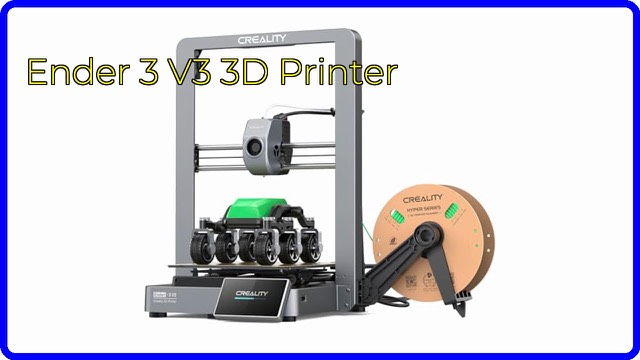
Creality Ender-3 V3 KE 3D Printer: speed, build volume and features
A desktop FDM 3D printer rated at 500mm/s with CR Touch auto-leveling, a Sprite direct extruder and a 220 x 220 x 240mm build volume. What the specs mean.
This page contains an affiliate link, marked as such. If you buy through it, Bloiq may earn a commission at no extra cost to you.
The Creality Ender-3 V3 KE is a desktop FDM 3D printer that builds objects by melting plastic filament and laying it down layer by layer. It belongs to Creality's long-running Ender-3 line and is aimed at home users and hobbyists who want faster printing with less manual setup. Here is what the main specs mean in practice.
What 500mm/s means
Creality rates the printer at up to 500mm/s with 5000mm/s² acceleration, and says a small benchy boat can print in about 15 minutes. Those are maximum figures. Real speeds depend on the model, the filament and the quality you want, and fast printing usually relies on a filament made for it, such as Creality's Hyper PLA. Smart algorithms for input shaping and flow control are used to reduce ringing, ghosting and blobs at speed.
Frame and motion system
An X-axis linear rail and two 8mm steel linear shafts on the Y-axis keep movement steady, and dual Z-axis lead screws are there to reduce Z wobble. The practical result of a stiffer frame is that the print head can move quickly without as much vibration shaking through the print.
Extruder and hotend
A "Sprite" direct extruder sits on the print head, feeding filament over a short path. This typically helps with flexible filament such as TPU. The hotend has a 60W ceramic heater, a bi-metal heat break and a copper nozzle, with printing temperatures up to 300°C. Creality lists support for PLA, PETG, ABS, TPU (95A), ASA and Hyper PLA. Dual cooling fans, one on each side of the print head, cool the layers evenly.
Auto-leveling and the self-check
A CR Touch sensor probes the bed at 25 points and records the height of each. The aim is a good first layer without adjusting bed screws by hand. Creality OS adds a one-touch self-check and a touch interface with real-time model previews.
Connecting and printing
You can print from a USB drive, over Wi-Fi on a local network, or through the Creality Cloud app and Creality Print. That lets you start and monitor jobs from a phone or PC.
Size and build volume
The build volume is 220 x 220 x 240mm (about 8.66 x 8.66 x 9.44 inches). The listing gives a package size of 19.3 x 14.4 x 17.0 inches, and the printer has a 32-bit silent mainboard. Accuracy is listed at ±0.1mm.
Who it suits
It suits beginners who want less setup, hobbyists who print household items and replacement parts, and makers who want quicker prints. People who need very large parts or enclosed printing for demanding materials should compare build volumes and enclosures.
What to check before you buy
- Space and surface: you need a stable table, and room around the printer.
- Build volume: check that your typical prints fit in 220 x 220 x 240mm.
- Materials: ABS and ASA usually need good ventilation and, often, an enclosure.
- Slicer and files: you will need slicing software such as Creality Print.
- Power: check the voltage selection on the power supply before switching on.
- Upkeep: nozzles, build plates and belts are wear items, so plan for spares.
The short version
- Desktop FDM printer rated at up to 500mm/s.
- 220 x 220 x 240mm build volume.
- CR Touch 25-point auto-leveling and Sprite direct extruder.
- Nozzle temperatures up to 300°C for PLA, PETG, ABS, TPU and ASA.
- Prints via USB, Wi-Fi and the Creality Cloud app.
Bloiq is reader-supported. Some links may earn us a commission; it never affects what we write. How we make money.