Home / Tech · Product overviews / Additive Manufacturing Products · More from Creality
Creality Scan Bridge for Otter Series 3D Scanners: features and specs
The Creality Scan Bridge is a battery-powered WiFi 6 accessory for Otter, Otter Lite and Otter Lite Basic 3D scanners. Here is what it does and what to check.
This page contains an affiliate link, marked as such. If you buy through it, Bloiq may earn a commission at no extra cost to you.
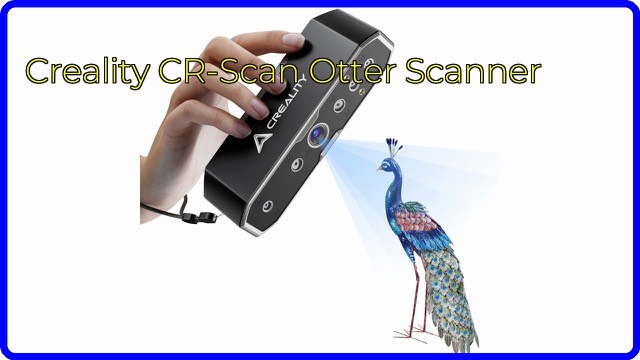
The Creality Scan Bridge is an accessory for Creality's Otter family of handheld 3D scanners. It sits between the scanner and your phone or computer and sends the scan data over WiFi 6, so you can scan without a cable tying you to a desk. It is built for the Otter, Otter Lite and Otter Lite Basic scanners only.
What a "bridge" does
A handheld 3D scanner produces a lot of data very quickly, and that data normally travels over a USB cable to a computer. The Scan Bridge replaces that cable run with a wireless link. Creality says it has a built-in WiFi 6 network card and works on the 5GHz band, which typically offers more bandwidth and less interference than the crowded 2.4GHz band.
The brand lists a maximum transmission rate of 50fps in laser line mode and 30fps in infrared mode. Frames per second here describes how many scan frames per second can be passed along, so a higher figure generally means smoother, more continuous capture while you move around an object.
Your phone as the display
Creality says you can use your mobile phone as the scanner's screen. There are two routes described. You can scan directly with your phone by installing the Creality Scan app and following the connection steps, or you can scan with a computer while the phone acts as the display. Working on a phone is handy for large objects, because you can see the preview while walking around the subject rather than looking back at a monitor.
Battery and charging
The bridge has its own battery, which Creality rates for more than 3 hours of continuous scanning. It supports 30W fast charging and, according to the brand, reaches a full charge in about 2.5 hours. Intelligent power-saving features are also mentioned. A battery indicator light shows the charge level, and a power switch and a WiFi indicator light show the status.
Ports, controls and mounting
The listing describes a compact, lightweight unit with:
- a magnetic suction cup for installation
- a DC power supply port
- a USB 3.0 interface
- a Type-C data interface
- a scan/mode switch button
The buttons handle power on and off, starting, pausing and ending a scan, and switching the laser line mode. A magnetic mount is typically used to hold the unit on the scanner or on a surface close to it so it stays out of your way.
Help and troubleshooting
Creality includes FAQs and troubleshooting guides covering device connection limits, firmware upgrade precautions, app and software connection problems, slow scanning and charging. It also lists step-by-step help for system recognition issues, Windows and Mac connection problems, and video preview problems.
Who it suits
This is for owners of a compatible Otter scanner who want to scan untethered, work from a phone, or move around larger subjects without managing a cable. It is not a standalone scanner and does nothing without one.
What to check before you buy
- Your scanner must be an Otter, Otter Lite or Otter Lite Basic. Other scanners are not covered by the listing.
- Confirm your phone can run the Creality Scan app, and that your computer's operating system is supported by the scanning software.
- Check that you have a 5GHz-capable WiFi setup and device, since that is the band the bridge uses.
- Check the charger and cable you plan to use against the 30W fast-charging figure.
- Read the firmware upgrade notes in the troubleshooting guide before updating anything.
- Confirm what is in the box and which cables are included.
The short version
- A battery-powered WiFi 6 bridge made for the Otter, Otter Lite and Otter Lite Basic scanners.
- Rated by Creality for 50fps in laser line mode and 30fps in infrared mode.
- Over 3 hours of scanning per charge, with 30W fast charging.
- Lets a phone act as the scanner's display, via the Creality Scan app.
- Magnetic mounting, USB 3.0, Type-C and DC ports, plus a mode button and status lights.
Bloiq is reader-supported. Some links may earn us a commission; it never affects what we write. How we make money.