Home / Tech · Product overviews / Additive Manufacturing Products · More from Creality
Creality 10W Laser Engraver Module Kit for Ender 3 Printers: specs and fit
A 10W laser engraver module that attaches to Ender-3 and CR-10 series 3D printers, with a 0.06 mm spot size, offline TF card use and LightBurn support.
This page contains an affiliate link, marked as such. If you buy through it, Bloiq may earn a commission at no extra cost to you.
The Creality 10W Laser Engraver Module Kit is an add-on that turns a compatible Ender-3 or CR-10 series 3D printer into a laser engraver and cutter. It replaces the print head's job with a laser, so the printer's motion system draws the design. It is for makers who already own one of the listed printers. This overview covers what it does and what to confirm first.
What it is for and what it fits
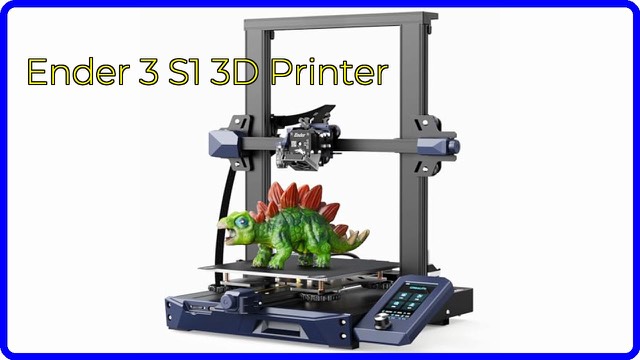
The module is an accessory, not a standalone machine. Creality lists compatibility with the Ender-3, Ender-3 Pro, Ender-3 V2, Ender-3 Neo, Ender-3 Max, Ender-3 Max Neo, the Ender-3 S1 family (S1, S1 Pro, S1 Plus), the CR-10, CR-10 mini and CR-10 Smart Pro, "and more". Because the printer supplies the frame and motion, the engraving area depends on the printer's own travel.
The 10W laser and spot size
The kit is named for a 10W laser. Creality says its multi-lens technology compresses the spot to 0.06 mm. A smaller spot gives finer lines and more detail, which helps with text, logos and small artwork. As a general rule, the laser's power affects how fast and how deep it can mark or cut, and the material decides what is possible in practice.
Materials
Creality lists cardboard, wood, bamboo, rubber, leather, fabric, acrylic, anodized aluminum and plastic. Laser results vary by material and colour, and some plastics release harmful fumes when heated, so check the manual and the material's own guidance before using anything unfamiliar.
Installation and software
Creality says the module installs in about 60 seconds and works without changing the printer's firmware. Software choices are LightBurn or GRBL laser software, on Windows or macOS. The listed file formats are SVG, PNG, DXF, TIF, BMP and PDF.
Offline use
With a TF card inserted, you can run engraving jobs without a computer connected, with one-button control. That suits a workshop, basement or other spot away from a PC.
Laser class and safety
Creality lists the laser as Class 4 and gives an FDA accession number of 2320058-000. Class 4 is the highest laser category, and these lasers can injure eyes and skin and can ignite materials. Follow the manual closely: use laser safety eyewear rated for the wavelength, work in a ventilated area, never leave it running unattended, keep a fire extinguisher nearby, and check local rules for laser use. Keep it away from children and pets.
Who it suits
It suits makers who already own a compatible printer and want to add engraving for gifts, labels, signs or small craft projects without buying a separate machine.
What to check before you buy
- Printer model: confirm your exact printer is on the list, and read the manual for mounting.
- Work area: the engraving size follows your printer's bed.
- Software: decide whether you will use LightBurn or GRBL software.
- Materials: check that what you plan to engrave is suitable, and how to handle fumes.
- Safety gear: plan for suitable eyewear, ventilation and an enclosure if recommended.
- Space: use a stable surface that is clear of flammable items.
The short version
- A 10W laser add-on for Ender-3, Ender-3 S1 and CR-10 series printers.
- A 0.06 mm spot size for fine detail.
- Works offline with a TF card; LightBurn and GRBL are supported.
- Engraves wood, leather, acrylic, anodized aluminum and more.
- Class 4 laser: follow the manual and use eye protection.
Bloiq is reader-supported. Some links may earn us a commission; it never affects what we write. How we make money.