Home / Tech · Product overviews / Computers & Accessories / Switches · More from Cisco
Cisco Business CBS110-16T Unmanaged Switch: features, specs and who it suits
A 16-port Gigabit Ethernet unmanaged switch with QoS, Energy Efficient Ethernet, a fanless design and limited lifetime warranty. What the specs mean.
This page contains an affiliate link, marked as such. If you buy through it, Bloiq may earn a commission at no extra cost to you.
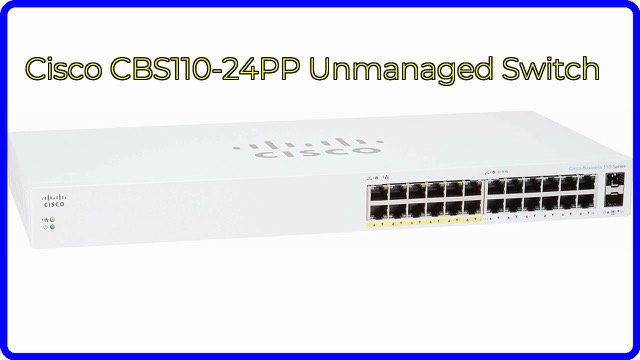
The Cisco Business CBS110-16T (model CBS110-16T-NA) is a 16-port Gigabit Ethernet switch from Cisco's Business 110 Series. It is an unmanaged switch: you plug it in, connect your devices and it works without any configuration. It adds wired ports to a small office, boutique or classroom network.
What an unmanaged switch does
A switch connects wired devices on the same local network, passing traffic only to the port that needs it. An unmanaged model has no settings page to log into, so there is nothing to set up. Cisco describes it as plug-and-play, needing no IT knowledge or support. Managed switches add features such as VLANs and remote monitoring, which this one does not offer.
Sixteen Gigabit ports
All 16 ports are 10/100/1000, meaning each negotiates the best speed its device supports, up to 1 Gbps. Older devices at 100 Mbps and modern ones at gigabit can sit on the same switch. A common layout is one port for the uplink to the router, and the remaining ones for computers, printers, access points or network storage.
Cisco notes that the wider range runs from 5 to 24 ports and includes Power over Ethernet versions. The listing does not describe PoE on this 16-port model, so if you need to power cameras or access points through the cable, check the specification sheet first.
Quality of service
Cisco says integrated quality-of-service (QoS) intelligence prioritizes delay-sensitive services, such as voice calls, so they are less affected by heavy file transfers. On an unmanaged switch this is automatic.
Energy Efficient Ethernet and fanless design
The switch complies with IEEE 802.3az Energy Efficient Ethernet, which lowers power use on links during idle periods. Cisco also says all models in the series are fanless, so there is no fan noise. A silent device suits spaces where people work or study nearby.
Compact design
Cisco says the design is compact and suited to places outside a wiring closet, such as retail stores, open-plan offices and classrooms. The listed size is 11.0 x 6.7 x 1.7 inches (about 28 x 17 x 4.3 cm), and the weight is 4.8 lb (about 2.2 kg). A fanless unit still needs room around it for airflow.
Warranty and support
The listing describes a limited lifetime warranty with return-to-factory replacement, plus one year of technical support. Warranty terms vary by region, so read the conditions that apply to you.
Who it suits
It suits a small business, office or school that needs more wired ports and does not need advanced management.
What to check before you buy
- Port count: 16 ports with one used for the uplink leaves 15 for devices. Allow room to grow.
- PoE needs: confirm whether any devices need power over the cable.
- Speed of the uplink: all ports are 1 Gbps, so the link to the router or other switch matters.
- Cabling: use suitable Ethernet cable, such as Cat5e or better.
- Placement: check whether it will sit on a desk, shelf or wall, and what mounting hardware is included.
- Management: if you need VLANs or monitoring, look at managed models.
The short version
- A 16-port 10/100/1000 unmanaged Gigabit Ethernet switch.
- Plug-and-play; no configuration needed.
- Built-in QoS and IEEE 802.3az Energy Efficient Ethernet.
- Fanless, compact and about 4.8 lb.
- Limited lifetime warranty with one year of technical support.
Bloiq is reader-supported. Some links may earn us a commission; it never affects what we write. How we make money.