Home / Tech · Product overviews / Computers & Accessories / Switches · More from Cisco
Cisco Business CBS110-16PP-D 16-port PoE switch: specs and who it suits
An unmanaged 16-port gigabit switch with 8 PoE ports and a 64W power allowance. What PoE and QoS mean and what to check for your small network.
This page contains an affiliate link, marked as such. If you buy through it, Bloiq may earn a commission at no extra cost to you.
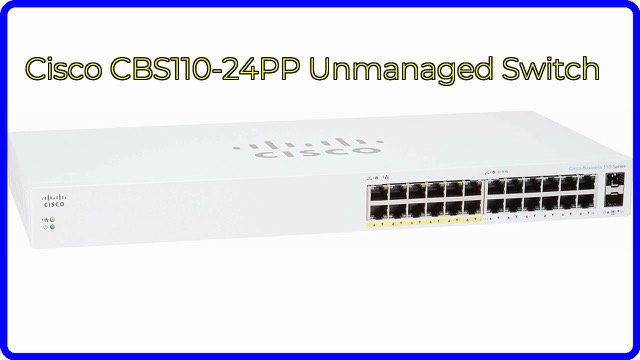
The Cisco Business CBS110-16PP-D is an unmanaged network switch with 16 gigabit Ethernet ports, eight of which supply Power over Ethernet. It is part of Cisco's Business 110 Series, which the company describes as entry-level, plug-and-play switches for small business networks. You connect it, plug in your devices and it starts passing traffic without any configuration.
What an unmanaged switch does
A switch connects the wired devices in a building so that they can talk to each other and share an internet connection. "Unmanaged" means it has no settings screen to configure. It learns which device is on which port and forwards traffic accordingly. Cisco says this plug-and-play design needs no IT know-how or support. The trade-off is that features such as VLANs, which separate traffic into groups, and detailed monitoring are typically not available on unmanaged models.
16 gigabit ports
All 16 ports are rated 10/100/1000, meaning they negotiate the fastest speed that both ends support, up to 1 Gbps. That suits office computers, printers, network storage and wired access points. Cisco says the gigabit switching, together with integrated quality-of-service (QoS) intelligence, optimises delay-sensitive services and improves overall network performance. In general, QoS lets time-critical traffic such as voice calls go ahead of bulk data like file transfers.
Partial PoE
Power over Ethernet sends electricity along the same cable as data, so a device needs only one cable. Eight of the ports supply PoE, with a total allowance of 64W, according to Cisco. This is the limit shared across all the PoE devices. Different devices draw different amounts: a simple IP phone typically needs far less than a camera with heaters or a powerful wireless access point. Add up the power each device needs and compare it with the 64W figure. The remaining ports are for standard devices that have their own power.
Design and placement
Cisco calls the design elegant and compact, and says it is ideal for installation outside a wiring closet, such as in retail stores, open-plan offices and classrooms. It measures about 11.0 x 6.7 x 1.7 inches (28 x 17 x 4.3 cm). Check the manual for mounting options and ventilation needs, and for whether the model has a fan, since that affects noise in an open room. The title also mentions limited lifetime protection.
Who it suits
It suits a small office, retail space or classroom that needs more wired ports, and in particular one that wants to power a few phones, cameras or access points from the switch. Someone who needs VLANs or remote management would typically look at a managed switch instead.
What to check before you buy
- PoE needs: confirm your devices' power class and add up their total draw against the 64W allowance.
- Standards: check that your PoE devices use a standard the switch supports, as listed in the manual.
- Port count: 16 ports in total, but only 8 provide PoE.
- Cabling: use suitable Ethernet cable and keep runs within the standard limit of 100 metres.
- Features: this model is unmanaged, so it has no configuration page.
- Location: check the noise, ventilation and mounting requirements for where it will sit.
The short version
- An unmanaged 16-port 10/100/1000 gigabit switch from Cisco's Business 110 Series.
- Eight PoE ports share a 64W total power allowance.
- Plug-and-play setup with integrated QoS.
- Compact design meant for offices, retail spaces and classrooms.
- No management interface, so no VLANs.
Bloiq is reader-supported. Some links may earn us a commission; it never affects what we write. How we make money.