Home / Tech · Product overviews / Computers & Accessories / Routers · More from ASUS
ASUS TUF Gaming AX6000 (TUF-AX6000) Wi-Fi 6 Router: specs
The ASUS TUF Gaming AX6000 is a dual-band Wi-Fi 6 gaming router with gigabit Ethernet and gaming-focused traffic tools. What the specs mean and who it suits.
This page contains an affiliate link, marked as such. If you buy through it, Bloiq may earn a commission at no extra cost to you.
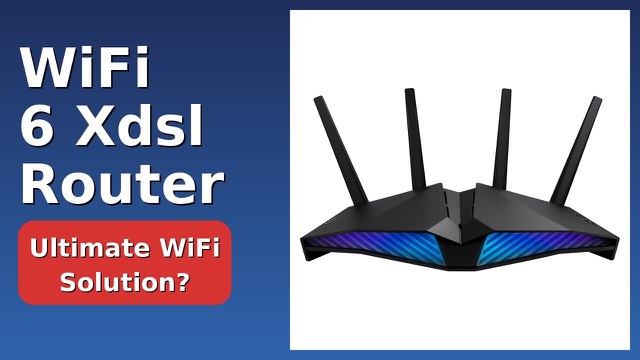
The ASUS TUF Gaming AX6000 (TUF-AX6000) is a dual-band wireless router designed for homes with many connected devices and a lot of gaming traffic. ASUS says it aims to deliver stable, fast connections where many devices compete for bandwidth.
What AX6000 means
AX6000 is a class label for Wi-Fi 6 (802.11ax) routers. It adds the theoretical maximum speeds of the bands together, and no single device gets that total. A phone, console or laptop connects on one band at a time, at a speed limited by its own Wi-Fi hardware, the distance to the router and the walls in between.
Wi-Fi 6 typically handles many simultaneous devices better than older standards, which is why it suits busy households. The listing describes the router as dual-band (2.4GHz and 5GHz) with Gigabit Ethernet ports. For the exact number of ports and the antenna layout, check the ASUS specification sheet, because the listing doesn't give them.
Built for device-dense homes
ASUS says the router is built to give stable, fast connections in device-dense environments, meaning homes with phones, laptops, consoles, smart-home gadgets and streaming devices running at once. Dual-band operation lets devices spread between the two bands. The 2.4GHz band reaches farther, and 5GHz is typically faster at shorter range.
Gaming features
The listing highlights the tools gaming players want:
- Port forwarding, which directs specific incoming traffic to a particular device, such as a console or game server.
- Packet prioritization, usually called QoS (quality of service), which lets the router give gaming traffic priority over downloads and video.
ASUS says these features make optimizing gaming traffic simple and reliable, with an intuitive interface and the ASUS Router App for setup and management. Using an app for setup is typical for modern routers, and it lets you check connected devices from a phone.
Wired connections
For gaming, a wired Ethernet cable normally gives the lowest and most consistent latency, since it avoids interference. The router's Gigabit Ethernet ports let consoles, PCs and network storage connect that way. Wi-Fi still suits phones, tablets and laptops.
Placement and size
The router measures about 13.5 x 3.5 x 13.1 in with its antennas and weighs 1.3 lb. Routers generally work best placed centrally, in the open and off the floor, away from thick walls and large metal objects. Follow the manual for the setup steps and to keep the firmware updated.
Who it suits
It suits households with many devices, gamers who want traffic controls and a wired connection for consoles or a PC, and anyone upgrading from an older router to Wi-Fi 6. Devices need Wi-Fi 6 hardware to use the standard's full benefits, though older devices still connect.
What to check before you buy
- Internet connection: confirm how the router connects to your modem or fibre terminal.
- Your devices: check which support Wi-Fi 6.
- Home size: one router may not cover a large or multi-storey house.
- Ports: confirm the number you need for wired devices.
- Modem needs: check if your provider requires its own equipment.
- Setup: plan for the app, and the manual for updates.
The short version
- A dual-band Wi-Fi 6 (AX6000-class) gaming router in the TUF Gaming range.
- Gigabit Ethernet connections for wired devices.
- Port forwarding and traffic prioritization for gaming.
- Set up and managed with the ASUS Router App.
- About 1.3 lb, 13.5 x 3.5 x 13.1 in.
Bloiq is reader-supported. Some links may earn us a commission; it never affects what we write. How we make money.