Home / Tech · Product overviews / Computers & Accessories / Routers · More from ASUS
ASUS ExpertWiFi EBG15 Gigabit VPN Router: features, specs and fit
A wired business router with up to three gigabit WAN ports, USB backup WAN, VLANs, VPN and IPS security. What the specs mean and who it suits.
This page contains an affiliate link, marked as such. If you buy through it, Bloiq may earn a commission at no extra cost to you.
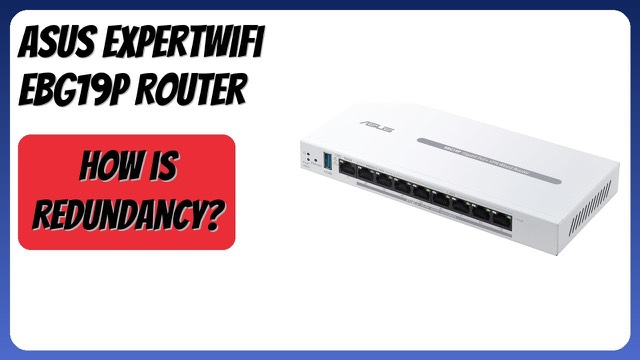
The ASUS ExpertWiFi EBG15 is a wired gigabit router for small and mid-sized businesses. It does not broadcast WiFi itself. Instead it handles routing, security and internet connections, and you add a switch or access points to extend the network.
Multiple internet connections
ASUS says the router supports up to three WAN Ethernet ports: one gigabit WAN port plus two gigabit ports that can act as WAN or LAN. With two or more broadband lines, load balancing spreads traffic across them. The USB port can also be a backup WAN. Connect a phone with a hotspot and the network can keep working if the main line drops. Hotspot speeds and data limits depend on the phone and plan.
VLANs
Each Ethernet port can be assigned to one or more VLAN IDs. A VLAN splits one physical network into separate logical segments, so, for example, guest devices, point-of-sale terminals and office computers can be kept apart. ASUS presents this as added security for a business.
Security and VPN
The EBG15 includes a layer 7 firewall and VPN features, plus AiProtection Pro, which ASUS lists as a free-subscription service. It includes an intrusion prevention system (IPS) with deep packet inspection (DPI) and virtual patching, which aims to block malicious traffic. The Safe Browsing feature is intended to help when using public WiFi. As with any security tool, results depend on setup and updates, so follow the manual.
Setup and management
You can manage the router in a web browser or in the ASUS ExpertWiFi mobile app, which sets it up over Bluetooth. The app also supports remote management, which suits an owner looking after a site from elsewhere.
Throughput and coverage
ASUS notes that actual data throughput and wireless coverage vary with network conditions, building materials and overhead, so figures are best treated as upper limits.
Who it suits
It suits a small office, clinic or studio that wants a wired router with failover, VLANs and VPN, and plans to add separate access points and a switch as it grows. Because the router does the routing and security while other devices provide the wireless coverage, each part can be upgraded on its own later. Typically this arrangement is easier to expand than an all-in-one unit, though it does mean buying and configuring more than one device.
Size and physical build
The listing gives the dimensions as 0.3 x 4.8 x 0.1 inches and a weight of 0.6 lb, which looks like a partial figure for the unit rather than a full measurement of the case. Check the manual or the maker's specifications for the real footprint and whether it can be mounted on a wall or shelf.
What to check before you buy
- WiFi: this is a wired router, so plan for access points if you need wireless.
- Internet lines: count your broadband connections and check which ports will be WAN.
- Speeds: all ports are gigabit, so confirm that suits your plan's speed.
- VPN needs: check which VPN protocols and the number of users you need against the manual.
- Subscriptions: read the terms of the AiProtection Pro free subscription.
- Compatibility: check that your modem, switch and access points work with it.
The short version
- A wired gigabit business router, model EBG15.
- Up to three WAN ports, with load balancing and a USB backup WAN.
- VLANs on every Ethernet port.
- Layer 7 firewall, VPN, and IPS with deep packet inspection.
- Set up through a browser or the ASUS ExpertWiFi app.
Bloiq is reader-supported. Some links may earn us a commission; it never affects what we write. How we make money.