Home / Tech · Product overviews / Computers & Accessories / Routers · More from ASUS
ASUS RT-AX88U Wireless Router: features, specs and who it suits
The ASUS RT-AX88U is a dual-band wireless router with eight LAN ports. What the model name tells you and what to check for your home network.
This page contains an affiliate link, marked as such. If you buy through it, Bloiq may earn a commission at no extra cost to you.
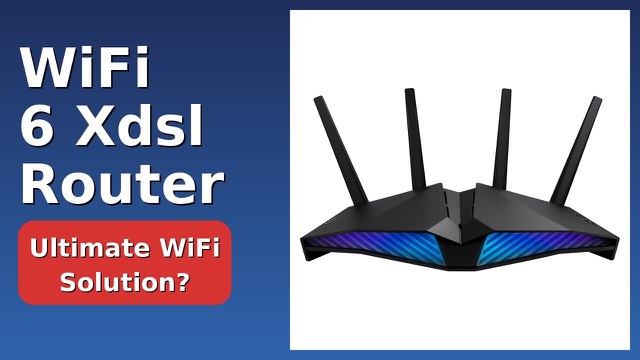
The ASUS RT-AX88U is a dual-band wireless router with eight network ports. It sits between your modem and your devices, sharing the internet connection over Wi-Fi and over cable. The listing for this product is brief, so this page sticks to what it states and to what the model name and category generally mean.
What the listing confirms
The listing gives the brand (ASUS), the model (RT-AX88U), and two key details: it is a bi-band (dual-band) wireless router, and it has eight ports. It is listed in the router category, and measures about 15.2 x 5.0 x 9.8 inches and weighs 2.2 lb. Detailed figures such as speeds, antenna count or processor are not given, so check ASUS's own specification sheet for those.
What "dual-band" means
A dual-band router broadcasts on two radio frequencies: 2.4 GHz and 5 GHz. The 2.4 GHz band typically reaches farther and passes through walls better, but is slower and more crowded. The 5 GHz band is usually faster over shorter distances. Devices pick whichever suits them, and many routers let you either combine the two under one network name or keep them separate.
What "AX" usually indicates
In ASUS's naming, "AX" generally refers to Wi-Fi 6 (802.11ax). Compared with the previous generation, Wi-Fi 6 is designed to handle many connected devices more smoothly. If your phones, laptops and tablets support Wi-Fi 6, they can take advantage of it; older devices still connect, using the older standards they support.
Why eight ports matter
Most home routers offer four LAN ports. Eight ports mean more wired devices can plug straight in without an extra switch. Wired connections are typically steadier than Wi-Fi, which suits desktop PCs, game consoles, network storage, streaming boxes and smart-home hubs. A separate port is usually used for the internet connection from your modem, so check how the ports are divided between internet and LAN.
Setting it up
Routers like this are normally connected to the modem with a network cable, powered on, and then configured through a web page or a phone app from the maker. Typical first steps are choosing a network name and password, updating the firmware, and deciding whether to use one name or two for the bands. Follow the included manual for the exact process.
Who it suits
It suits a household with a number of wired devices as well as Wi-Fi ones, such as a home office with a PC, a printer and a storage drive, plus a games console and a television. It may also suit anyone who wants one device to do both jobs rather than adding a separate switch.
What to check before you buy
- Your internet plan: make sure the router's speed capabilities match what your provider delivers, using ASUS's specification sheet.
- Wi-Fi 6 devices: see which of your devices support it, since that decides how much you gain.
- Modem: confirm your modem or gateway can connect to the router's internet port.
- Size: it is fairly large with its antennae, so check where it will stand.
- Coverage: a single router may not cover a large or multi-storey home; walls and floors reduce range.
- What's in the box: the listing is sparse, so confirm the contents and the warranty terms.
The short version
- An ASUS RT-AX88U dual-band wireless router with eight ports.
- The "AX" in the name generally indicates Wi-Fi 6.
- Eight ports suit homes with several wired devices.
- About 15.2 x 5.0 x 9.8 inches and 2.2 lb as listed.
- Check ASUS's specification sheet for speeds and features not in the listing.
Bloiq is reader-supported. Some links may earn us a commission; it never affects what we write. How we make money.