Home / Tech · Product overviews / Computers & Accessories / Routers · More from asus
ASUS RT-AX58U (RT-AX3000) Wi-Fi 6 Router: features, specs and who it suits
ASUS's dual-band AX3000 Wi-Fi 6 router with OFDMA, MU-MIMO, 160MHz channels and AiMesh support. What the speed figures mean and what to check before buying.
This page contains an affiliate link, marked as such. If you buy through it, Bloiq may earn a commission at no extra cost to you.
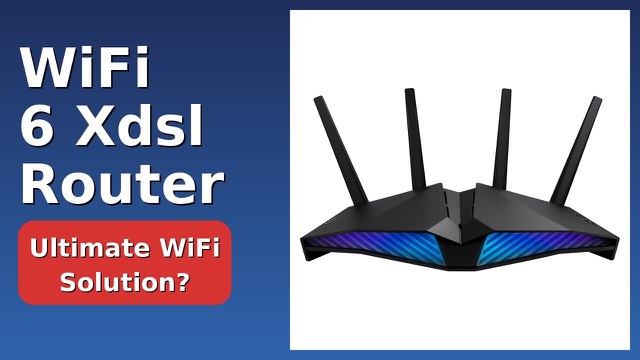
The ASUS RT-AX58U, also sold as the RT-AX3000, is a dual-band Wi-Fi 6 router for a home network. It brings the newer wireless standard to phones, laptops and other devices, and it can join other ASUS routers in a mesh. The listing offered here describes the unit as renewed, so condition is worth a thought, and the specs below are as ASUS describes them.
What Wi-Fi 6 changes
Wi-Fi 6 (802.11ax) is the generation after Wi-Fi 5. ASUS says it can reach up to 2.7 times the speed of the previous generation. Two technologies do much of the work. OFDMA splits a channel so several devices can be served at once, and MU-MIMO lets the router talk to more than one device at the same time. These help most in busy homes with many connected devices, rather than making a single device faster.
What "AX3000" means
The AX3000 label is a combined figure. ASUS lists 575 Mbps on the 2.4GHz band and 2402 Mbps on the 5GHz band, which together make up the headline 3000 Mbps. These are theoretical maximums under ideal conditions. A real connection is slower and depends on distance, walls, interference and the device's own Wi-Fi capability.
The router supports 160MHz channels and 1024-QAM. Wider channels carry more data, and 1024-QAM packs more data into each signal. Both need devices that support them, and the 5GHz band typically gives the highest speed at shorter range, while 2.4GHz reaches farther.
AiMesh
ASUS's AiMesh lets you combine this router with other AiMesh-compatible ASUS routers into one network. The aim is steady coverage through a larger home, with one network name and devices moving between units. Check ASUS's compatibility list for the model you plan to pair it with.
Security and parental controls
ASUS lists AiProtection Pro, described as protection for connected devices, and parental controls for managing the family's internet use. Router security features help but do not replace regular firmware updates and a strong Wi-Fi password.
App control
The ASUS Router app, for iOS and Android, controls and customises settings from a phone. This is handy for first-time setup and for checking on connected devices.
Size and power
The router measures about 8.8 x 6.1 x 6.3 in and weighs 1.3 lb (about 0.6 kg). It accepts 100 to 240V input, so it works with mains supplies in most countries with a suitable plug adapter.
Who it suits
It suits households that want to move from older Wi-Fi to Wi-Fi 6, have many connected devices, or plan to grow into a mesh with other ASUS routers.
What to check before you buy
- Your internet plan: the router can't exceed the speed your provider supplies.
- Your devices: to use Wi-Fi 6 speeds, they need Wi-Fi 6 support.
- Home size: one router may not cover a large or multi-storey home. Consider mesh.
- Condition: as the unit is listed as renewed, check what is included and what warranty terms apply.
- Ports: check the wired ports against what you need to connect.
- Setup: update the firmware and set a strong password.
The short version
- A dual-band Wi-Fi 6 router (RT-AX58U, sold as RT-AX3000).
- 575 Mbps on 2.4GHz and 2402 Mbps on 5GHz, as ASUS rates it; 160MHz channels and 1024-QAM.
- OFDMA, MU-MIMO and AiMesh support.
- AiProtection Pro, parental controls and a mobile app.
- Listed as renewed; check condition and warranty.
Bloiq is reader-supported. Some links may earn us a commission; it never affects what we write. How we make money.