Home / Tech · Product overviews / Computers & Accessories / Routers · More from ASUS
ASUS RT-AC1200 V2 Dual-Band WiFi Router: features, specs and who it suits
The ASUS RT-AC1200 V2 is a dual-band router with four antennas, Fast Ethernet ports and parental controls. Here is what the speeds and coverage figures mean.
This page contains an affiliate link, marked as such. If you buy through it, Bloiq may earn a commission at no extra cost to you.
The ASUS RT-AC1200 V2 is a dual-band wireless router for home networks. It broadcasts on both the 2.4 GHz and 5 GHz bands, has four external antennas, and comes with ASUS's router software and a mobile app for setup. It is aimed at households that want reliable Wi-Fi for streaming, browsing and gaming, with controls for children's internet time.
What "AC1200" means
The AC1200 name is a combined figure. ASUS lists up to 300 Mbps on the 2.4 GHz band and up to 867 Mbps on the 5 GHz band, which add up to roughly 1200 Mbps. Those are the maximum theoretical rates of the wireless link, and no single device will see the total. Real speeds are usually lower and depend on distance, walls and what your device supports.
The two bands suit different jobs. 2.4 GHz reaches further and passes through walls more easily, but it is slower and more crowded. 5 GHz is faster over shorter distances. Devices can connect to whichever suits them.
Antennas and coverage
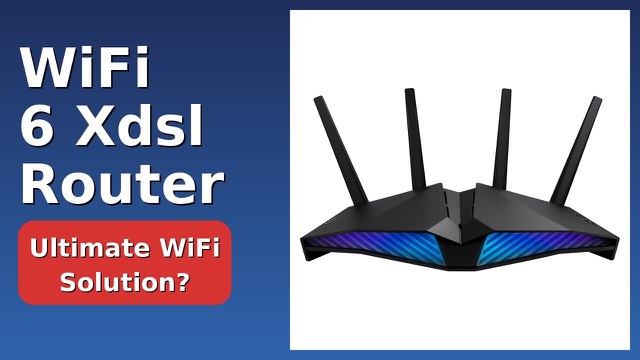
The router has four external antennas, two for each band. ASUS says this improves coverage and performance when several devices are connected at once. The listing gives a maximum range of 2000 sq ft (about 185 square metres). As with all routers, actual coverage depends on the building and where the router sits. A central, raised position generally works well.
Wired ports
On the back are one WAN port and four LAN ports, all 10/100 Fast Ethernet. Fast Ethernet tops out at 100 Mbps per port, which is worth knowing if your internet plan or local transfers go faster than that. It is plenty for many connections, but it is the limit for wired devices.
Setup and the ASUSWRT dashboard
ASUS provides the ASUSWRT dashboard, a browser-based interface for managing the router, and the ASUS Router app, which it says makes setup and everyday management easier from a phone. A guided setup typically walks you through connecting to your modem and naming your network.
Parental controls
The router includes parental controls that let you restrict when each device can get online by applying scheduled time limits. ASUS positions this as a way to manage children's screen time.
Who it suits
It suits smaller homes and apartments, and households that want simple setup and scheduling controls. Larger homes or very fast internet plans may need a different setup.
What to check before you buy
- Your internet speed: Fast Ethernet ports and the AC1200 figure cap what the router can pass on.
- Your modem: The router needs a modem or an existing internet connection feeding its WAN port.
- Home size and layout: Thick walls and several floors reduce range.
- Device support: Older devices may only use 2.4 GHz.
- Placement and power: Check you have a spot near a power outlet and the modem.
The short version
- Dual-band router with up to 300 Mbps (2.4 GHz) and 867 Mbps (5 GHz).
- Four external antennas and a listed range of up to 2000 sq ft.
- One WAN and four LAN 10/100 Fast Ethernet ports.
- ASUSWRT dashboard, ASUS Router app and scheduled parental controls.
Bloiq is reader-supported. Some links may earn us a commission; it never affects what we write. How we make money.