Home / Tech · Product overviews / Computers & Accessories / Routers · More from ASUS
ASUS ROG Rapture GT-BE98 PRO WiFi 7 Gaming Router: specs and who it suits
A quad-band WiFi 7 gaming router with 320MHz channels, two 10G ports, four 2.5G ports, AiMesh and game acceleration. What the specs mean at home.
This page contains an affiliate link, marked as such. If you buy through it, Bloiq may earn a commission at no extra cost to you.
The ASUS ROG Rapture GT-BE98 PRO is a quad-band WiFi 7 router aimed at gamers and large, busy home networks. ASUS says it reaches speeds of up to 30 Gbps. That is a combined figure across all bands, not what one device receives. Here is what the main specs mean.
What WiFi 7 adds
WiFi 7 (802.11be) is the newest generation. ASUS highlights two features: 320MHz channels in the 6 GHz band, which are twice as wide as the 160MHz channels of WiFi 6 and 6E, and 4096-QAM, which packs more data into each signal. Wider channels and denser modulation raise capacity and top speeds. To benefit, your devices need WiFi 7 support too. Older devices still connect, at the speeds their own standard allows.
Four bands and Multi-link Operation
Quad-band means four radio bands, and the description mentions dual 6 GHz bands. Having more bands gives devices more room, so a busy network sees less competition for airtime. Multi-link Operation lets a WiFi 7 device use more than one band at once, which ASUS says keeps connections stable and transfers efficient.
ASUS adds that actual throughput and coverage depend on network traffic, building materials and construction, and will be lower than the headline figures. The 6 GHz band usually has a shorter range through walls than 5 GHz or 2.4 GHz.
Antennas and coverage
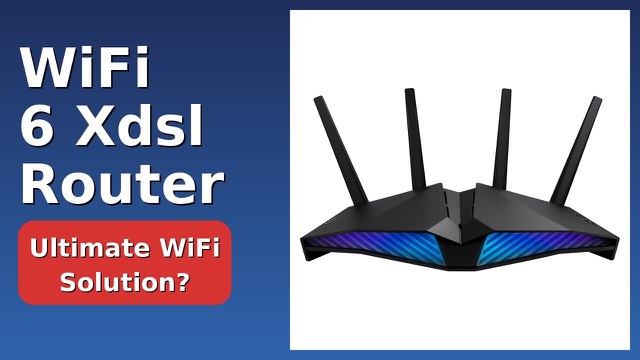
The router has external dual-feeding antennas. ASUS says they raise efficiency and signal strength, which improves coverage. AiMesh is listed too, which lets you link compatible ASUS routers into one network with a shared name, so the system can be extended to cover more of a larger home.
Wired ports
Wired speed matters as much as wireless for many setups. The router has two 10G ports and four 2.5G ports. A 10G port suits a fast internet plan, a network storage device or a workstation. A 2.5G port suits many modern PCs and consoles. Check which port serves as the internet connection and how the ports can be combined in the manual. You'll need compatible devices and cables at the other end.
Gaming features
ASUS says Triple-Level Game Acceleration boosts gaming traffic from the PC gaming port to the game server. A Mobile Game Mode is listed, and the router lists subscription-free security and VPN features. Check the manual to see what each feature covers and how to set it up.
Size
It is a tall router, about 13.7 x 8.6 x 13.7 inches (35 x 22 x 35 cm), and weighs 4.4 lb (2 kg). Leave open space around the antennas.
Who it suits
It suits large homes, households with many devices, gamers who want wired and wireless options, and people with a fast internet connection or a home server. A small flat with a modest connection and few WiFi 7 devices will not use most of its capability.
What to check before you buy
- Your internet plan: check it can use a 10G or 2.5G WAN port, and what your modem provides.
- Your devices: WiFi 7 benefits need WiFi 7 clients, and 6 GHz needs compatible hardware.
- Region rules: 6 GHz and 320MHz channel availability varies by country.
- Mesh plans: check which routers work with AiMesh.
- Placement: a central, raised spot with clear space around the antennas usually helps.
- Setup: follow the manual and update the firmware.
The short version
- A quad-band WiFi 7 gaming router with 320MHz channels and 4096-QAM.
- ASUS cites speeds up to 30 Gbps combined; real-world results are lower.
- Two 10G ports and four 2.5G ports, with Multi-link Operation and AiMesh.
- Triple-level game acceleration, Mobile Game Mode, security and VPN features.
Bloiq is reader-supported. Some links may earn us a commission; it never affects what we write. How we make money.