Home / Tech · Product overviews / Computers & Accessories / Minis · More from ASUS
ASUS NUC 15 Pro Tall barebones mini PC: specs and what it needs
The ASUS NUC 15 Pro Tall is a barebones mini PC with a Core Ultra 7 255H, Wi-Fi 7, Thunderbolt 4 and up to 96GB DDR5. Specs explained, and what to add before use.
This page contains an affiliate link, marked as such. If you buy through it, Bloiq may earn a commission at no extra cost to you.
The ASUS NUC 15 Pro Tall is a small barebones mini PC built around an Intel Core Ultra 7 255H processor. "Barebones" means the computer comes without memory, storage or an operating system, so you add those yourself. It suits people who want a compact desktop for work, media or a small server, and who are happy to choose their own parts.
What "barebones" means
The kit includes the chassis, motherboard and processor. You supply the DDR5 memory, the storage drives and a copy of an operating system. This lets you pick exactly the capacity you need. ASUS says the unit supports up to 96GB of dual-channel DDR5 RAM and has a dual storage design, which typically means two drive slots.
The processor and graphics
The Core Ultra 7 255H is an Intel Series 2 processor with integrated Intel Arc 140T graphics. ASUS also points to NPU support for AI workloads. An NPU is a dedicated block for certain AI tasks, and software has to be written to use it. Integrated graphics handle everyday work, video playback and light gaming, but they are not a replacement for a dedicated graphics card.
Connectivity
ASUS lists Intel Wi-Fi 7, which it says offers up to 2.4X faster transfer rates, along with Bluetooth 5.4 and Wi-Fi Proximity Sensing. Wi-Fi 7 needs a compatible router to deliver its full benefits.
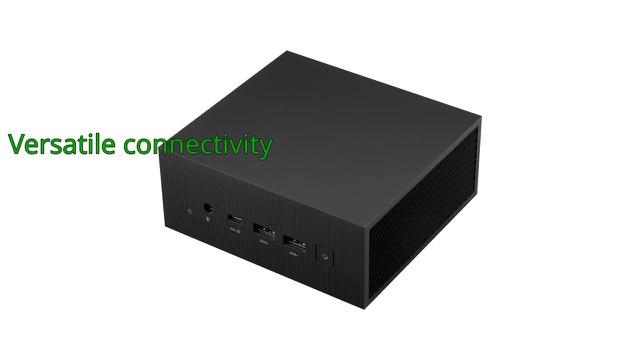
The mini PC has HDMI 2.1 and Thunderbolt 4 outputs, and ASUS says it can drive up to four 4K displays. Thunderbolt 4 is a USB-C connector that can carry fast data, display signals and power through one cable. The listing also mentions headless emulation, which lets the PC run without a screen connected, and a sync power-off feature that turns off screens automatically.
Tool-less chassis and mounting
The tool-less 2.0 chassis is designed so you can open the case and fit upgrades without a screwdriver. A VESA mount is included, so the PC can be fixed to the back of a compatible monitor or on a wall.
Build and reliability
ASUS says the unit has MIL-STD-810H certification and went through torture testing for 24/7 reliability. MIL-STD-810H is a set of US military test methods for environmental conditions, so the claim is about how the design was tested rather than a guarantee for any use. The unit measures about 4.6 x 4.4 x 2.1 inches (117 x 112 x 53 mm) and weighs 0.8 lb (about 0.36 kg).
Who it suits
It suits home offices, desks with limited space, digital signage and media players, and small home-lab uses where a quiet small computer is enough. It is less suited to people who want to run demanding modern games or edit large video projects.
What to check before you buy
- Memory type: it takes DDR5, so check which module format the manual lists.
- Storage: confirm the drive types and sizes supported by the two slots.
- Operating system: you need to supply and install one.
- Display connections: check that your monitors work with HDMI 2.1 or Thunderbolt 4 through a USB-C cable.
- Power and cooling: make sure there is airflow around the unit and follow the manual on the power adapter.
The short version
- A barebones mini PC with an Intel Core Ultra 7 255H and Arc 140T graphics.
- Up to 96GB of DDR5 and dual storage, but memory and drives are not included.
- Wi-Fi 7, Bluetooth 5.4, HDMI 2.1 and Thunderbolt 4.
- Tool-less chassis and VESA mount included.
- MIL-STD-810H certified, according to ASUS.
Bloiq is reader-supported. Some links may earn us a commission; it never affects what we write. How we make money.