Home / Tech · Product overviews / Computers & Accessories / Minis · More from ASUS
ASUS NUC 14 Pro+ Mini PC Barebone: features, specs and who it suits
A compact barebone mini PC with an Intel Core Ultra 9 185H, Thunderbolt 4, Wi-Fi 6E and toolless access. What the specs mean and what to check first.
This page contains an affiliate link, marked as such. If you buy through it, Bloiq may earn a commission at no extra cost to you.
The ASUS NUC 14 Pro+ is a small desktop computer sold as a barebone kit. That means the chassis, motherboard and processor are included, and you add your own memory, storage and operating system. It suits people who want a compact machine for a desk, a shelf or the back of a monitor, with the flexibility of choosing their own components.
What "barebone" means in practice
A barebone mini PC arrives without RAM, storage or an operating system, so it won't run until you fit them. The upside is control: you pick the memory capacity and the drives, and you can reuse parts you already own. The downside is a little extra setup and the need to buy compatible parts. ASUS describes the chassis as designed for toolless access, which is meant to make opening it and fitting upgrades quicker and simpler.
The Core Ultra 9 185H processor
The model uses the 14th-generation Intel Core Ultra 9 185H with Intel Arc Graphics. ASUS highlights NPU support, a dedicated block in the processor aimed at running some AI workloads locally, such as certain background effects or on-device generative tools, while leaving the main cores free. In general, how much you benefit depends on whether your software is written to use the NPU.
Arc integrated graphics handles everyday display output, video playback and light creative work. It is not a replacement for a dedicated graphics card in demanding 3D games.
Memory and dual storage
The listing states support for up to 96GB of DDR5 RAM, which is generous for a machine this size and useful for virtual machines, large spreadsheets or many browser tabs. The "dual storage" design means more than one drive can be fitted, so you can keep the operating system on one drive and data on another. Check the manual for the exact slot types and the memory format (typically laptop-style SO-DIMM modules in this class of PC).
Connectivity
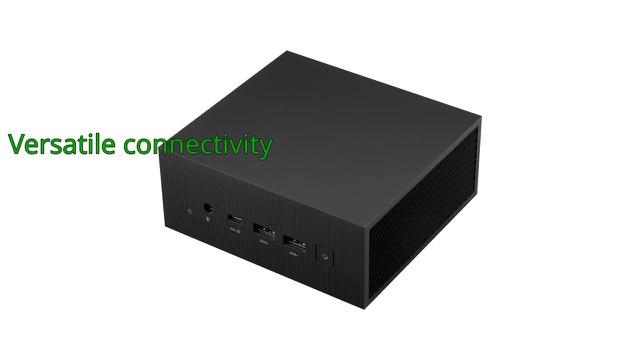
Thunderbolt 4 is a single USB-C style connection that can carry data, video and, depending on the setup, power to docks and fast external drives. The unit also has Wi-Fi 6E, which adds access to the 6 GHz band where your router supports it, and Bluetooth 5.3. ASUS also mentions Wi-Fi sensing, which it says delivers instant availability while reducing power use.
Size and mounting
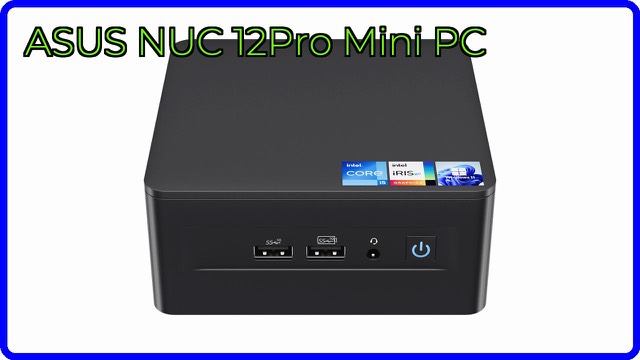
The aluminium chassis is listed at about 5.7 x 4.4 x 1.6 inches (roughly 14.5 x 11.2 x 4 cm) and weighs 1.3 lb (about 0.6 kg). A VESA mount is included, so the unit can be attached to the back of a compatible monitor or under a desk.
Who it suits
It suits home offices, small workspaces, media setups and anyone who wants a quiet-footprint desktop without a tower. It also appeals to people who like choosing their own RAM and drives. If you want a machine that works straight out of the box, a complete system is simpler.
What to check before you buy
- What's missing: you will need RAM, at least one storage drive and an operating system licence or installer.
- Compatible parts: confirm the memory type, speed and drive formats in ASUS's documentation.
- Display and ports: make sure the available video outputs match your monitors and cables.
- Power: check the power adapter and that your outlet and desk layout suit it.
- Mounting: confirm your monitor's VESA pattern if you plan to use the included mount.
- Workload: for heavy gaming or 3D rendering, integrated graphics may not be enough.
The short version
- A barebone mini PC with an Intel Core Ultra 9 185H, Intel Arc Graphics and NPU support.
- Supports up to 96GB of DDR5 RAM and a dual storage design.
- Thunderbolt 4, Wi-Fi 6E and Bluetooth 5.3.
- Toolless aluminium chassis of about 5.7 x 4.4 x 1.6 inches, with a VESA mount included.
- RAM, storage and an operating system are not included.
Bloiq is reader-supported. Some links may earn us a commission; it never affects what we write. How we make money.