Home / Tech · Product overviews / Computers & Accessories / Traditional Laptops · More from ASUS
ASUS 14-inch Chromebook with MediaTek Kompanio 520: specs and fit
A 14-inch ASUS Chromebook with an 8-core MediaTek Kompanio 520, 4GB RAM, 192GB storage, Wi-Fi 6 and USB-C. What the specs mean for school and home.
This page contains an affiliate link, marked as such. If you buy through it, Bloiq may earn a commission at no extra cost to you.
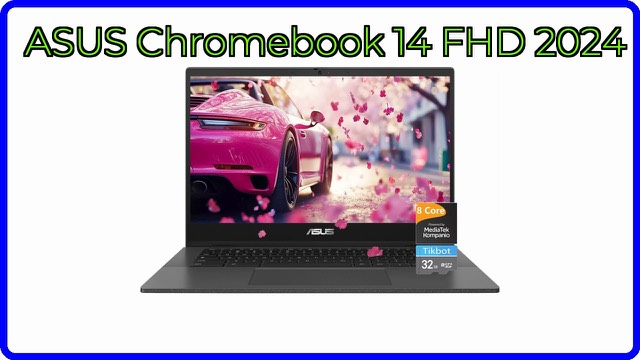
This ASUS laptop is a 14-inch Chromebook running Google's Chrome OS on an 8-core MediaTek Kompanio 520 processor. Chromebooks are simple, web-focused computers, and this one is pitched at students and families who mostly use browsers, email, documents, video and Android apps. Here is what its listed specs mean.
Chrome OS in plain terms
Chrome OS is built around the Chrome browser and web apps. The listing says it brings built-in protection, automatic updates and cloud backups, and that Android apps are available through Google Play. Because the system is lightweight, Chromebooks typically start quickly and need little maintenance. The trade-off is that traditional Windows or Mac programs do not run, so check that the tools you rely on have a web or Android version.
The processor and memory
The MediaTek Kompanio 520 has 8 cores. It is an efficiency-oriented chip that suits many tabs, streaming and school work, and the listing says it can also handle some Android games, including Minecraft. The laptop has 4GB of DDR4 memory. That is enough for basic multitasking on Chrome OS, though a great many tabs or heavy Android apps can fill it. Storage is listed as 192GB, which is generous for a Chromebook and leaves room for files and offline content.
Screen and size
The 14-inch display has Full HD resolution, which the listing describes as clear and colourful. The laptop is 12.6 x 8.1 inches and 0.7 inches thick. The listing's spec line gives a weight of 3.8 lb, while its description says 3.19 lb, so confirm the final figure if carrying weight matters to you. It has a webcam and stereo speakers with a dual-array microphone for video calls.
Battery, connectivity and ports
The listing claims up to 15 hours of battery life and fast charging that takes the laptop from 0 to 50% in about 45 minutes. Battery results always depend on brightness and what you are doing, so treat those as manufacturer-style maximums. Wi-Fi 6 is a newer wireless standard that typically gives faster, more stable connections than earlier ones. A USB-C port handles data transfer, video and charging, and a microSD card reader adds storage. The listing also mentions an SD card reader, so check which one applies. A 128GB microSD card is described as part of the package.
Who it suits
A Chromebook like this suits schoolwork, note taking, web research, streaming and video calls. It is less suited to professional video editing, large design programs or software that only runs on Windows or macOS.
What to check before you buy
- Software needs. Confirm that your school or work tools run on Chrome OS.
- Exact configuration. The listing gives no model number, so confirm RAM, storage and what is included.
- Weight. Two different figures appear.
- Card reader. Check whether it has a microSD or full-size SD slot.
- Update support. Chromebooks receive updates for a set period; check the end date for this model.
- Account and school rules. Some schools manage devices; check any requirements.
- What's in the box, including the charger and the memory card.
The short version
- 14-inch Full HD ASUS Chromebook running Chrome OS.
- 8-core MediaTek Kompanio 520, 4GB DDR4 RAM and 192GB of storage.
- Wi-Fi 6, USB-C, a card reader, a webcam and stereo speakers.
- Listed with up to 15 hours of battery life and fast charging.
- Best for web-based work; check app compatibility first.
Bloiq is reader-supported. Some links may earn us a commission; it never affects what we write. How we make money.