Home / Tech · Product overviews / Computers & Accessories / Traditional Laptops · More from ASUS
ASUS 14-inch laptop with Intel Celeron N4500 and 4GB RAM: specs and uses
A light 14-inch Full HD laptop with an Intel Celeron N4500, 4GB of RAM, 64GB eMMC, Windows 11 in S mode and a year of Microsoft 365. What it handles.
This page contains an affiliate link, marked as such. If you buy through it, Bloiq may earn a commission at no extra cost to you.
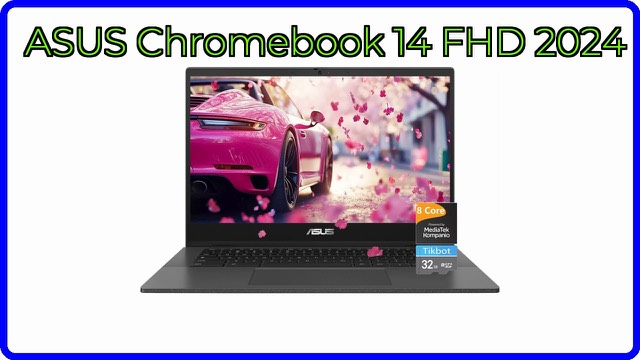
This ASUS 14-inch laptop is a light, basic machine for everyday computing. It pairs an Intel Celeron N4500 processor with 4GB of memory and 64GB of eMMC storage, and includes Windows 11 in S mode and a one-year Microsoft 365 subscription. Here is what those specs mean, and what the machine is realistically for.
Display
The 14-inch screen has a Full HD (1920 x 1080) resolution with an LED backlight. At this size Full HD is sharp enough for documents, web pages and video, and it gives more room than a lower-resolution panel. The listing also mentions a 720p webcam for video calls.
Processor, memory and storage
The Intel Celeron N4500 has two cores and two threads, a base speed of 1.1 GHz and a maximum turbo of 2.8 GHz. It is an entry-level, energy-efficient chip, which suits web browsing, email, streaming and office work. Heavy multitasking, video editing and demanding games are typically beyond it. Graphics are Intel Iris Xe, as the description says.
The 4GB of DDR4 memory is on board, which means it is soldered and typically can't be upgraded later. With 4GB, a handful of browser tabs and an office app are comfortable, but many tabs at once may slow things down. Storage is 64GB of eMMC, which starts up faster than a hard drive but offers modest space, so most people lean on cloud storage or an external drive. The listing also notes a media card reader.
Windows 11 in S mode and Microsoft 365
The laptop ships with Windows 11 Home in S mode. S mode runs only apps from Microsoft's own app catalogue, which keeps things simple. The listing explains how to switch out of S mode through Settings; this change is typically one-way. The one-year Microsoft 365 subscription gives access to the Office suite for that period, and after it ends continued use depends on Microsoft's own terms.
Ports, keyboard and size
The listed ports are one USB-A 2.0, one USB-A 3.2, one USB-C 3.2, one HDMI 1.4, a 3.5mm combo audio jack and DC-in, plus Wi-Fi and Bluetooth. The touchpad doubles as a touch NumberPad for entering figures. The laptop measures 12.8 x 8.5 x 0.7 inches (about 32.5 x 21.7 x 1.8 cm) and weighs 2.9 lb (about 1.3 kg). ASUS says battery life is up to 10 hours, a brand figure that varies with use.
Who it suits
It suits students and workers who mostly write documents, browse, join video calls and stream, and anyone who wants a light second laptop for travel. It is not meant for gaming or heavy creative work.
What to check before you buy
- Your software: confirm the apps you use run on Windows in S mode, or switch out of it.
- Memory and storage: check that 4GB and 64GB are enough, since memory cannot typically be expanded.
- Ports: make sure the USB-C and HDMI ports suit your accessories and display.
- Subscription: note how Microsoft 365 is activated and what happens after the first year.
- Charging: check the charger type in the box.
- Model name: the listing gives a code rather than a model name, so confirm the exact specifications with ASUS.
The short version
- A 14-inch Full HD laptop weighing 2.9 lb, with a 720p webcam.
- Intel Celeron N4500 (up to 2.8 GHz), 4GB DDR4 and 64GB eMMC.
- Windows 11 Home in S mode and one year of Microsoft 365.
- USB-A, USB-C, HDMI, a card reader and a touch NumberPad.
- Suited to everyday web, office and streaming use.
Bloiq is reader-supported. Some links may earn us a commission; it never affects what we write. How we make money.