Home / Tech · Product overviews / Computers & Accessories / Data Storage · More from QNAP
QNAP TS-464 4-Bay NAS with Dual 2.5GbE and M.2 Slots: specs and fit
The QNAP TS-464 is a diskless four-bay desktop NAS with an Intel Celeron quad-core CPU, 8GB RAM, dual 2.5GbE ports and two M.2 NVMe slots. What it offers.
This page contains an affiliate link, marked as such. If you buy through it, Bloiq may earn a commission at no extra cost to you.
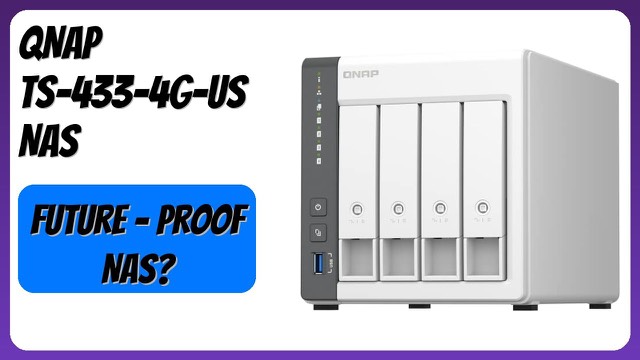
The QNAP TS-464 is a four-bay network-attached storage (NAS) device for home offices, small teams and keen home users. It is sold diskless, so you add your own drives. It keeps files, photos, music and videos in one place on your network, backs up your computers and lets you reach your files from elsewhere.
The processor and memory
QNAP lists an Intel Celeron N5105 or N5095 quad-core processor, with four cores and four threads and a burst speed up to 2.9 GHz. This model comes with 8GB of DDR4 memory, and QNAP says the system supports up to 16GB. More memory generally helps when you run several apps, containers or virtual machines on the NAS at once. QNAP also notes an Intel AES-NI encryption engine, which handles encryption in hardware so protected data doesn't slow the system down as much.
Networking: two 2.5GbE ports
The TS-464 has dual 2.5GbE ports that also work at 1G and 100M. A 2.5GbE link can carry up to about 2.5 times the data of standard gigabit Ethernet, but only if the device on the other end, and the switch between them, also support it. QNAP says the pair of ports speeds up file sharing across teams and large transfers. Two ports can be useful for connecting to two networks or for sharing the load, depending on your setup.
Drives, M.2 slots and USB
The four bays take SATA 6 Gb/s drives. In addition, two M.2 PCIe Gen3 x2 NVMe slots allow SSD cache acceleration or SSD storage pools. A cache can speed up frequently used data on a disk array, while an SSD pool gives you a fast volume for things like virtual machines or databases. Several USB 3.2 Gen 2 Type-A ports, at up to 10Gb/s, let you attach fast external drives and expansion enclosures for moving large media files.
Software and backups
QNAP says you can back up Windows computers with its NetBak Replicator software and Mac computers using Time Machine. The MyQNAPCloud service provides secure remote access to your files. The listing also highlights using the NAS to keep and organise family photos, music and video.
Who it suits
A four-bay NAS suits households with a growing media library, small offices that need shared folders and backups, and anyone who wants to centralise storage rather than spread it across external drives. The M.2 slots appeal to people who want to add caching later.
What to check before you buy
- Plan your drives. The unit ships without any, so you need to buy compatible SATA drives, and QNAP publishes a compatibility list.
- Consider the RAID level you want, since it affects usable space and how many drives can fail before data is lost.
- Check that your router or switch supports 2.5GbE if you want the faster speeds; otherwise the ports will run at 1G.
- Find space for a desktop unit of roughly 10 x 12 x 13 inches that weighs about 5 lb before drives.
- Think about noise and heat from the drives you pick, and where the unit will sit.
- A NAS is not a complete backup plan on its own; consider keeping a copy of important data elsewhere.
The short version
- Diskless four-bay desktop NAS, model TS-464-8G-US, with an Intel Celeron quad-core CPU and 8GB DDR4.
- Dual 2.5GbE ports and several USB 3.2 Gen 2 ports.
- Two M.2 PCIe Gen3 x2 NVMe slots for cache or SSD storage pools.
- Backup tools for Windows and Time Machine on Mac, plus MyQNAPCloud remote access.
- You supply the drives and need a network that supports 2.5GbE to use its full speed.
Bloiq is reader-supported. Some links may earn us a commission; it never affects what we write. How we make money.