Home / Home & Kitchen · Product overviews / Heating, Cooling & Air Quality / Household Fans · More from Dreo
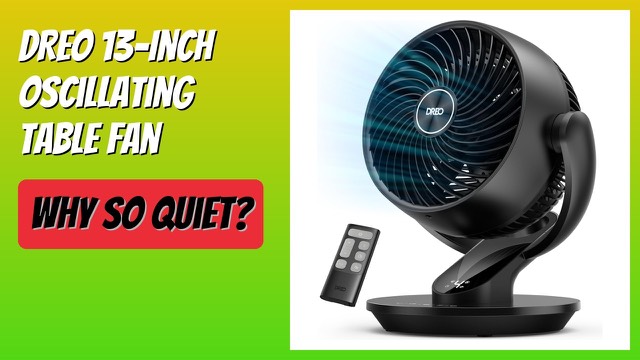
Dreo 13-inch Smart Desk Fan DR-HAF001S: oscillation, noise and controls
The Dreo DR-HAF001S is a 13-inch smart table fan with 90° oscillation, 120° tilt, four speeds, five modes and voice control. What the specs mean.
This page contains an affiliate link, marked as such. If you buy through it, Bloiq may earn a commission at no extra cost to you.
The Dreo DR-HAF001S is a 13-inch table fan that doubles as a small air circulator. It oscillates and tilts, runs from an app or by voice, and is light enough to move between rooms. Here is what its specs mean for a bedroom or desk.
Air circulation and reach
Dreo says its WingBoost design throws air up to 70 feet (about 21 metres). That is a claim about how far the airflow travels, not a guarantee of cooling across a whole room. A circulator moves air around so a room feels more even, and it works well alongside an air conditioner or heater by spreading that air. The listing also says it can give a soft breeze when aimed at you, and stronger circulation across a room.
Oscillation and tilt
The head oscillates up to 90° horizontally and pivots up to 120° vertically. Horizontal sweep covers a wider area, while the vertical tilt lets you aim the air upward at a ceiling or down at a desk. You can switch off the sweep to keep the airflow on one spot.
Noise
Dreo says its blade design, using aerodynamics and bionic shapes, reduces noise to as low as 28.5dB. Noise levels are given at the lowest speed, so expect more sound at higher speeds. For a bedroom, check the lower settings against your own tolerance.
Speeds, modes and timer
There are four speeds and five wind modes. Modes typically vary the speed pattern, such as a natural breeze that rises and falls. A timer of up to 12 hours is included. The listing says 8 hours is available from the remote and control panel, and the full 12 hours is only available in the app.
Smart control
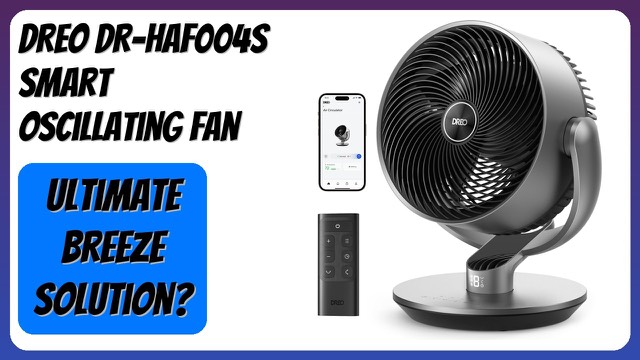
You can control the fan by voice or through the Dreo app. Dreo lists compatibility with Alexa and Google Assistant. Check the setup steps and your home network before relying on it.
Child lock and portability
A child-lock function stops accidental changes to the settings. The fan is listed at 2.0 lb (about 0.9 kg) and about 11.5 x 10.2 x 13.2 inches (29 x 26 x 34 cm). The listing says it is easy to carry and clean. Keep the fan on a stable surface and keep fingers and objects out of the grille, as with any fan.
Who it suits
It suits desks, bedside tables and small rooms where you want a quiet, adjustable fan with a timer. It also helps spread air from heaters or air conditioners.
What to check before you buy
- Space: confirm the footprint fits your desk or table.
- Airflow needs: a table fan won't match a large pedestal fan in a big room.
- Noise: consider whether the speeds you'd use are quiet enough where you'll sleep or work.
- Smart features: check that your voice assistant and Wi-Fi network are supported.
- Timer limits: remember that the 12-hour timer needs the app.
- Cleaning: read the manual on removing the grille and cleaning the blades.
The short version
- A 13-inch smart table fan with 90° oscillation and 120° vertical tilt.
- Four speeds, five modes and a timer of up to 12 hours via the app.
- Noise down to 28.5dB, according to Dreo.
- Voice and app control, child lock, and a weight of about 2 lb.
Bloiq is reader-supported. Some links may earn us a commission; it never affects what we write. How we make money.